Replacing Consumables and Maintenance Kit
16
1
F
FF
F
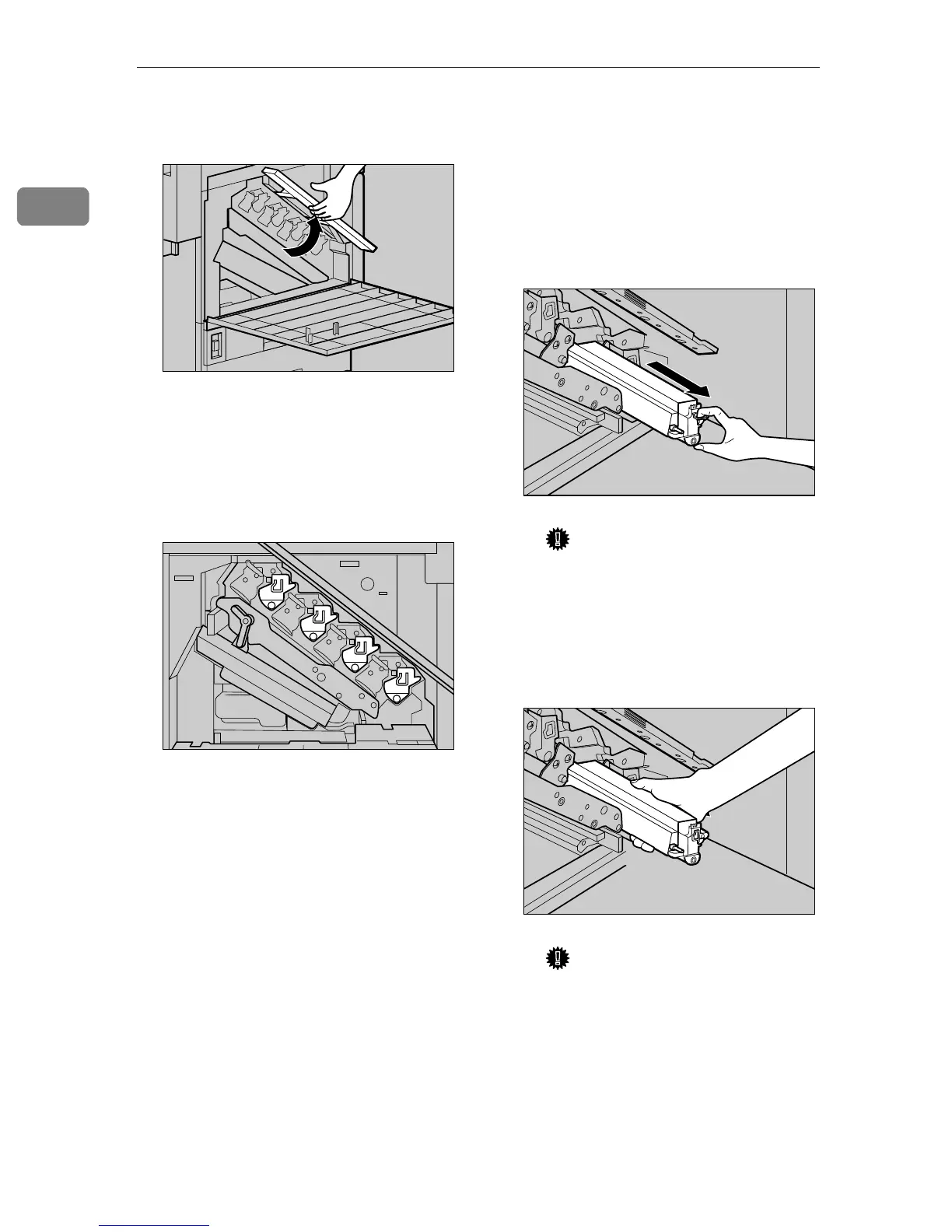
Lift the inner cover until it clicks
into place and holds.
The Development Units are in-
stalled as shown in the illustration.
Starting from the upper left, the
units are installed in the order of
black (K), yellow (Y), cyan (C), and
magenta (M).
G
GG
G
Remove the Development Unit.
The procedure for removing the
unit is the same for all four colors.
A Hook your finger on the green
tab in front of the Develop-
ment Unit you want to replace,
and pull it out halfway.
Important
❒ Pulling out the Development
Unit quickly might cause it to
drop.
B Hold the right side of the De-
velopment Unit, and pull out
the unit slowly.
Important
❒ Be careful not to touch the
right side of the Photocon-
ductor Unit with your hands
or clothes.
ZDJH016J
ZDJH046J
ZDJH225J
ZDJH993J



 To Next Page