Replacing Consumables and Maintenance Kit
22
1
Note
❒ If the toner has almost run out
or Auto Adjustment has not fin-
ished, the Fuser Adjustment
procedure cannot be carried
out. Carry out the Fuser Adjust-
ment procedure after replenish-
ing the toner or after Auto
Adjustment has finished.
T
TT
T
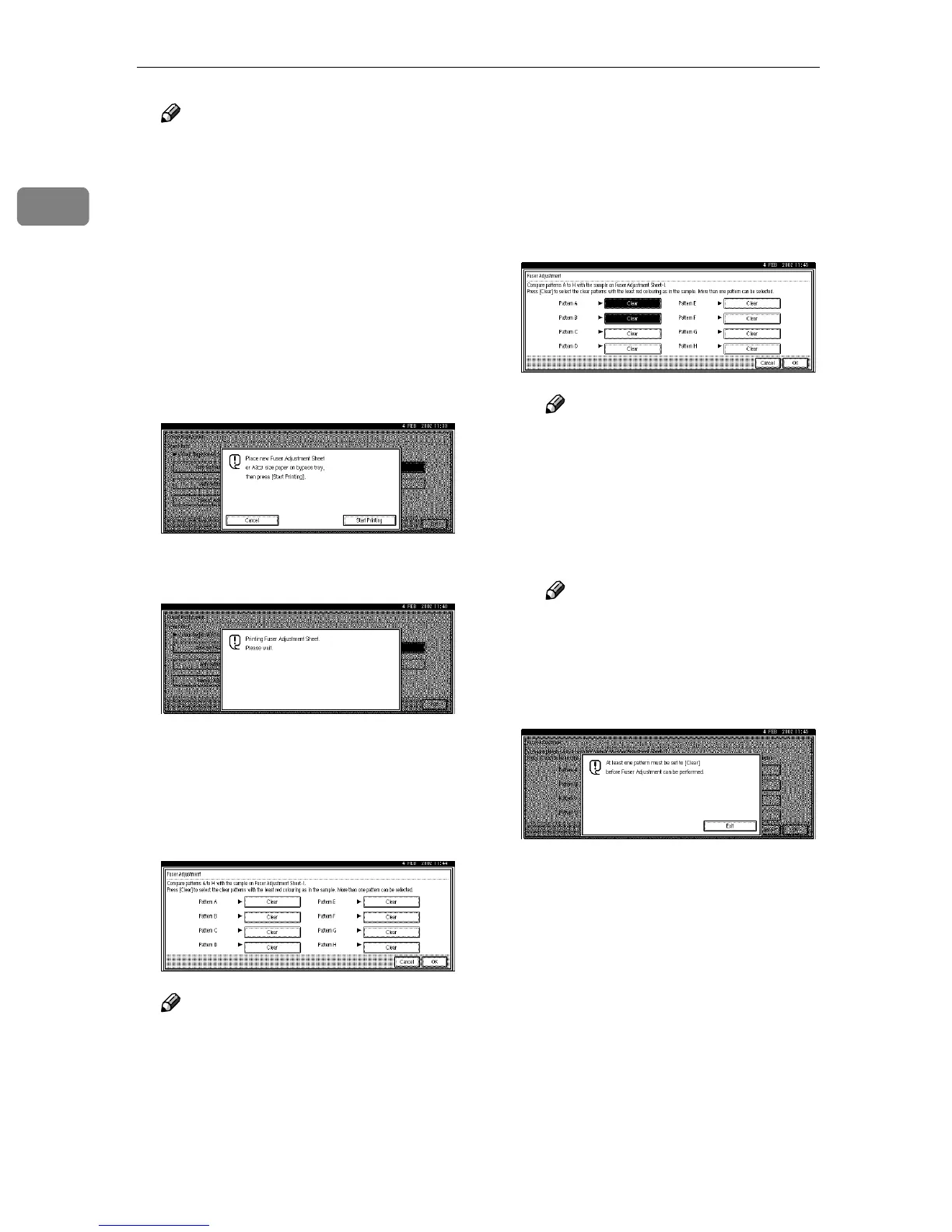
Load the A3 paper that comes
with the new Fusing Unit in the
Bypass Tray, and then press [Start
Printing].
The printer prints 8 Test Sheets (A-
H).
U
UU
U
After printing the Fuser Adjust-
ment Sheet, the Fuser Adjustment
display appears. Adjust the print
settings for boxes A - H on the
Fuser Adjustment Sheet.
Note
❒ Check the printed Fuser Adjust-
ment Sheet to adjust the print
settings.
A Compare box A of the pattern
with the white square in the
printed Fuser Adjustment
Sheet. If the pattern is the same
as the printed Fuser Adjust-
ment Sheet, press [Clear]. If it is
not, do not press [Clear].
Note
❒ If you press [Clear] again, set-
ting will be cancelled.
B Repeat step A
AA
A to make the set-
tings for boxes B to H.
C After making all the settings,
press [OK].
Note
❒ If [Clear] is not pressed for
one of the boxes, the follow-
ing display appears. Press
[Exit] and repeat the proce-
dure from step A.
V
VV
V
After making all the settings,
press the {
{{
{User Tools/Counter}
}}
} key.
The initial display is shown.



 To Next Page