Appendix
54
3
E
EE
E
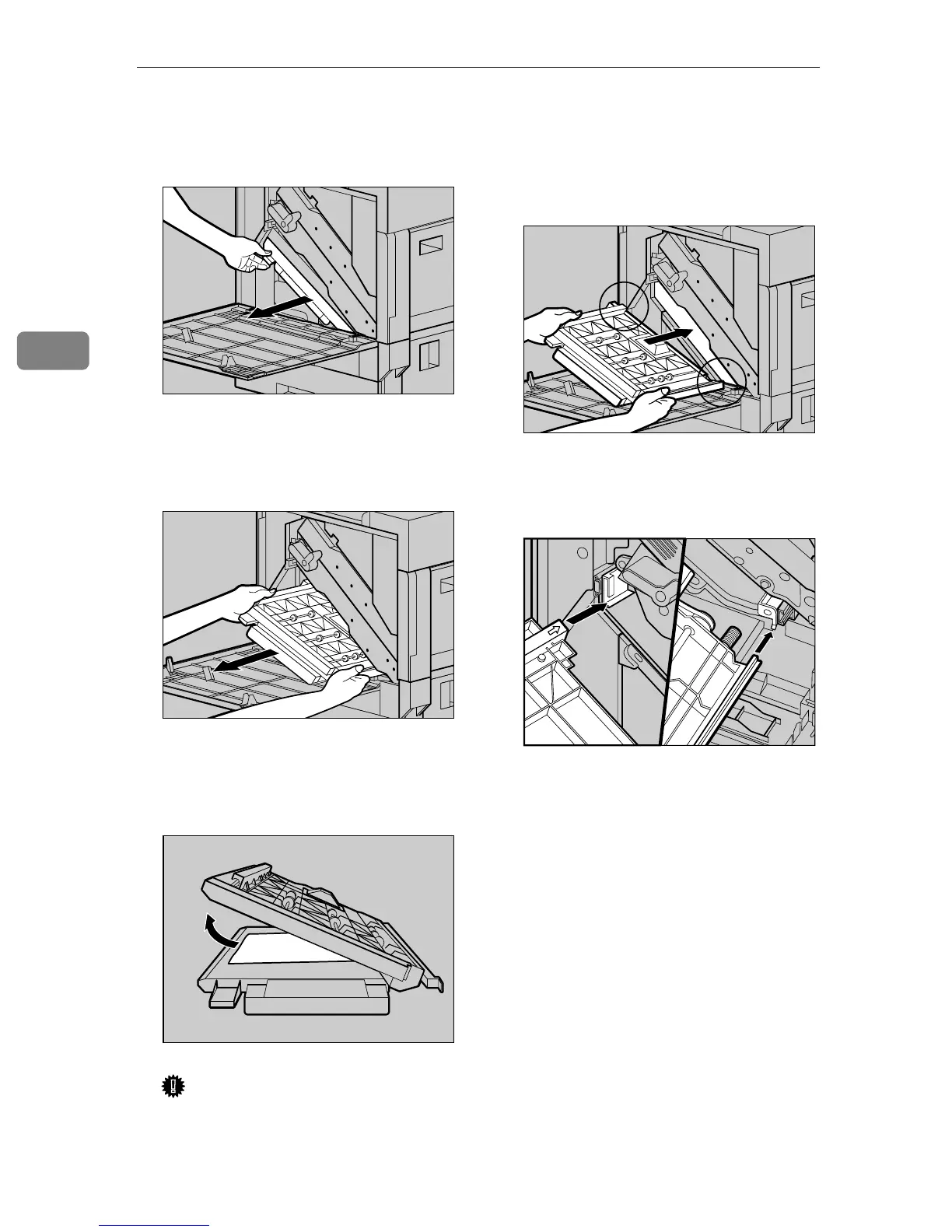
Pinch the upper left area of the
Duplex Feed Unit, and pull it out
slowly halfway.
F
FF
F
Holding the Duplex Feed Unit
firmly with both hands, pull it
straight out.
G
GG
G
Place the Duplex Feed Unit on the
floor slowly. Open it slowly, and
remove the misfed paper.
Important
❒ Do not open the Duplex Feed
Unit by force. It might damage
the unit.
H
HH
H
Close the Duplex Feed Unit.
I
II
I
Holding the Duplex Feed Unit
with both hands, insert it along
the rails slowly until it stops.
The top and bottom rails are locat-
ed in the position shown in the il-
lustration.
There are two arrows located on
the left and right sides of the Du-
plex Feed Unit.
ZDJP213J
ZDJP214J
ZDJP215J
ZDJP056J
ZDJP133J



 To Next Page