Operating Instructions Copy Reference <Advanced Features>
89
C
CC
C
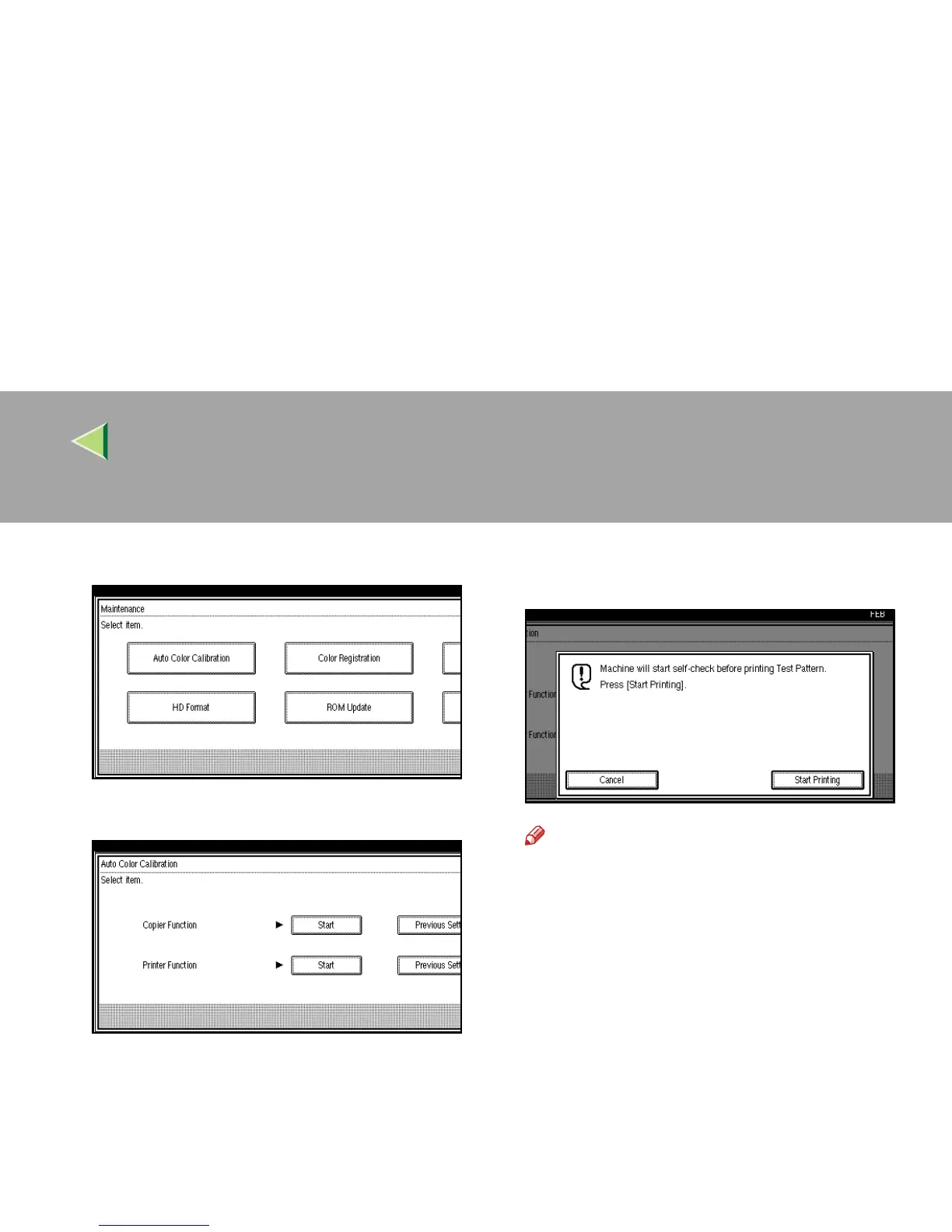
Press [
Auto Color Calibration
].
D
DD
D
Press [Start] on the “Copier Function”.
E
EE
E
Press [
Start Printing
] and a test pattern will
be printed.
Note
❒ The test pattern will be printed on an A4K,
A3 L, 8
1
/
2
" × 11"K, 11”× 17”L size page
(If A4K is not available then A3L, B4L
will be used). Make sure to check the pa-
per set in the paper tray.
❒ You cannot use the Bypass Tray as the
paper tray.
❒ The counter will not proceed when the test
pattern is printed.



 To Next Page