Operating Instructions Scanner Reference
37
❖
❖❖
❖ Mixed Original Sizes Priority
This setting determines whether the original
size is to be automatically detected when orig-
inals of different sizes are inserted in the
ADF. You can select “On” or “Off”.
Note
❒ If the original size is specified when scan-
ning, this setting is discarded.
❖
❖❖
❖ SADF Auto Reset Timer
When all originals in the ADF have been
scanned, and another original is inserted with-
in the time interval set here, the original is
read as a part of the same document.
• If "Off" is selected, the scanning of one
document is terminated at the point when
all originals in ADF have been scanned.
• If set to "On", enter the number of seconds
(3 - 99) of the SADF auto reset time with
the number keys. When the original is
placed within this time, it is scanned as one
document.
Note
❒ If the ADF is not installed on the machine,
this setting is not shown.
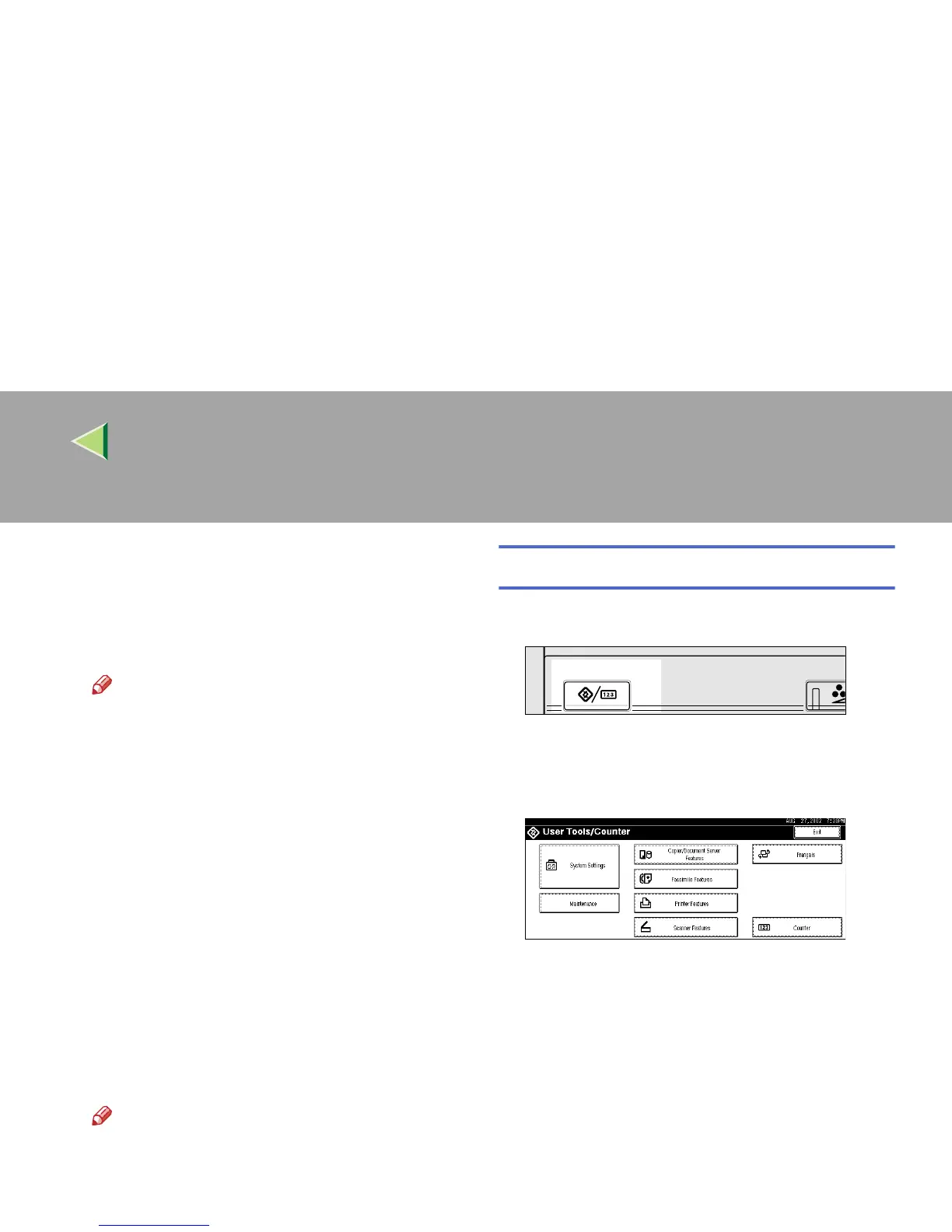
Setting Procedure
A
AA
A
Press {
{{
{User Tools/Counter}
}}
} key.
The User Tools/Counter screen appears.
B
BB
B
Press [Scanner Features].
The Scanner Features screen appears.
C
CC
C
Press the [Scanner Settings] tab.
Adjust/Prog
User Tools/Counter
ZEVS050E



 To Next Page