Operating Instructions Scanner Reference
57
Placing the Original in the Automatic Document Feeder
(ADF)
The ADF allows you to insert several originals at
one time. Originals placed in the ADF can be
scanned on one side or both sides.
❖
❖❖
❖ Originals that can and cannot be placed in
the ADF
For information about the originals that can
and cannot be placed in the ADF, see the
Copy Reference <Advanced Features>.
Attempting to use unsuitable originals in the
ADF can lead to misfeed and damage to the
original. Place such originals directly on the
exposure glass.
Important
❒ When using the scanner function, the fol-
lowing originals also cannot be placed in
the ADF.
• Originals longer than the length
(432mm) of the A3/11"x17".
❒ For information about which original sizes
can be detected automatically and notes
on placing originals in the ADF, see the
Copy Reference <Advanced Features>.
A
AA
A
Align the original guide with the original
size.
B
BB
B
Insert the originals with the side to be
scanned facing up. (For originals which are
to be scanned on both sides, the first side
should face up.)
There are two orientations. Either orientation
can be used for placement.
Note
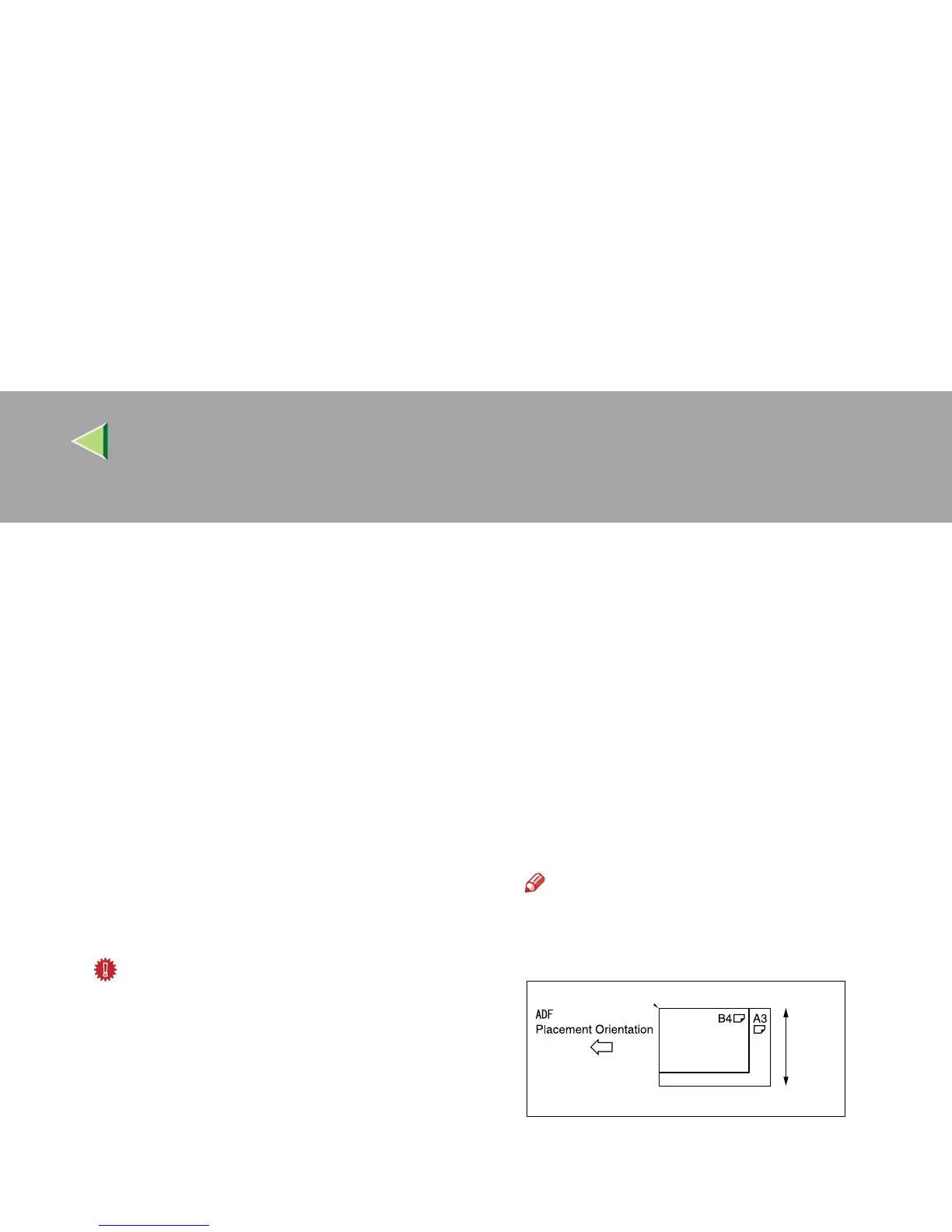
❒ Originals of different sizes can be placed
at the same time. Place the originals as
shown in the figure below.
❒ When [
Mixed size
] is set, the originals
smaller than B5 are scanned as B5.
❒ Originals are scanned in the inserted or-
der, starting with the topmost page.



 To Next Page