Operating Instructions Scanner Reference
76
H
HH
H
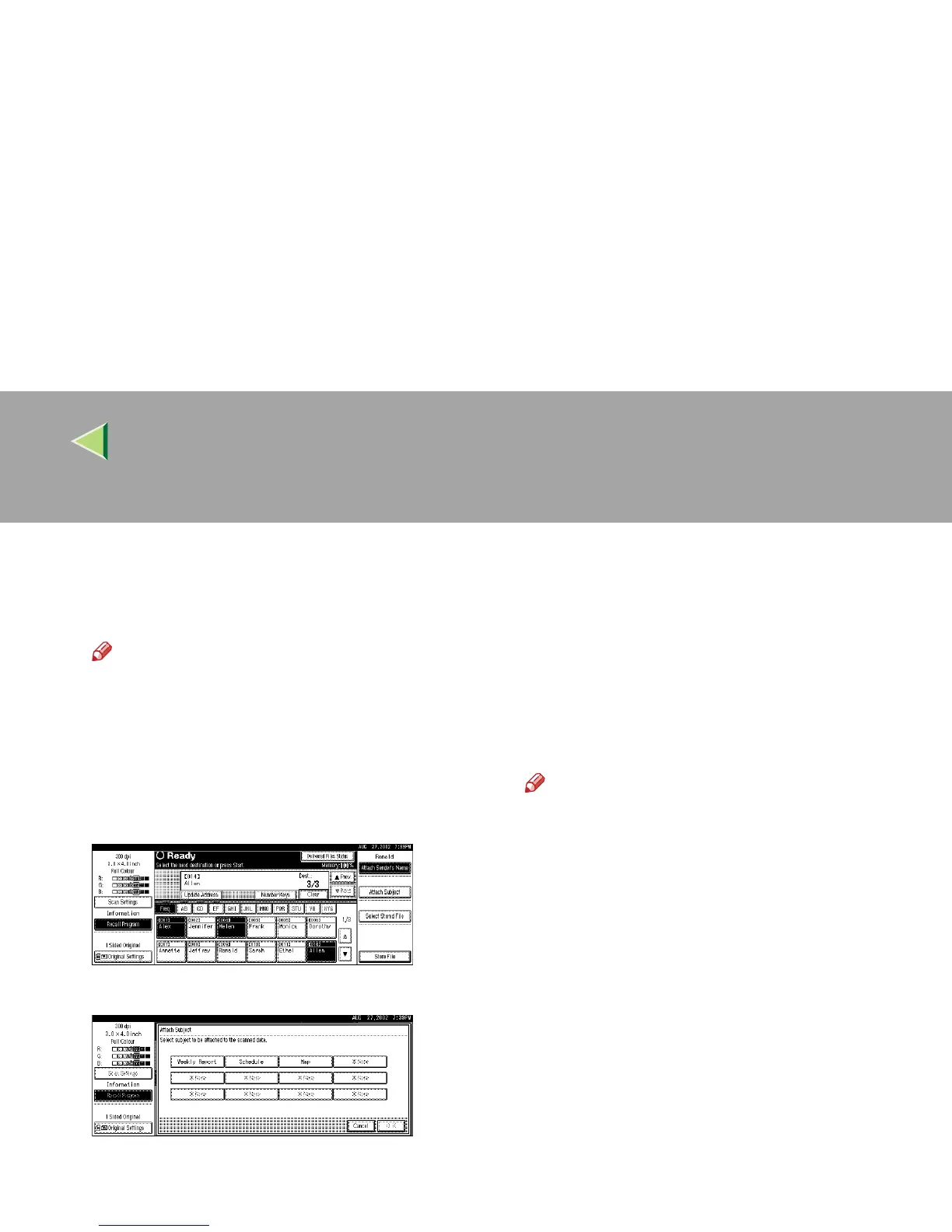
If required, select a subject.
Select a subject from the programmed ones.
⇒ p.38 “Making Scan Data Subject Settings”
Note
❒ When a subject has been specified, this in-
formation is added to the scan data file.
When the optional ScanRouter V2 Profes-
sional is used to send data files as e-mail,
the subject is automatically entered as a ti-
tle in the message subject.
A
AA
A Press [Attach Subject].
B
BB
B Select a subject.
C
CC
C Press [OK].
The subject is applied.
I
II
I
Press the {
{{
{Start}
}}
} key.
The original is scanned and the scan data file
is delivered to the destination(s).
If there is another page to scan, place the orig-
inal on the exposure glass, and then press the
{
{{
{Start}
}}
} key.
When there are no more pages, press the {
{{
{#}
}}
}
key.
Note
❒ To abort the scan process, press the
{
{{
{Clear/Stop}
}}
} key or press [
Stop
] on the dis-
play.
❒ When the SADF function is used, load the
next original. ⇒ p.59 “Placing the Divided
Original in the Automatic Document Feed-
er (SADF)”



 To Next Page