Operating Instructions Scanner Reference
75
Checking selected destinations
A
AA
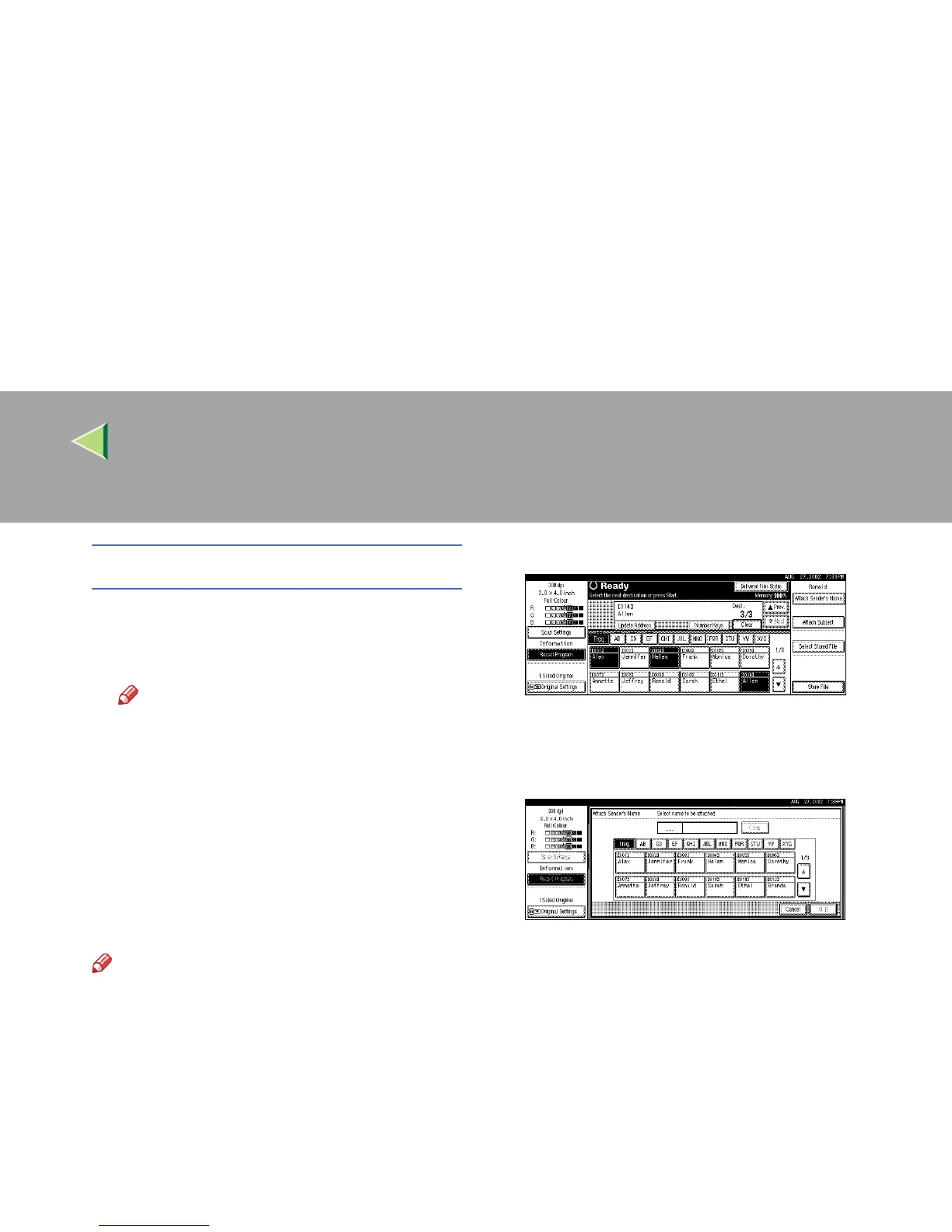
A Use the destination field at the top of the
screen to check which destinations are
selected.
Note
❒ When multiple destinations are select-
ed, the selected destinations are dis-
played in order by pressing [U
UU
UPrev.
] or
[T
TT
TNext
].
❒ Pressing the {
{{
{Check Modes}
}}
} key on the
control panel lets you verify the list of
selected destination(s).
G
GG
G
Specify the sender (scan data delivery
source).
Note
❒ When a sender has been specified, this in-
formation is added to the scan data file.
When the optional ScanRouter V2 Profes-
sional is used to send scan data files as e-
mail, the sender information is automati-
cally entered in the message sender field.
This allows the recipient to see where the
mail is from. Select a sender from the
senders programmed in the delivery serv-
er.
A
AA
A Press [Attach Sender’s Name].
A list of the senders programmed in the de-
livery server is displayed.
B
BB
B Select the sender.
• Selecting a sender from the title catego-
ry is done by using the same procedure
as when selecting a destination. See
step
F
.
• To select a sender using a short ID
number, enter the 3-digit ID number
with the number keys.
C
CC
C Press [OK].
The sender is applied.



 To Next Page