Faxing
24
2
A
AA
A
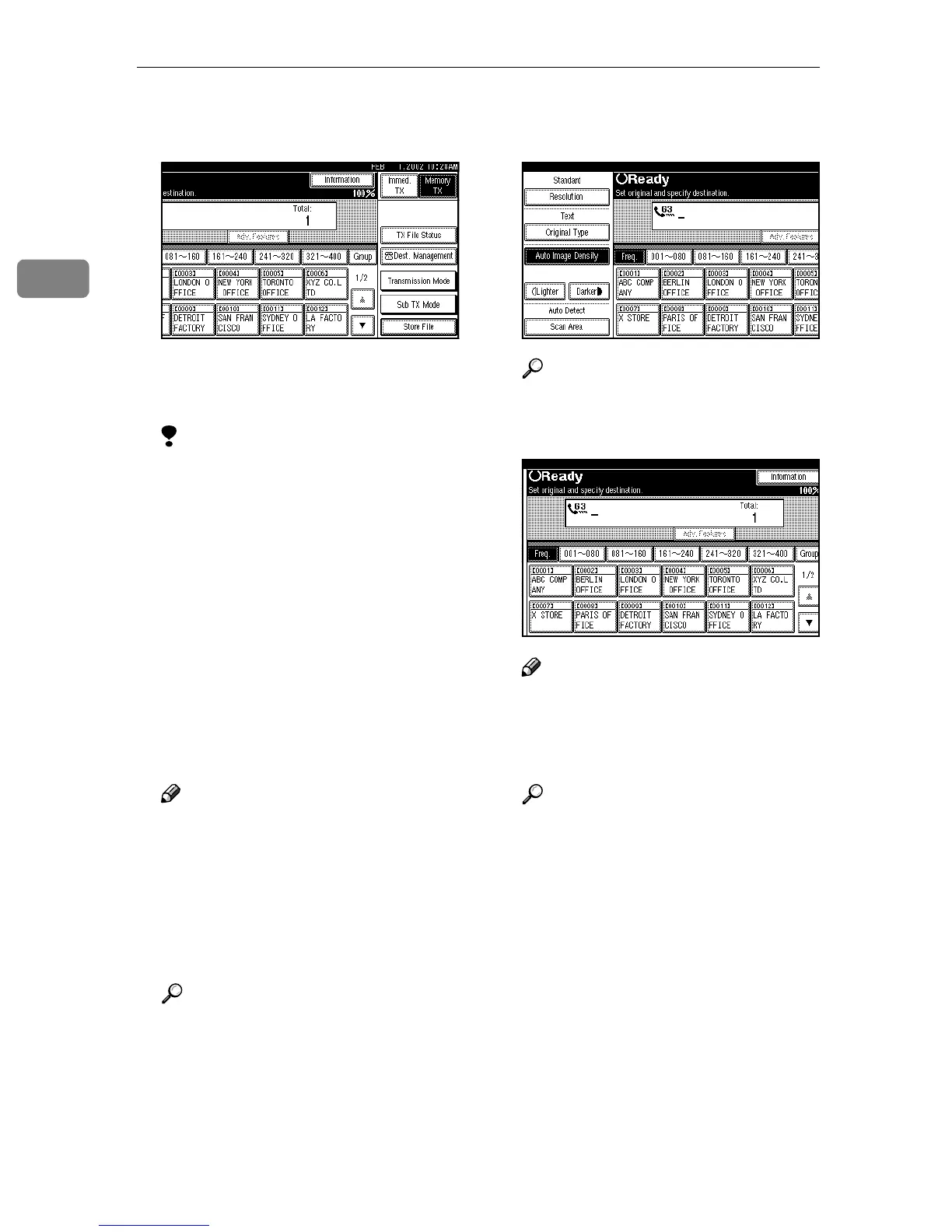
Make sure that Memory Trans-
mission is selected.
If it is not, press [Memory TX].
B
BB
B
Place the original.
Limitation
❒ You can send the first pages
from the exposure glass then
the remaining pages from the
optional Document Feeder
(ADF). After you remove the
last page from the exposure
glass, you have 60 seconds to in-
sert the remaining pages in the
optional Document Feeder
(ADF).
❒ Note that you cannot place pag-
es on the exposure glass after
you have started using the op-
tional Document Feeder (ADF).
Note
❒ To store multiple page originals
from the exposure glass, place
them page by page.
❒ The original can be placed in ei-
ther the optional Document
Feeder (ADF) or exposure glass
until the {
{{
{Start}
}}
} key is pressed.
Reference
⇒ p.16 “Placing Originals”
C
CC
C
Make the necessary settings you
require.
Reference
⇒ p.34 “Scan Settings”
D
DD
D
Dial a destination.
Note
❒ If you make a mistake, press
[Clear] or the {
{{
{Clear/Stop}
}}
} key,
and then enter the correct num-
ber.
Reference
⇒ p.39 “Dialing”
⇒ p.41 “Quick Dials”
⇒ p.42 “Groups”
⇒ Chapter 4, “Chain Dial” and
“Redial” in the Advanced Fea-
tures manual



 To Next Page