Memory Transmission
25
2
E
EE
E
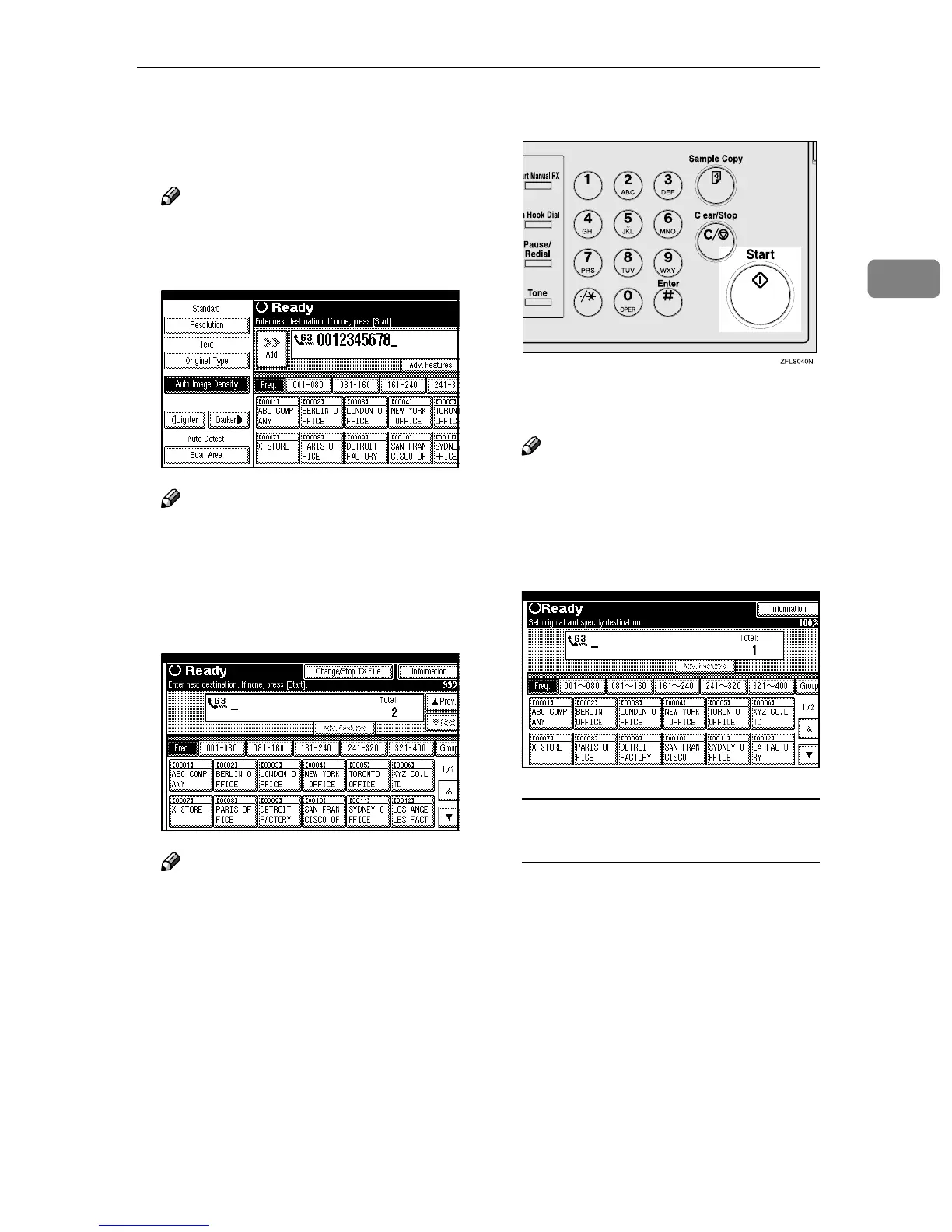
Press [Add], when sending the
same original to several destina-
tions (broadcasting).
Note
❒ If you do not want to do a
broadcast transmission, pro-
ceed to step
G
.
Note
❒ You do not have to press [Add]
when adding a destination to
the address list using Group Di-
al.
F
FF
F
Specify the destination.
Note
❒ If you want to specify a differ-
ent destination, repeat steps
E
and
F
.
G
GG
G
Press the {
{{
{Start}
}}
} key.
The machine starts scanning the
original.
Note
❒ Do not open the optional Docu-
ment Feeder (ADF) while it is
scanning originals.
After scanning, the machine will
return to the standby mode.
Sending Originals from the
Exposure Glass
A
AA
A Place the first page of your
original on the exposure glass
face down.
B
BB
B Dial a destination.
C
CC
C Make any scan settings you re-
quire.
D
DD
D Press the {
{{
{Start}
}}
} key.
The machine starts scanning the
original.



 To Next Page