Immediate Transmission
31
2
D
DD
D
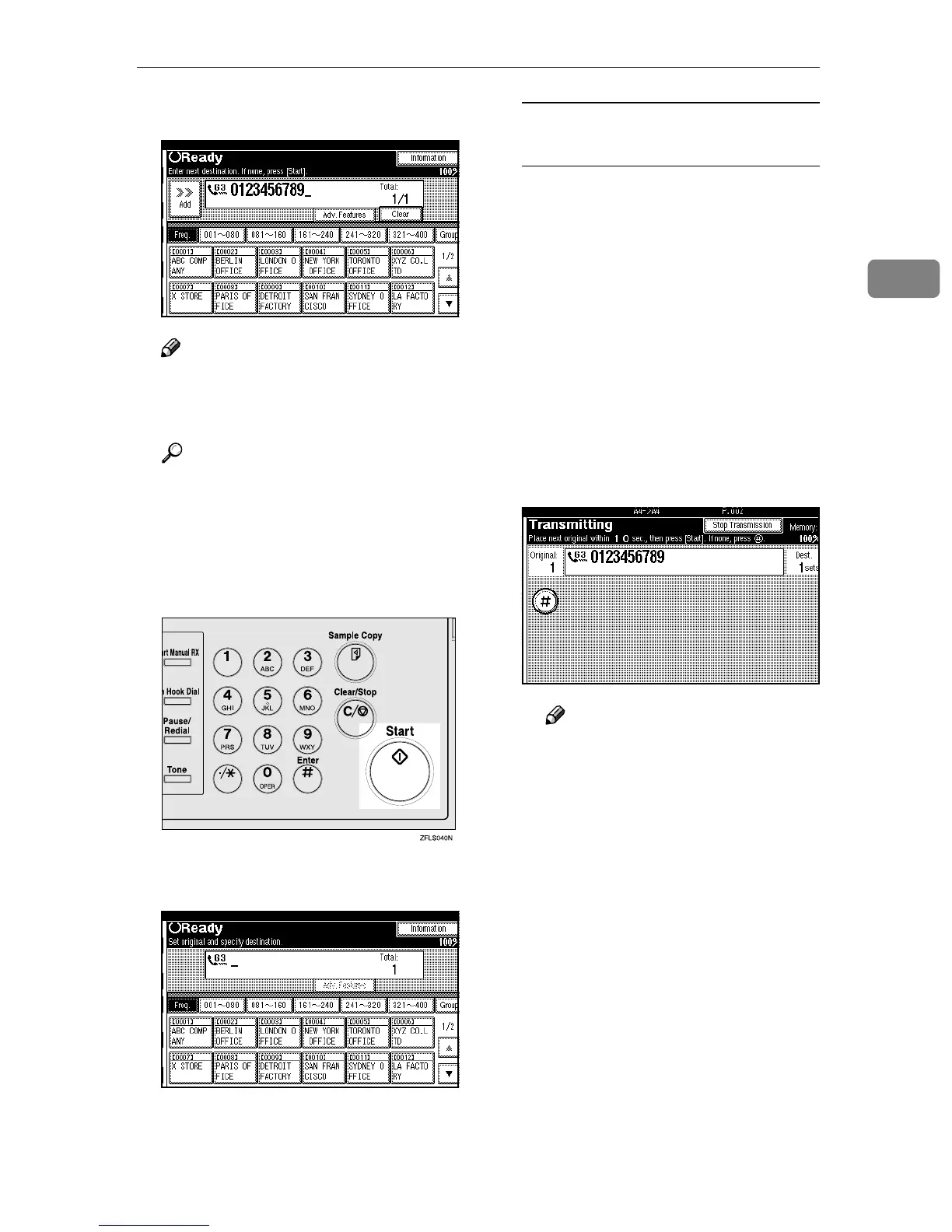
Dial a destination.
Note
❒ If you make a mistake, press
[Clear] or the {
{{
{Clear/Stop}
}}
} key
and enter the correct number.
Reference
⇒ p.39 “Dialing”
⇒ Chapter 4, “Chain Dial” and
“Redial” in the Advanced Fea-
tures manual
E
EE
E
Press the {
{{
{Start}
}}
} key.
After transmission, the machine
will return to standby mode.
Sending Originals from the
Exposure Glass
A
AA
A Place the first page face down
on the exposure glass.
B
BB
B Dial a destination.
C
CC
C Make any scan settings you re-
quire.
D
DD
D Press the {
{{
{Start}
}}
} key.
The machine starts scanning the
original.
E
EE
E Place the next original on the
exposure glass within 10 sec-
onds after the machine has fin-
ished scanning the first
original.
Note
❒ Repeat steps C to E for all
originals.
F
FF
F Place the last original, and then
press [#
##
#].



 To Next Page