Registering
54
3
E
EE
E
Press [OK].
The name has been programmed.
F
FF
F
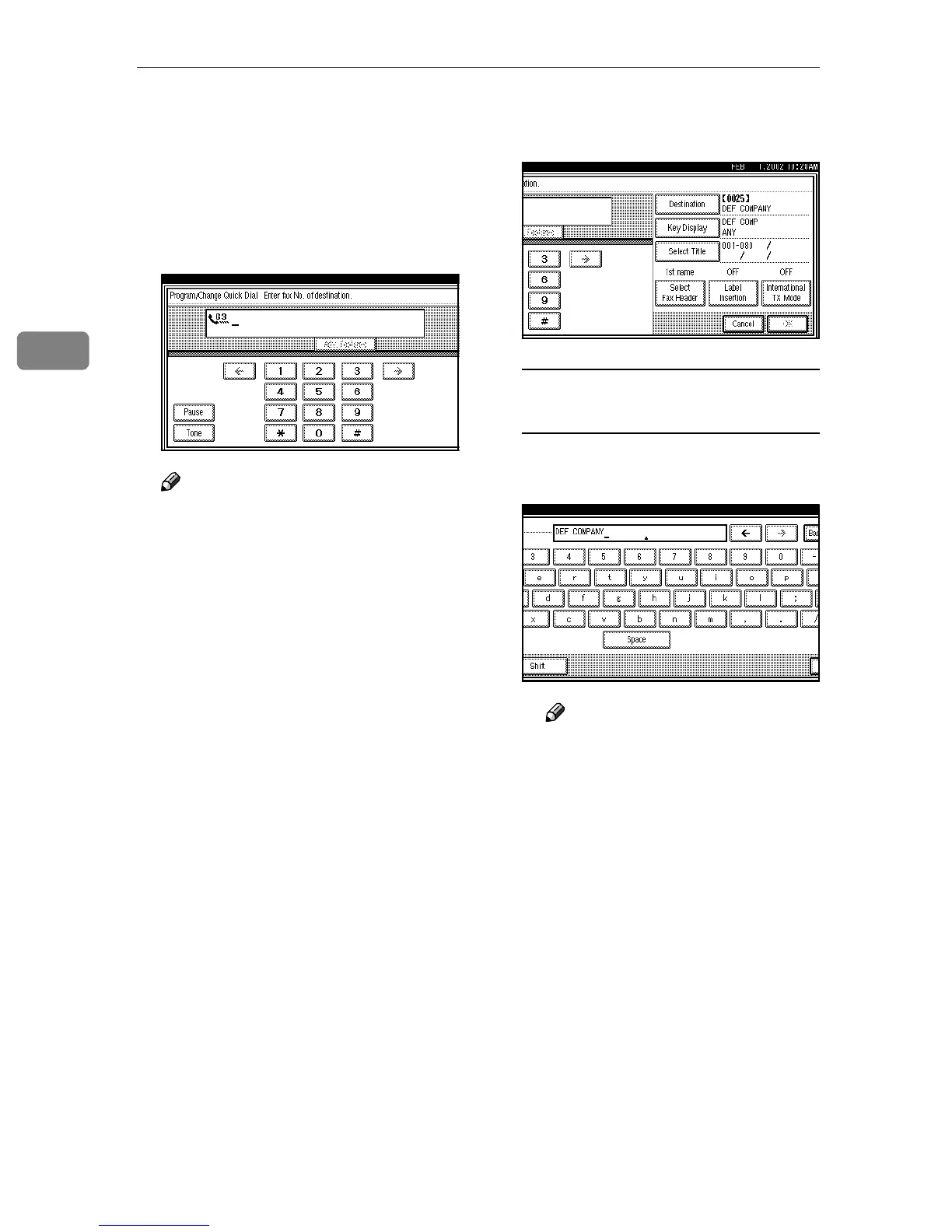
Enter the facsimile number you
want to program with the number
keys or [1], [2], [3], [4], [5], [6],
[7],[8], [9], [0], [p
pp
p], and [q
qq
q].
Note
❒ You should program a facsimile
number.
❒ If you make a mistake, press
[Clear] or the {
{{
{Clear/Stop}
}}
} key
and start again.
❒ Press [Adv. Features] to edit SUB,
SID, SEP, PWD, sub-address or
UUI. ⇒ Chapter 4, “Advanced
Features” in the Advanced Fea-
tures manual.
❒ You can select a line type for
each destination when the op-
tional ISDN Unit or the optional
Extra G3 Interface Unit is in-
stalled. Press [Select Line] to se-
lect a line type. ⇒ Chapter 4,
“Changing the Line Type” in
the Advanced Features manual
G
GG
G
When programming each item,
select its key.
Programming/Changing Key
Display
A
AA
A Press [Key Display].
B
BB
B Enter a Key Display.
Note
❒ The name which you pro-
grammed is shown. ⇒ p.71
“Entering Text”
C
CC
C Press [OK].
The Key Display which you
programmed is shown.



 To Next Page