Quick Dial
55
3
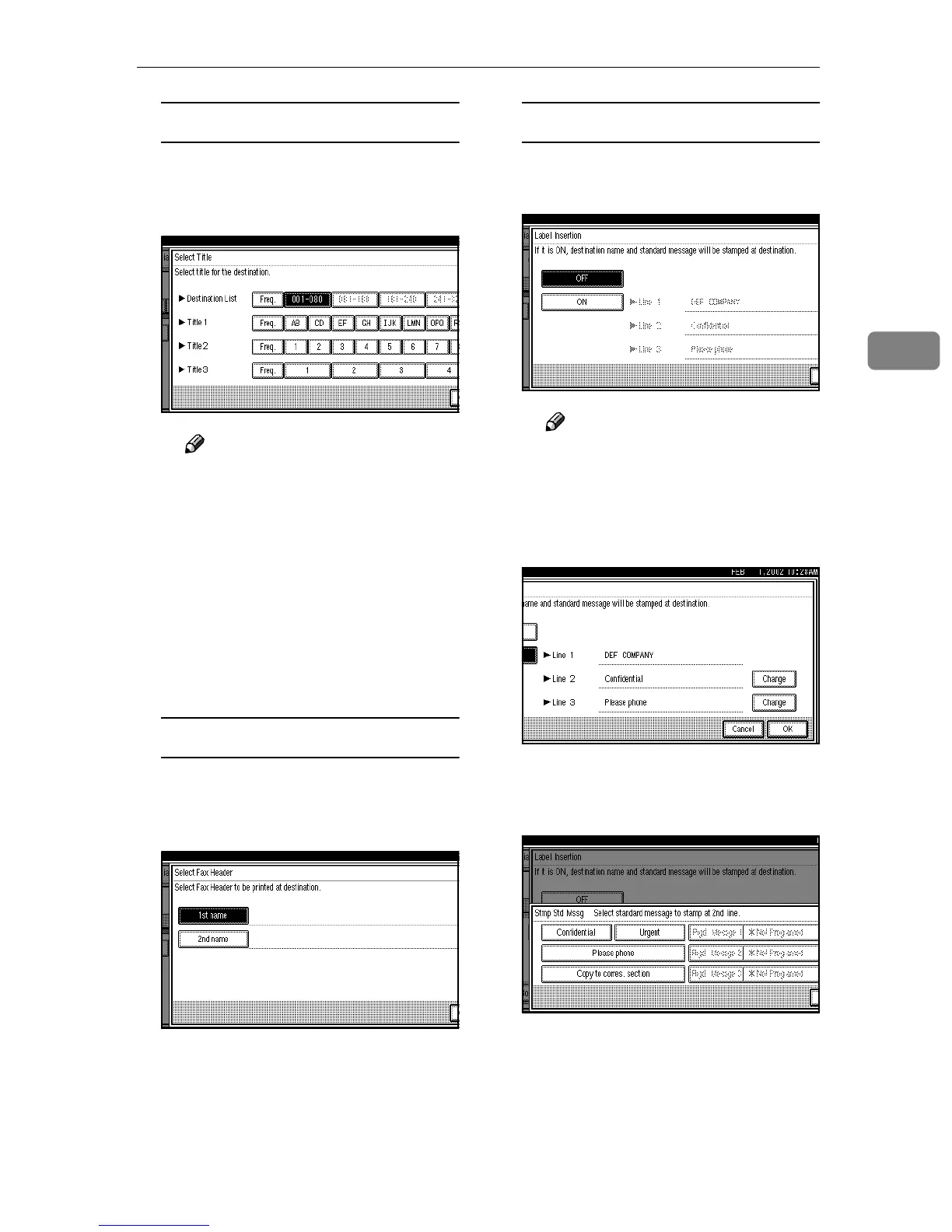
Selecting a Title
A
AA
A Press [Select Title].
B
BB
B Select the title you want to pro-
gram.
Note
❒ You can program the same
destination in [Title 1] , [Title 2]
and [Title 3].
❒ When [Freq.] is selected for
one title, [Freq.] is selected for
all titles. ⇒ Chapter 7, “Pro-
gramming Title of the Quick
Dial Table” in the Advanced
Features manual
C
CC
C Press [OK].
Selecting a Fax Header
A
AA
A Press [Select Fax Header].
B
BB
B Select [1st Name] or [2nd Name]
for registration.
C
CC
C Press [OK].
Programming Label Insertion
A
AA
A Press [Label Insertion].
B
BB
B Select [ON] or [OFF].
Note
❒ If you select [OFF] or if you
want to insert only the re-
ceiver name, go to step
H
.
C
CC
C Press [Change] at the right side
of the second or third line.
D
DD
D Select the standard message to
be stamped at the second or
third line.
E
EE
E Press [OK].
F
FF
F Press [OK].



 To Next Page