Quick Dial
57
3
C
CC
C
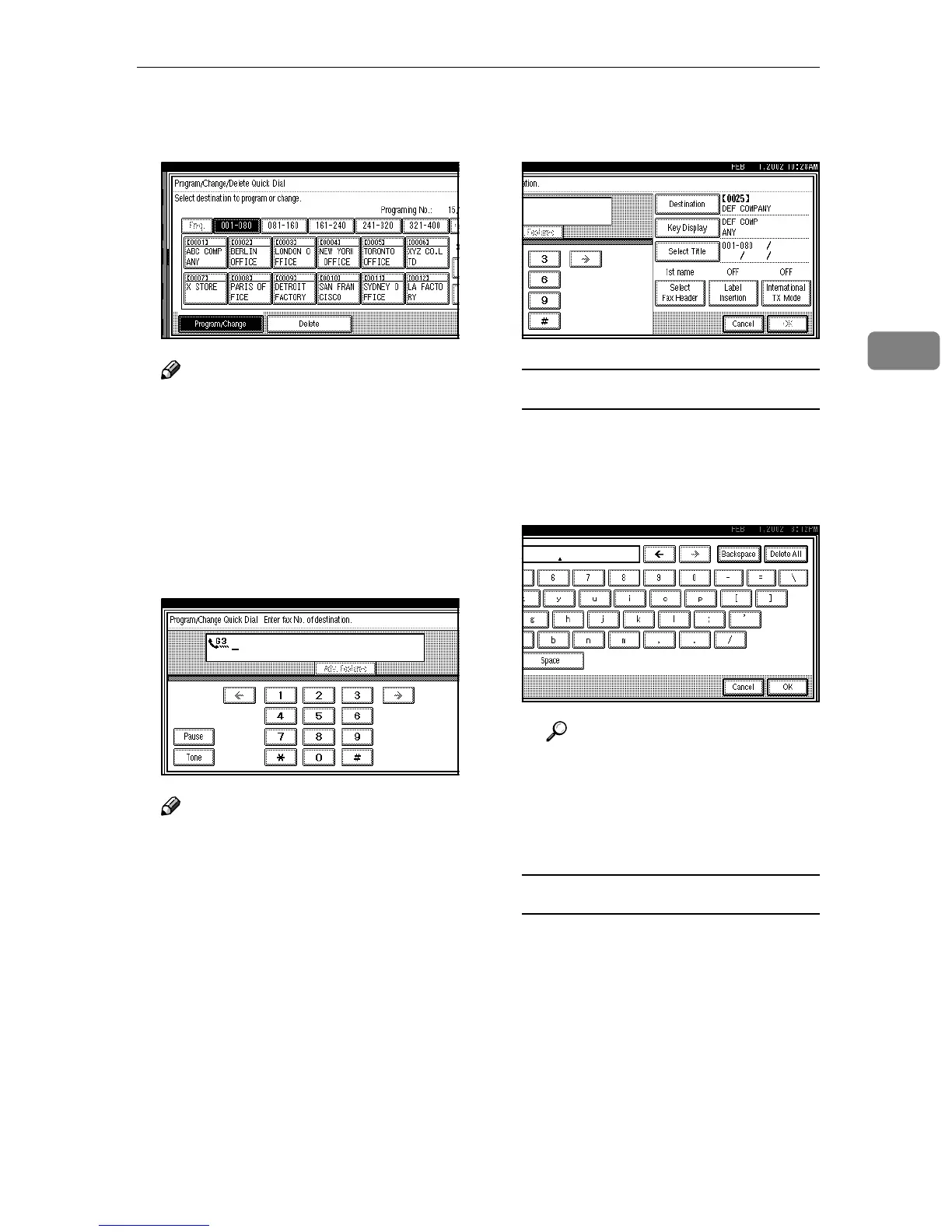
Select the Quick Dial key you
want to change.
Note
❒ If the Quick Dial key you re-
quire is not shown, press [▲] or
[▼].
❒ Press [Change Title] to display
another title.
D
DD
D
Press [Clear] or the {
{{
{Clear/Stop}
}}
}
key, and then reenter the facsimi-
le number.
Note
❒ Edit the items only you want to
change. If you do not edit, go to
step
G
.
❒ Press [Adv. Features] to edit SUB,
SID, SEP, PWD, sub-address or
UUI. ⇒ Chapter 4, “Advanced
Features” in the Advanced Fea-
tures manual
❒ You can select a line type for
each destination when the op-
tional ISDN Unit or the optional
Extra G3 Interface Unit is in-
stalled. Press [Select Line] to se-
lect a line type. ⇒ Chapter 4,
“Changing the Line Type” in
the Advanced features manual
E
EE
E
When programming each item,
select its key.
Editing a Destination
A
AA
A Press [Destination].
B
BB
B Press [Backspace] or [Delete All],
and then reenter the destina-
tion.
Reference
⇒ p.71 “Entering Text”
C
CC
C Press [OK].
The new destination entered is
shown.
Editing a Key Display
A
AA
A Press [Key Display].



 To Next Page