Operating InstructionsFacsimile Reference (option) <Advanced Features>
32
Canceling a Transmission
You can cancel a transmission of a file when the
file is being sent, stored in memory or fails to
transmit. All the scanned data is deleted from
memory.
You can cancel a file for Memory Transmission.
This feature is useful to cancel a transmission
when you notice a mistake in destination or with
the originals after storing originals in memory.
To cancel Memory Transmission, search for the
file to be canceled among the files stored in mem-
ory, and delete it.
Note
❒ If you cancel a transmission while the file is
being sent, some pages of your file may have
already been sent and will be received at the
other end.
❒ If the transmission finishes while you are car-
rying out this procedure, transmission cannot
be canceled.
A
AA
A
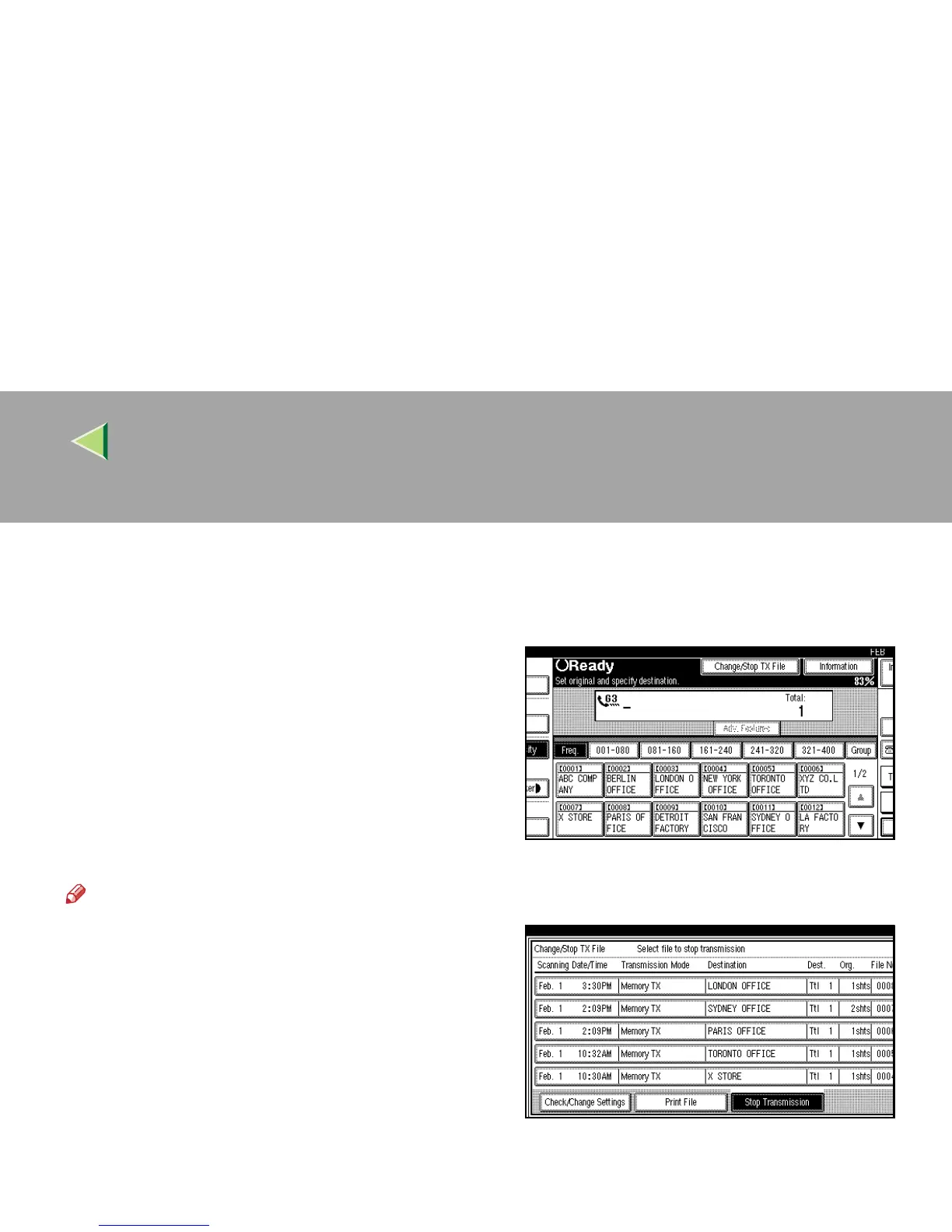
Press [Change/Stop TX File].
B
BB
B
Select the files whose transmission you
want to cancel.



 To Next Page