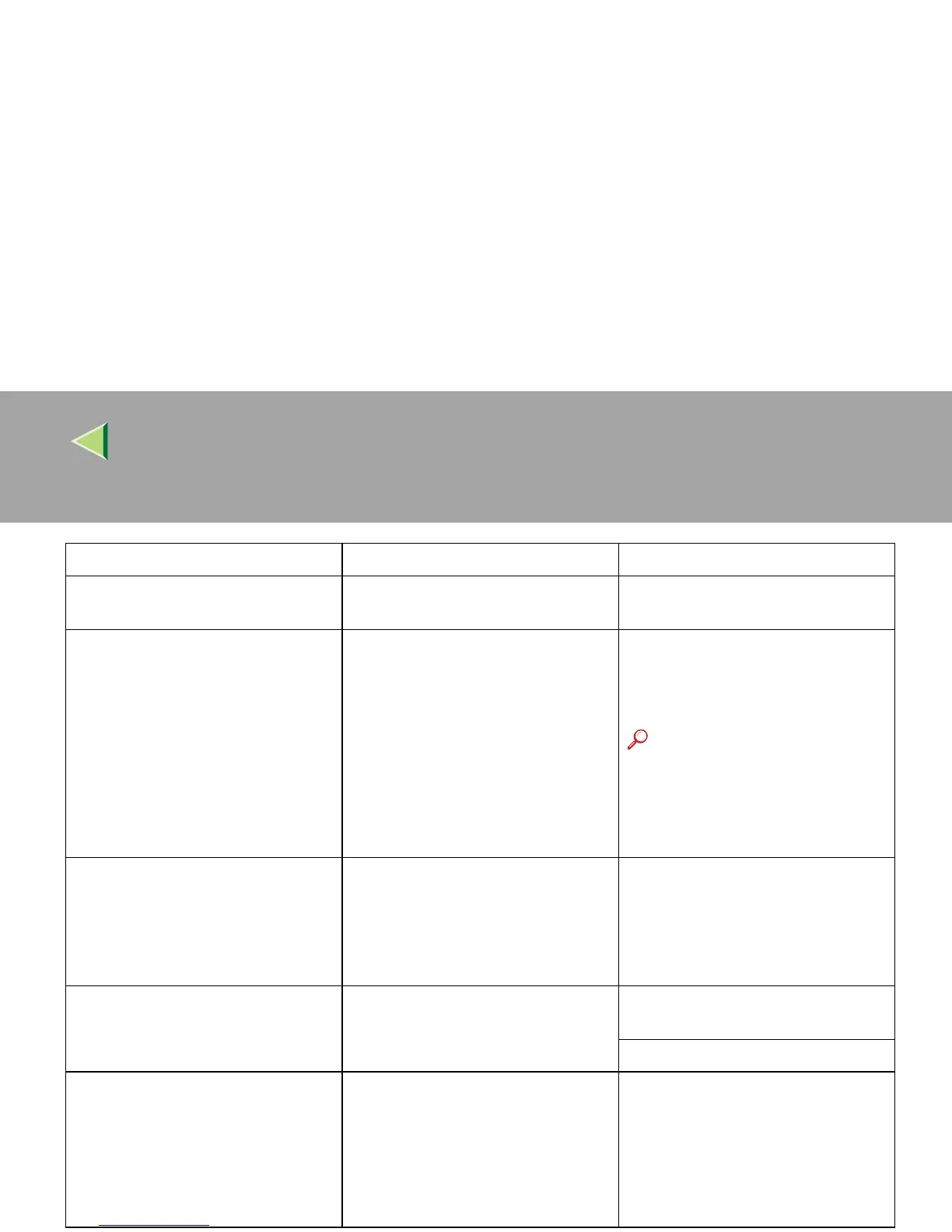
Operating Instructions Maintenance Guide 2 Copier System Edition
47
Close duplex unit cover. The cover of the Duplex Reversal
Unit is open.
Close the cover of the Duplex Re-
versal Unit.
Collate has been cancelled. The setting of collate has been can-
celled.
Turn the main power switch off and
then on. If the message appears again,
contact your sales or service repre-
sentative.
Reference
Before turning the main pow-
er switch, see "Turning Off
the Main Power" in Adminis-
trator Reference 1.
Development Unit Setting Error
Development Units are not set prop-
erly: Black, Yellow, Magenta, Cyan
Open the part as shown and set the
unit.
The indicated development Unit(s)
is/ are not set correctly, or is not set.
Set the indicated Development
Unit(s) correctly.
See "Replacing Consumables and
Maintenance Kit" in Maintenance
Guide 1.
Duplex has been cancelled. The setting of duplex print has been
cancelled.
To print the image correctly, add
memory to the printer.
Be sure to use the correct paper.
Duplex mode is in off position for
tray #. Select another tray from fol-
lowings and press [Continue]. To
cancel job, press [Reset]. Tray setting
can also be changed in User Tools.
Required:<xxx> <yyy>
The machine sets duplex mode off for
the tray # that the printer driver has
set the mode on.
#: tray number
<xxx>: paper size
<yyy>: paper type
Set the tray setting correctly.
Messages Description Solution



 To Next Page