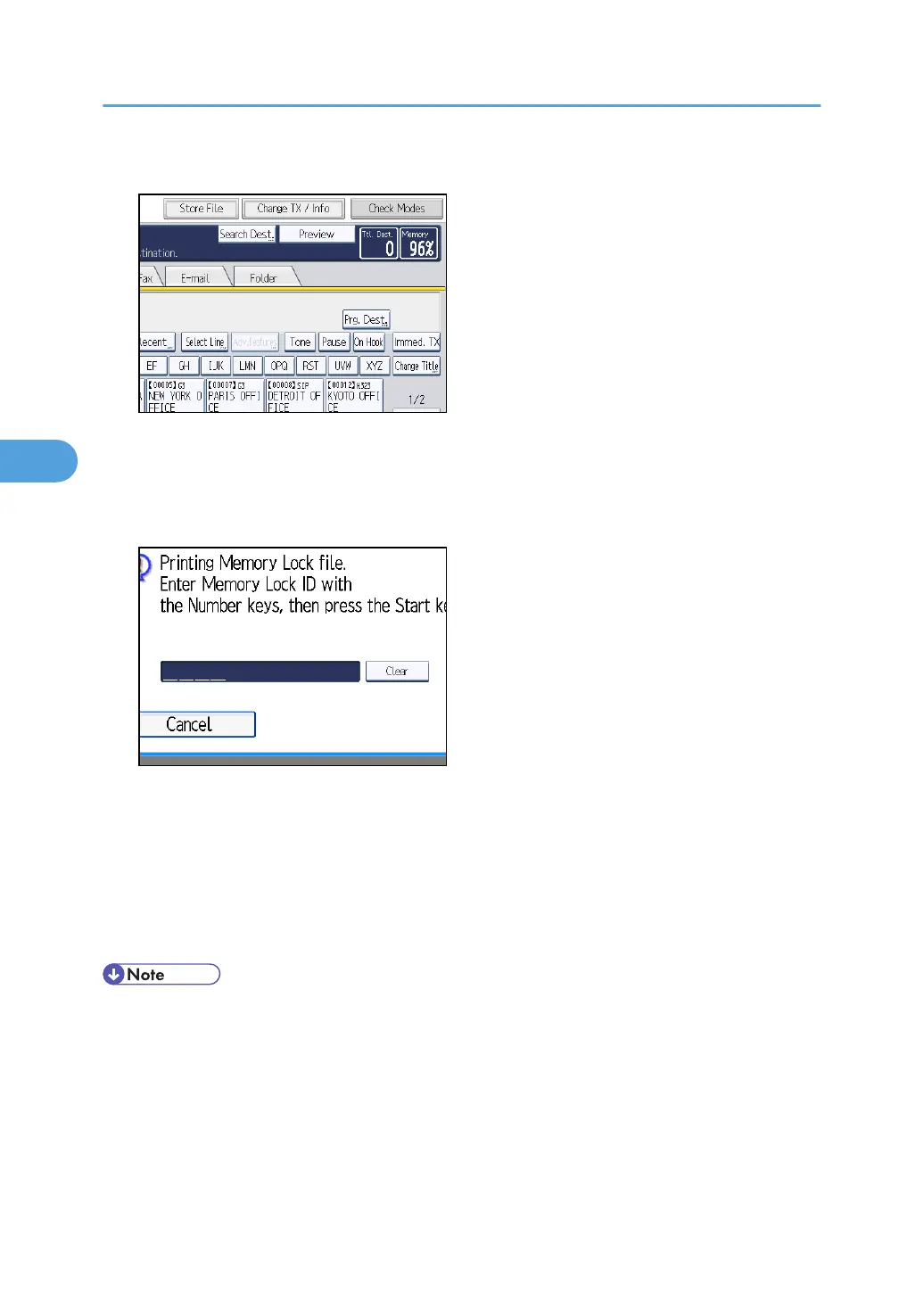
2. Press [Change TX / Info].
3. Press [Print Memory Lock].
If no documents were received while Memory Lock Reception was switched on, the message "No
reception file." is shown. Press [Exit].
4. Enter a 4-digit Memory Lock ID with the number keys, and then press the [Start] key.
If you make a mistake, press [Clear], and then try again.
To cancel printing, press [Cancel].
If the Memory Lock ID does not match, the "Specified code does not correspond to programmed
Memory Lock ID." message appears. Press [Exit] and retry after checking the Memory Lock ID.
5. Press [Exit].
The standby display appears.
• If Memory Lock Reception and received document storage are both set to on, Memory Lock
Reception is unavailable and received documents become stored documents.
•
Even when Memory Lock Reception is available, if free memory is insufficient, reception is not
possible.
• You can also apply a Memory Lock Reception to documents that come only from certain senders.
• Documents received by SEP Code Reception are automatically printed even if this function is
switched on.
4. Changing/Confirming Communication Information
284



 To Next Page