6. Delivering Scan Files
Using the ScanRouter delivery software, you can deliver by various methods scan files produced by the
machine.
Before Delivering Files
This section describes the necessary preparations and the procedure for using the network delivery
scanner.
• To use the network delivery scanner function, your network must have a delivery server on which
the ScanRouter delivery software
*1
is installed. You must also register destination and sender
information on the delivery server. For details about the ScanRouter delivery software, see the
manuals that are supplied with it.
*1
For details to purchase ScanRouter delivery software, contact your local dealer. With the GlobalScan NX
(optional), you can also use network delivery scanner functions.
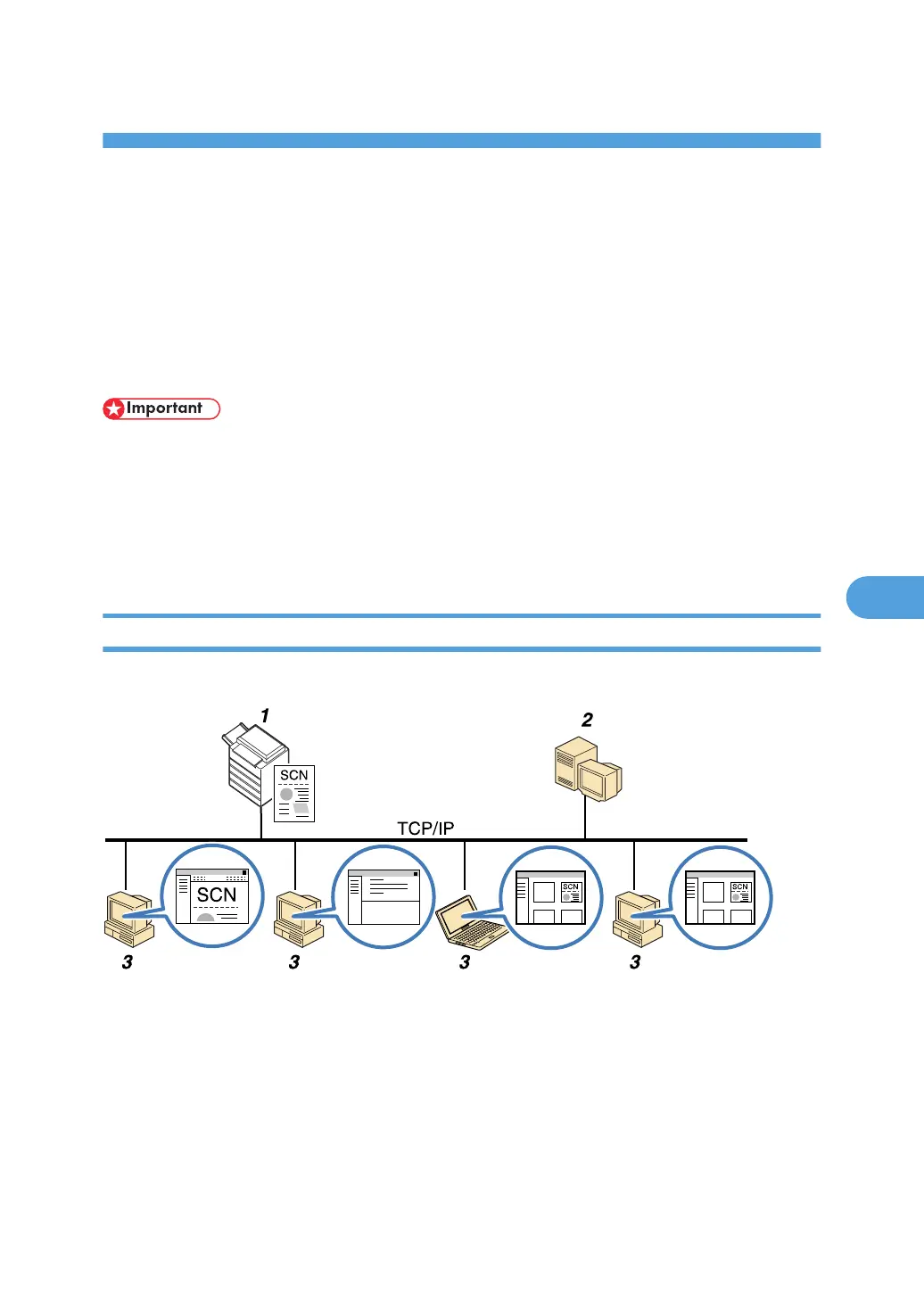
Overview of Scan File Delivery
This section describes the process for delivering files using the network delivery scanner.
1. This machine
You can send scan files to the delivery server.
2.
Delivery server
Install the ScanRouter delivery software on this computer to use it as the delivery server.
After receiving a scan file, the delivery server delivers the file according to the setting specified for the
destination. The delivery settings are as follows:
• Storing the file in an in-tray
• Delivering the file by e-mail
133



 To Next Page