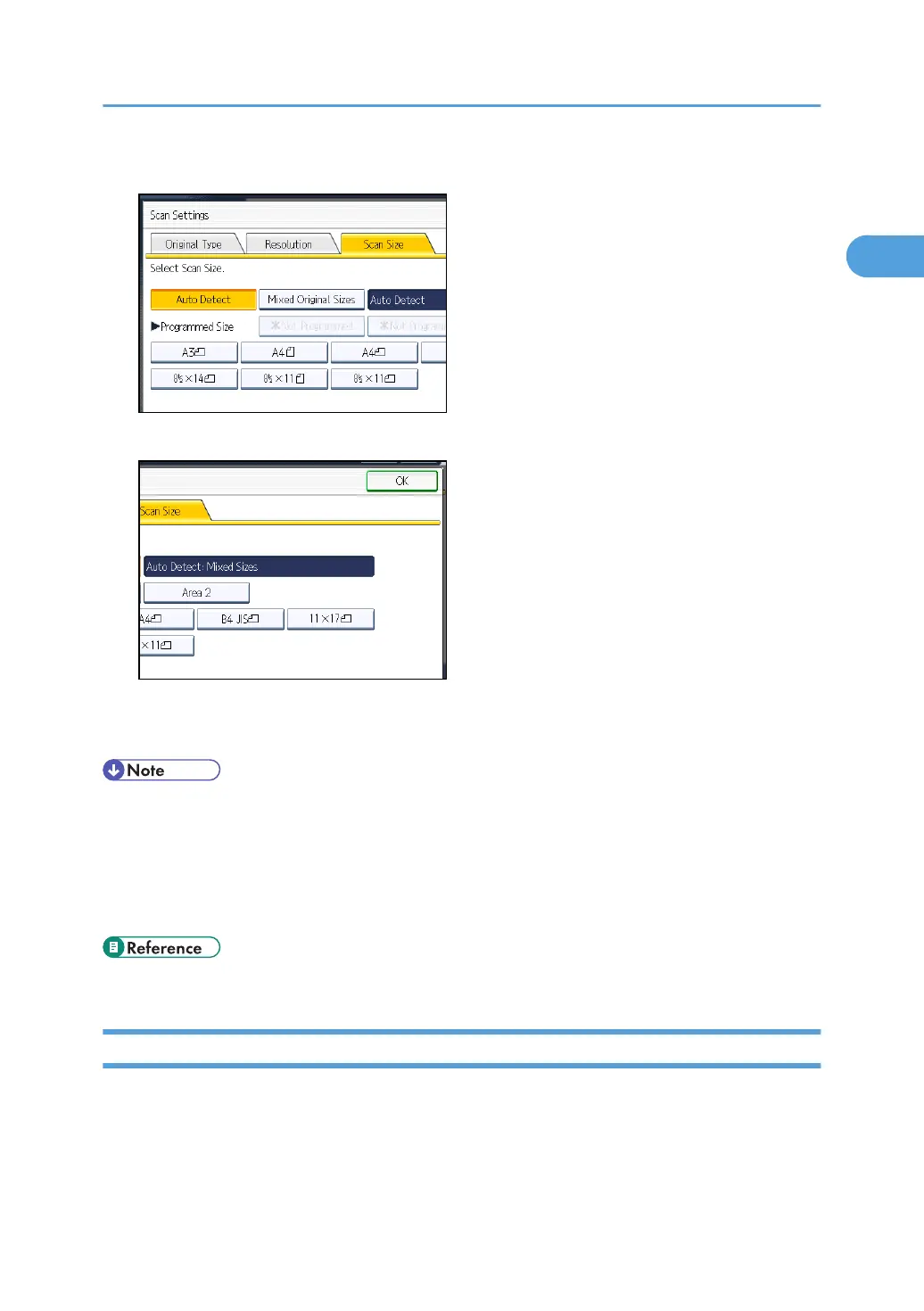
3. Press [Mixed Original Sizes].
4. Press [OK].
"Auto Detect: Mixed Sizes" appears above [Scan Settings].
To cancel Mixed Original Sizes, press [Mixed Original Sizes] again before pressing [OK].
• When using Mixed Original Sizes, the machine sends the originals by Memory Transmission.
•
When using Mixed Original Sizes, rotation transmission is disabled.
• You can have the machine select Mixed Original Sizes right after the power is turned on or
whenever the [Clear Modes] key is pressed. See “Changing the Default Functions of the Fax's
Initial Display”.
• p.171 "Changing the Default Functions of the Fax's Initial Display"
Density (Contrast)
You can adjust the density at which the originals are scanned.
The text and diagrams on originals should stand out clearly from the paper they are on.
If the original has a darker background than normal (for example, a newspaper clipping), or if the
writing is faint, adjust the density.
Scan Settings
79



 To Next Page