2. Connecting the Machine
This chapter describes how to connect the machine to the network and specify the network settings.
Connecting to the Interface
This section explains how to identify the machine's interface and connect the machine according to the
network environment.
• A network interface cable with a ferrite core must be used for RF interference suppression.
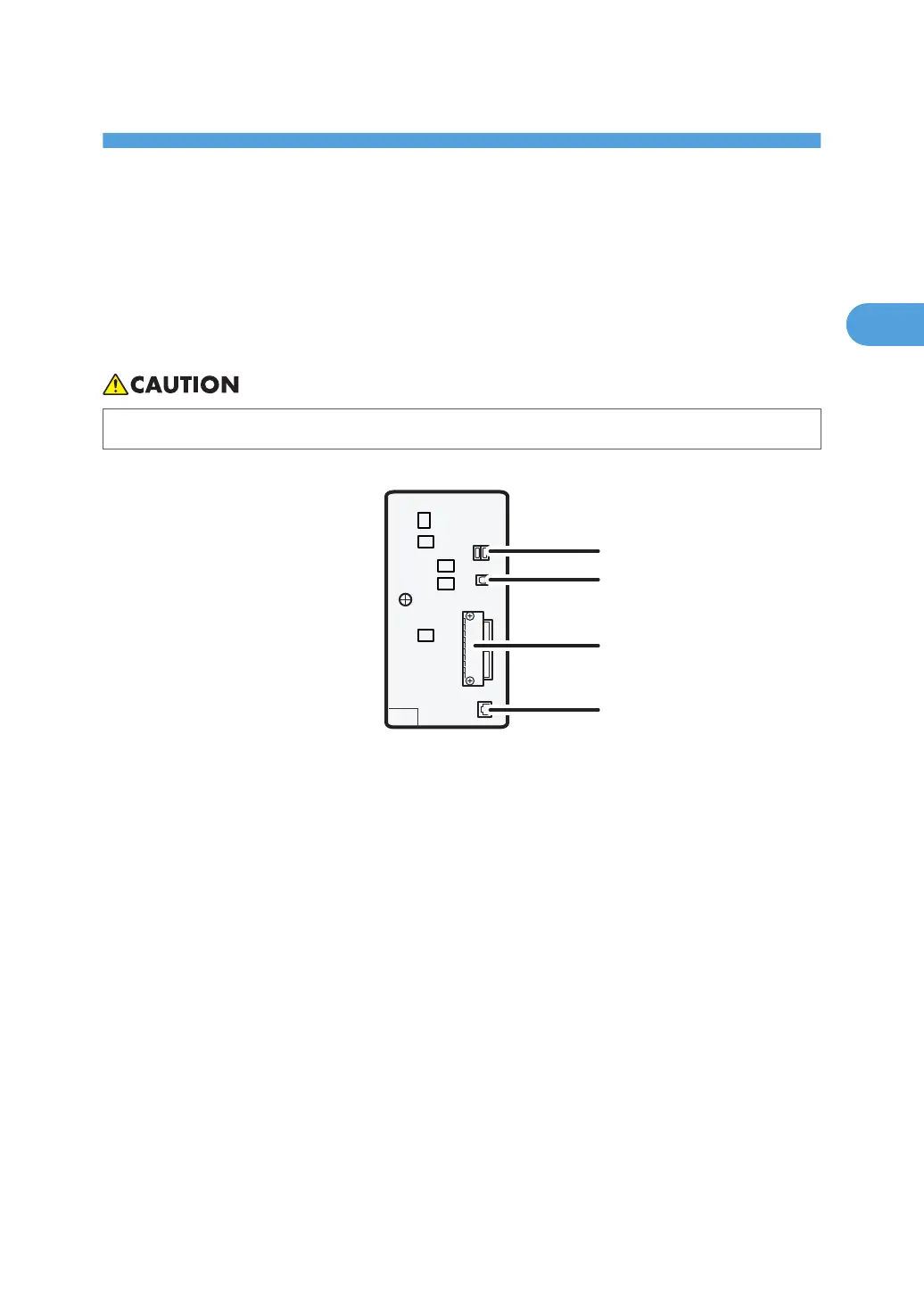
1. USB Host Interface
Port for connecting the USB interface device
Use this interface to connect the machine to a card authentication device, memory card reader, or Bluetooth.
2.
USB 2.0 [Type B] port
Port for connecting the USB2.0 [Type B] interface cable
3. Slot A
Install an optional interface board in this slot.
The slot can accommodate one of the following interface boards:
• IEEE1284 interface board: Required if you want to connect an IEEE 1284 cable to this machine. When
installed in Slot A, this board allows you to connect the machine to a computer through an IEEE 1284
cable.
• Wireless LAN interface unit: Required if you want to connect this machine to a wireless LAN. When
installed in Slot A, this unit allows you to connect the machine to an IEEE 802.11 a or IEEE 802.11 b/g
wireless LAN.
71



 To Next Page