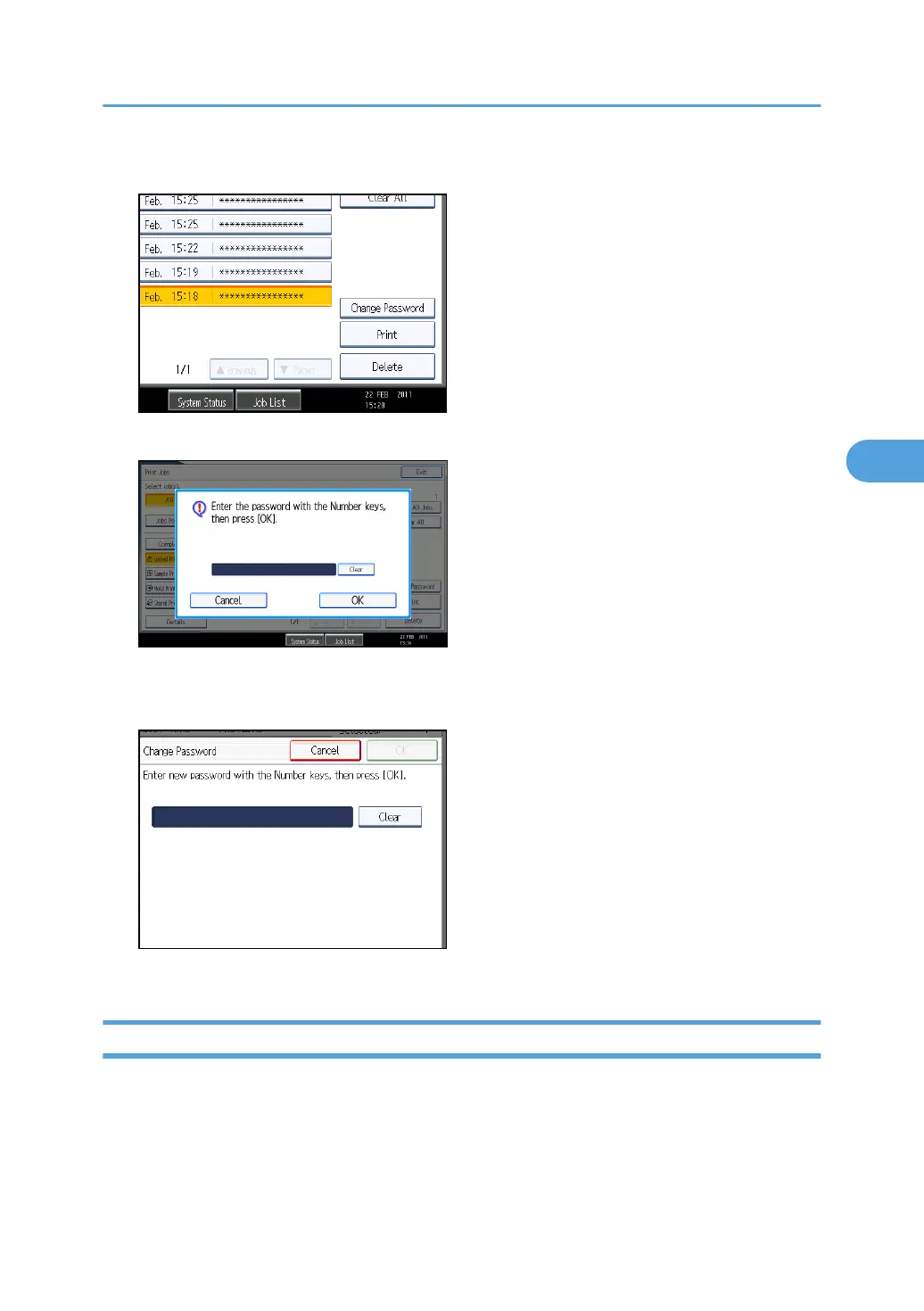
5. Press [Change Password].
6. Enter the password for the stored file, and then press [OK].
The password entry screen will not appear if the file administrator is logged in.
7. Enter the new password for the stored file, and then press [OK].
8. If a password reentry screen appears, enter the password, and then press [OK].
Unlocking a Locked Print File
If you specify [On] for "Enhance File Protection", the file will be locked and become inaccessible if an
invalid password is entered ten times. This section explains how to unlock files.
"Enhance File Protection" is one of the extended security functions. For details about this and other
extended security functions, see "Specifying the Extended Security Functions".
Printing a Confidential Document
103



 To Next Page