When placing an original into the Auto Document Feeder
This section explains how to place an original into the ADF.
•
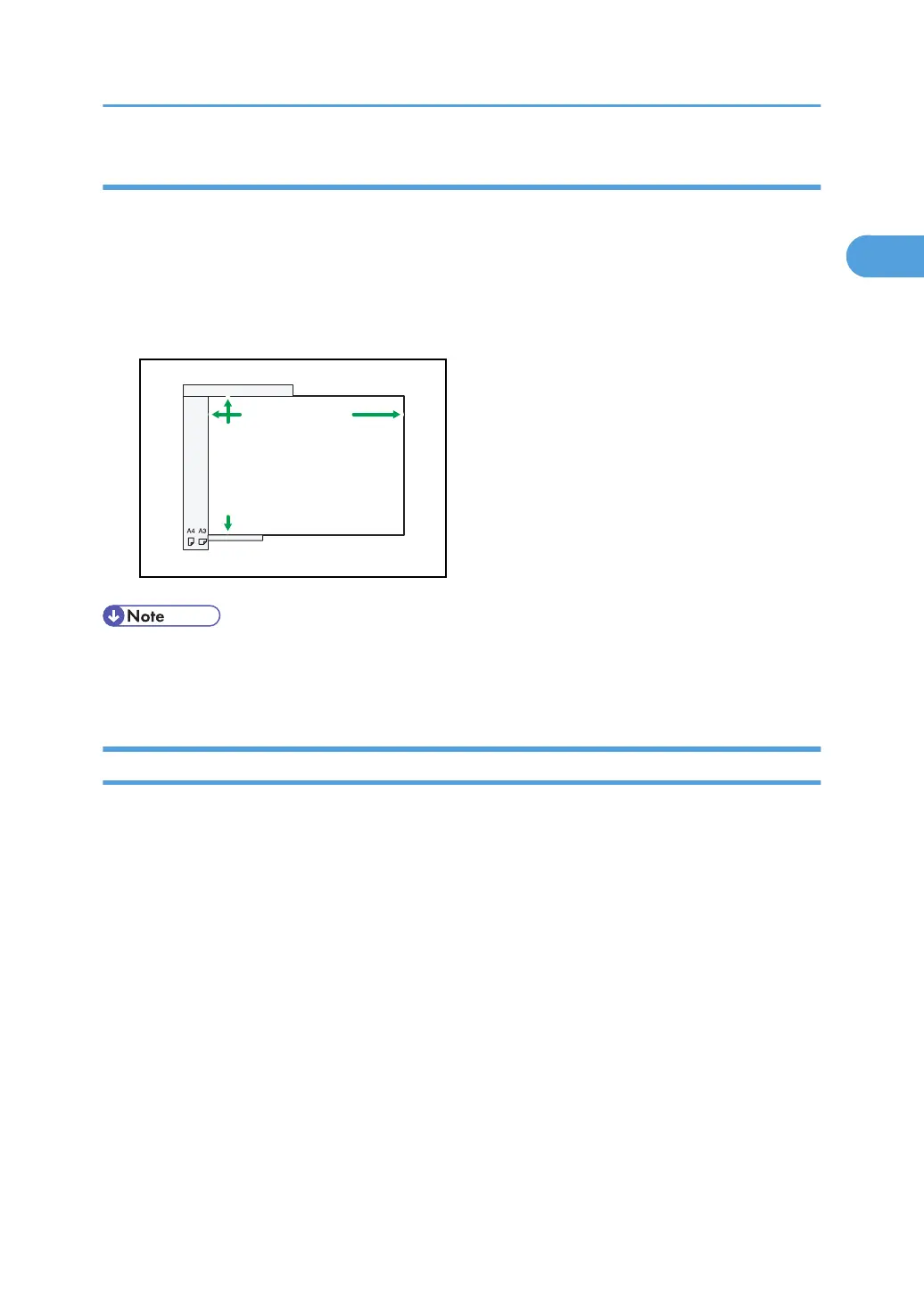
Maximum scan area
The following shows the maximum scan area:
Memory Transmission: 297 × 1,200 mm/11 × 47 inches (W × L)
Immediate Transmission: 297 × 1,200 mm/11 × 47 inches (W × L)
CHH001
Horizontal size
Vertical size
Horizontal size
Vertical size
Maximum scanning area
1-sided: 297 x 1,200 mm
11 x 47 inches
2-sided: 297 x 432 mm
11 x 17 inches
Maximum scanning area
1-sided: 297 x 1,200 mm
11 x 47 inches
2-sided: 297 x 432 mm
11 x 17 inches
• During Immediate Transmission, the length of the scanning range can decrease to less than 1,200
mm (47 inches), depending on the resolution of the image and the configuration of the receiving
machine.
Types of Original whose Sizes are Difficult to Detect
This section describes the kinds of original whose sizes might be difficult to detect.
If the original type is one of the following, the machine might not detect its size correctly and the
receiver's machine might print it on paper of the wrong size:
•
originals placed on the exposure glass that are of a size not listed in the following table
• originals with index tabs, tags, or protruding parts
• transparent originals, such as OHP transparencies or translucent paper
• dark originals with dense text or images
• originals that contain areas of solid print
• originals that have solid print around their edges
• originals with glossy surfaces
• bound originals of more than 10 mm (0.3 inches) in thickness, such as books.
In facsimile mode, the following paper sizes will be auto detected:
Placing Originals
61



 To Next Page