Registering Classification Codes
This section explains classification codes.
If you register classification codes, the printer logs the number of prints made under each code.
You can register classification codes to individual users and specified purposes, enabling you to monitor
printer usage by each.
For example, you can manage accounts according to individual client computers or account titles.
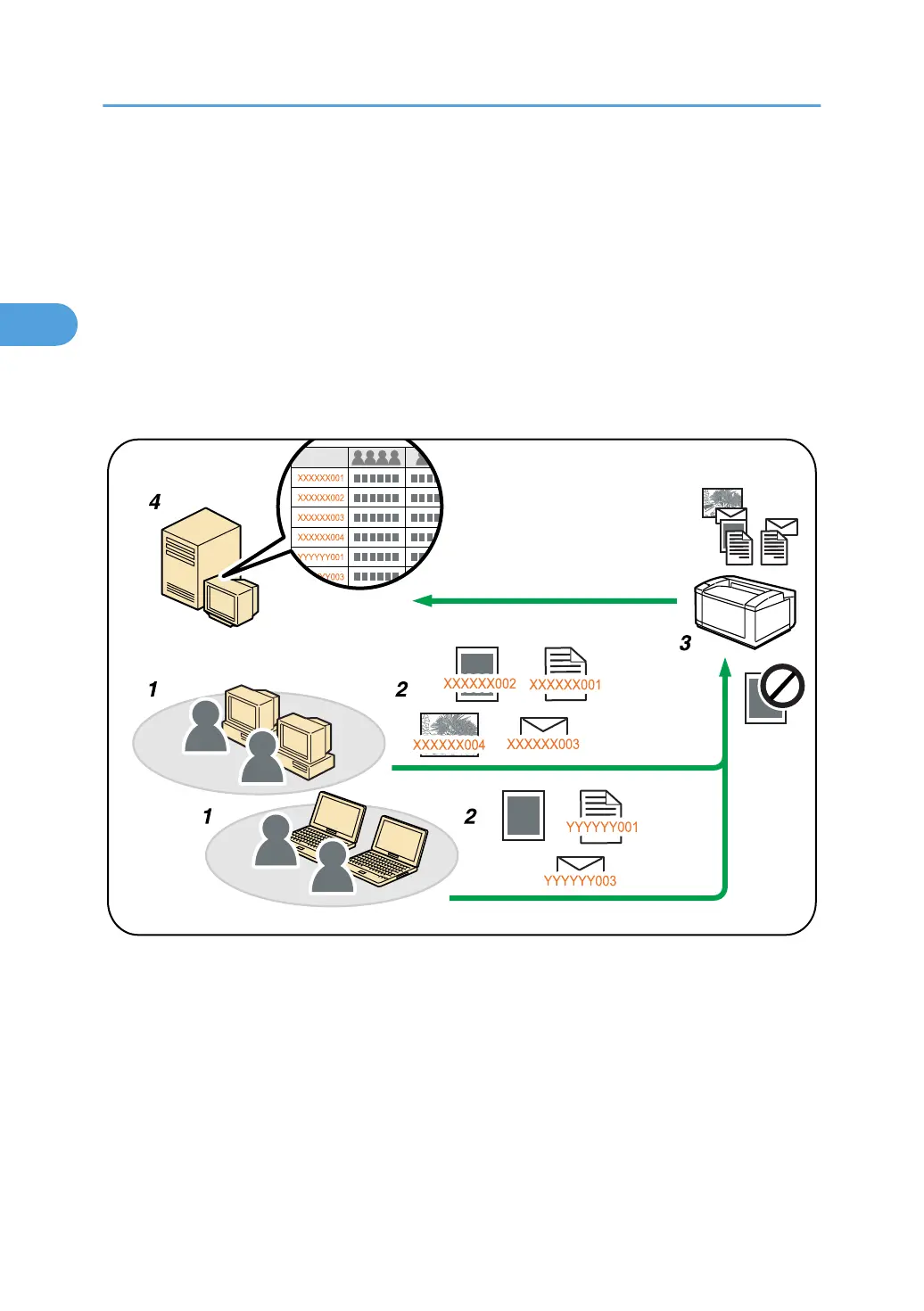
Classification Code - Based Process (example)
1. Divisions, sections, departments, project teams, users, etc., to be managed.
2.
The appropriate classification code for the print job is entered.
For details, see "Specifying the Classification Code for a Print Job".
3. The job is printed.
When printing in an environment where classification codes are required, print jobs that do not have a
classification code cannot be printed.
For details, see "Configuring Classification Codes".
4. Classification codes are collected and managed by an external log management system.
2. Printing Documents
102



 To Next Page