Paper Size and Scanned Area
This section explains the size of the area the machine can scan and detect.
• There may be a difference in the size of the image when it is printed at the destination.
•
Even if an original is correctly placed on the exposure glass or in the ADF, a margin of 3 mm (0.1
inches) around each edge of the original may not be sent.
• If the receiver uses paper of a smaller width than the original, the image is reduced to fit that paper.
See “Auto Reduce”.
• p.190 "Auto Reduce"
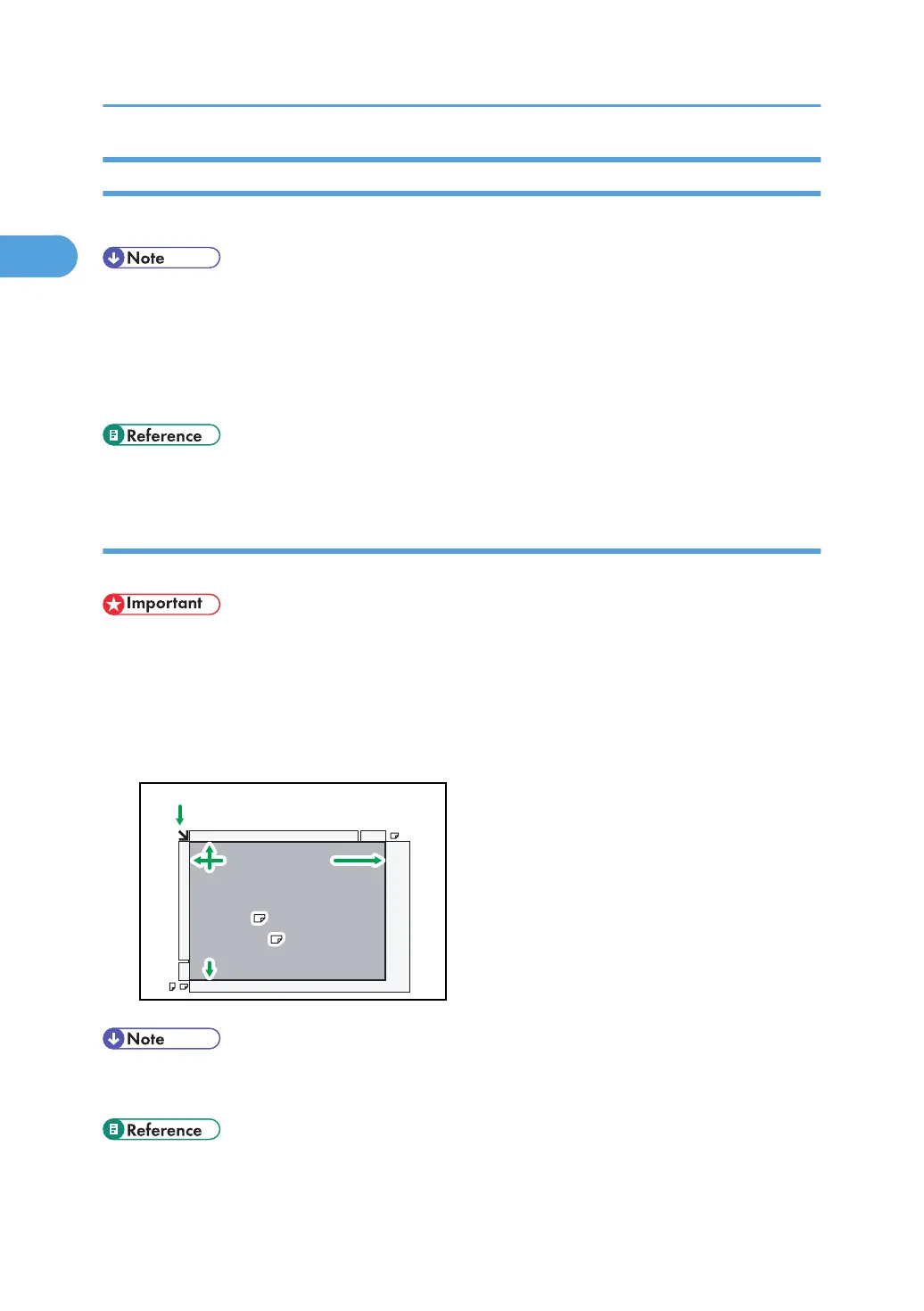
When placing an original on the exposure glass
This section explains how to place an original on the exposure glass.
• If you place an original larger than A3, 11 × 17 on the exposure glass, only an A3, 11 × 17 area
is scanned.
•
Maximum scan area
The following shows the maximum scan area:
297 ×420 mm, 11 × 17 inches (W × L)
Horizontal size
Vertical size
Maximum scanning area
A3 (297x420 mm)
11x17
Horizontal size
Positioning mark
Vertical size
Maximum scanning area
A3 (297x420 mm)
11x17 (279x432 mm)
(279x432 mm)(279x432 mm)
BZR035
• If the machine cannot detect the size of the original you placed, specify the scan area (original
size) manually. For details about specifying the scan area, see “Scan Size”.
• p.73 "Scan Size"
1. Transmission
60



 To Next Page