1. Sending Scan Files by E-mail
You can attach scan files to e-mails and send them via connections such as LAN and the Internet.
Before Sending Scan Files by E-mail
This section explains the necessary preparations and the procedure for sending scan files by e-mail.
Overview of Sending Scan Files by E-mail
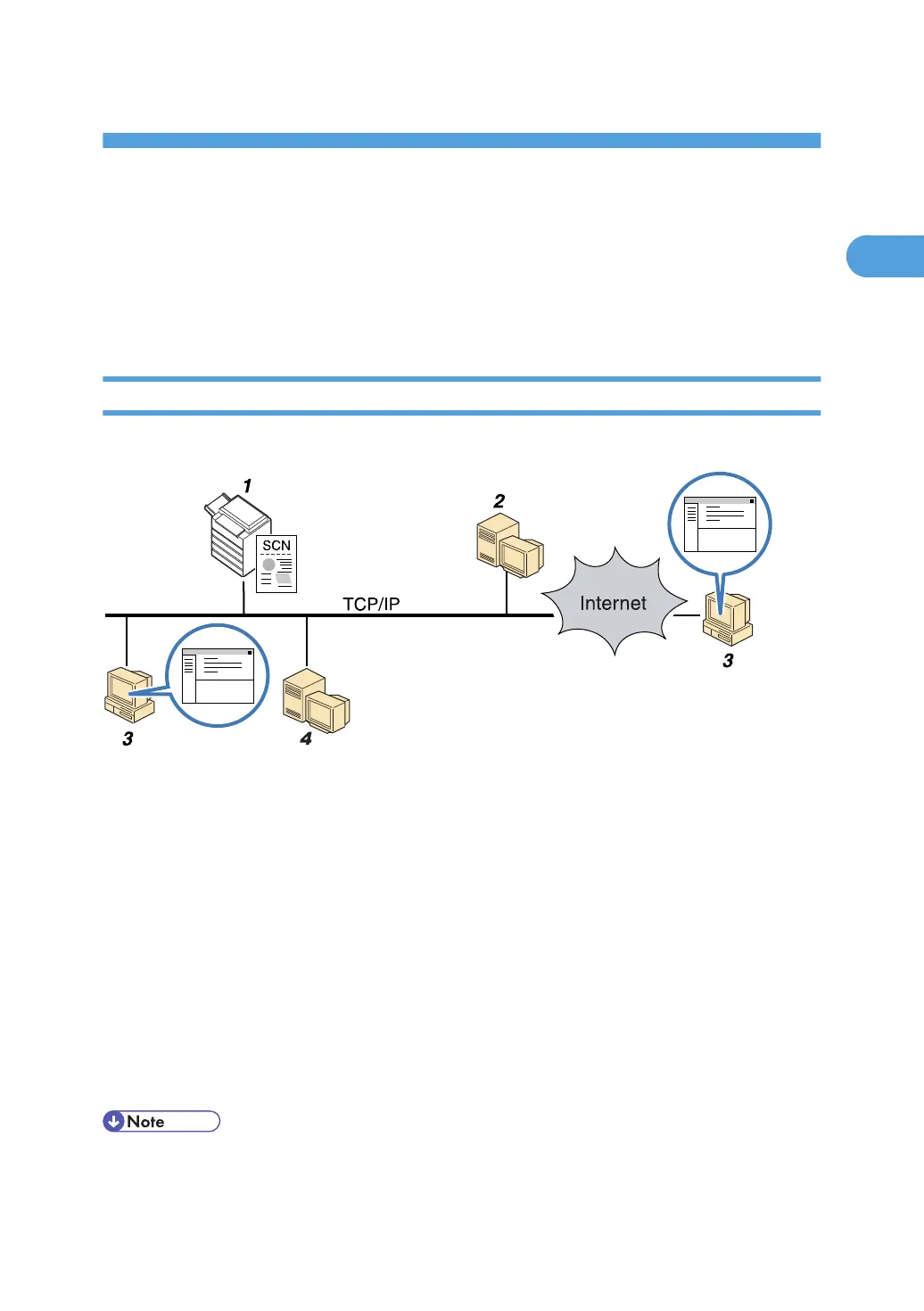
This section describes the process for sending scan files by e-mail.
1. This machine
You can attach scan files to e-mail and send them to a mail server. You can also encrypt and/or attach a
signature to the scan files you send by e-mail.
2. SMTP server
You need to have an access to an e-mail server that supports SMTP (Simple Mail Transfer Protocol), to send
scan files by e-mail. However, it is not essential to have an e-mail server inside the LAN where this machine
belongs. It transfers a received e-mail to a specified destination through a LAN or the Internet.
3. Client computer
Use e-mail client software to receive e-mail messages and scan file attachments that are generated by this
machine.
4. LDAP Server
Use this server for administering e-mail accounts, searching the network, and authenticating the computers that
access the machine. Using the LDAP server, you can search for destinations from the machine.
• This machine supports SMTPS (SMTP over SSL).
• This machine supports Web mail sending.
21



 To Next Page