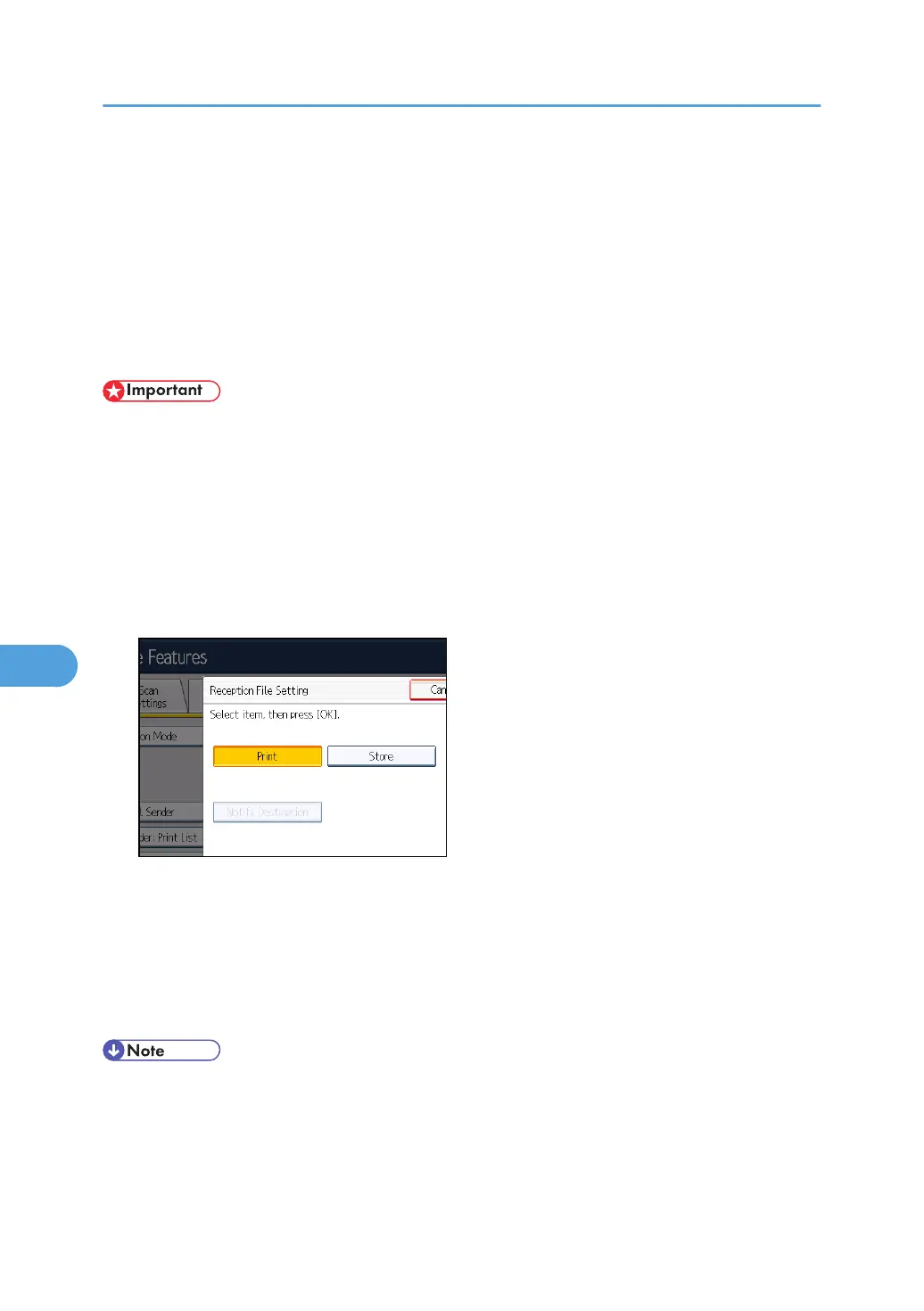
Reception File Setting
Specify whether received documents are to be saved on the hard disk or printed immediately without
being saved. You can print stored documents repeatedly and download them as images to a computer
using Web Image Monitor. If you select printing without saving, documents are printed each time they
are received.
If you have used System Settings to specify to have received faxes distributed to the delivery server, the
documents cannot be saved on the hard disk.
• To store received documents on the hard disk, the optional HDD unit is required.
•
To download stored documents onto your computer using Web Image Monitor, printer/scanner
functions are required.
1. Press [Facsimile Features].
2. Press [Reception Settings].
3. Press [Reception File Setting].
4. Press [Print] or [Store], and then press [OK].
To cancel your selection, press [Cancel]. The display returns to that of step 3.
When [Store] is selected, you can select whether or not to send notice of reception to a specific e-
mail address. To notify of reception, press [Notify Destination] and select an e-mail address from
the Internet Fax and e-mail destinations programmed in the address book. Further, you can register
a group destination. In such a case, a maximum of 500 destinations can be specified in a group.
5. Press the [User Tools/Counter] key.
• You can use “Parameter Settings” (switch 10, bit 5) to select whether or not to print stored received
documents. See “Parameter Settings”.
• If [Store] is selected and a destination for notification is specified, notification of document
reception can be sent to the specified e-mail address.
7. Facsimile Features
374



 To Next Page