Messages Displayed When Using the Printer
Function
This section describes the principal messages that appear on the display panel, error logs or reports. If
other messages appear, follow their instructions.
Status Messages
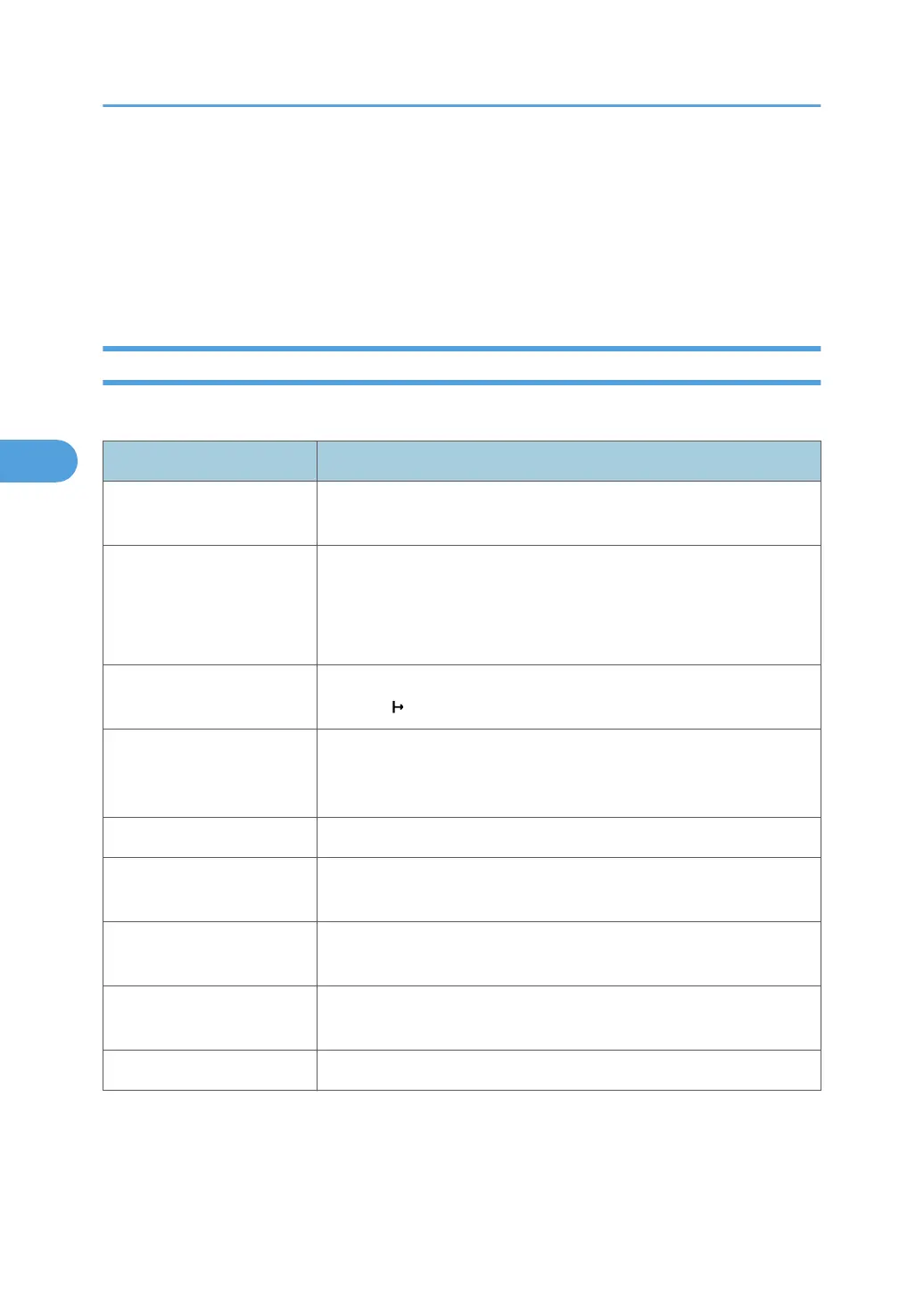
This section describes the machine status messages.
Message Status
"Hex Dump Mode" In Hex Dump mode, the machine receives data in hexadecimal format.
Press [Offline], and then press [Job Reset] to cancel Hex Dump mode.
"Job Suspended..." Printing was temporarily stopped by SmartDeviceMonitor for Client.
You can resume printing via [My Job List] in SmartDeviceMonitor for
Client, or via the Web Image Monitor. To resume printing via Web
Image Monitor, check with your system administrator first.
"Offline" The machine is offline. To start printing, switch the machine online by
pressing [
Online].
"Please wait." This message might appear for a second or two while the machine is
preparing, performing initial adjustments, or adding toner. Wait a
while.
"Printing..." The machine is printing. Wait a while.
"Ready" This is the default ready message. The machine is ready for use. No
action is required.
"Resetting job..." The machine is resetting the print job. Wait until "Ready" appears on
the display panel.
"Setting change..." The machine is changing settings. You cannot use the control panel
while this message is displayed. Wait a while.
"Waiting for print data..." The machine is waiting for the next data to print. Wait a while.
4. Troubleshooting When Using the Printer Function
72



 To Next Page