Receiving E-mail
This section explains this machine's e-mail reception functions.
• To use this function, the optional HDD unit and printer/scanner functions are required.
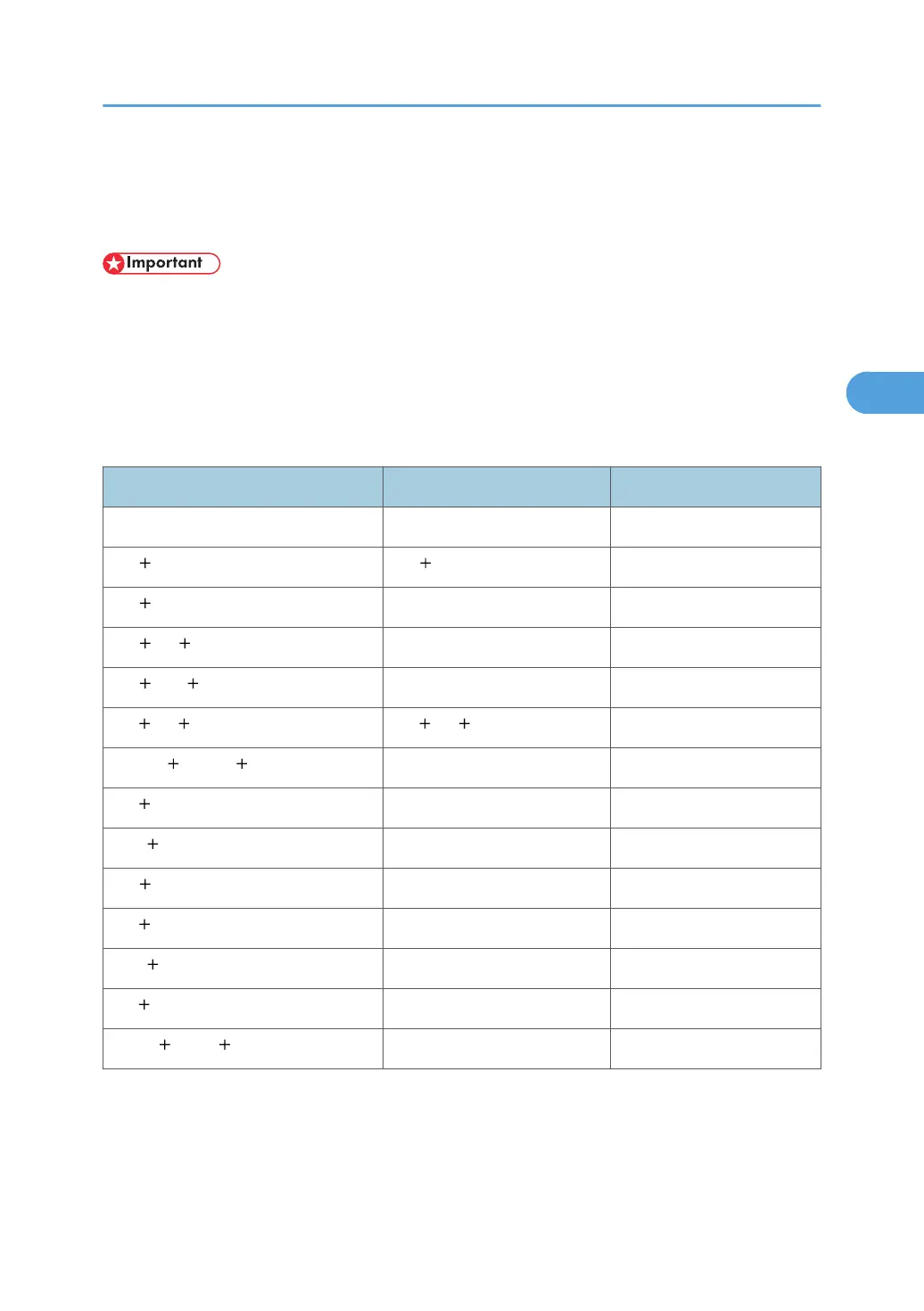
If a TIFF-F file is attached to an e-mail, the machine receives the e-mail by Internet Fax. If a JPEG or PDF
file is attached to an e-mail, the machine receives the e-mail by Mail to Print.
Only one attached file can be printed from a received e-mail.
When multiple files are attached to an e-mail, the reception method and the file that is printed vary
according to the file type and the order of the attached files.
File type attached File to be printed Reception method
Text Text Internet Fax
Text TIFF Text TIFF Internet Fax
Text
JPEG JPEG Mail to Print
Text TIFF JPEG JPEG Mail to Print
Text JPEG TIFF JPEG Mail to Print
TIFF TIFF .... TIFF TIFF .... Internet Fax
JPEG(1) JPEG(2) .... JPEG(1) Mail to Print
TIFF JPEG JPEG Mail to Print
JPEG TIFF JPEG Mail to Print
Text PDF PDF Mail to Print
TIFF PDF PDF Mail to Print
JPEG PDF JPEG Mail to Print
PDF JPEG PDF Mail to Print
PDF(1) PDF(2) .... PDF(1) Mail to Print
If JPEG or PDF files are attached along with other types of file, the machine receives the e-mail by Mail
to Print. Only the first JPEG or PDF file is printed and the other files are deleted.
Receiving E-mail
209



 To Next Page