Getting Machine Information over the Network
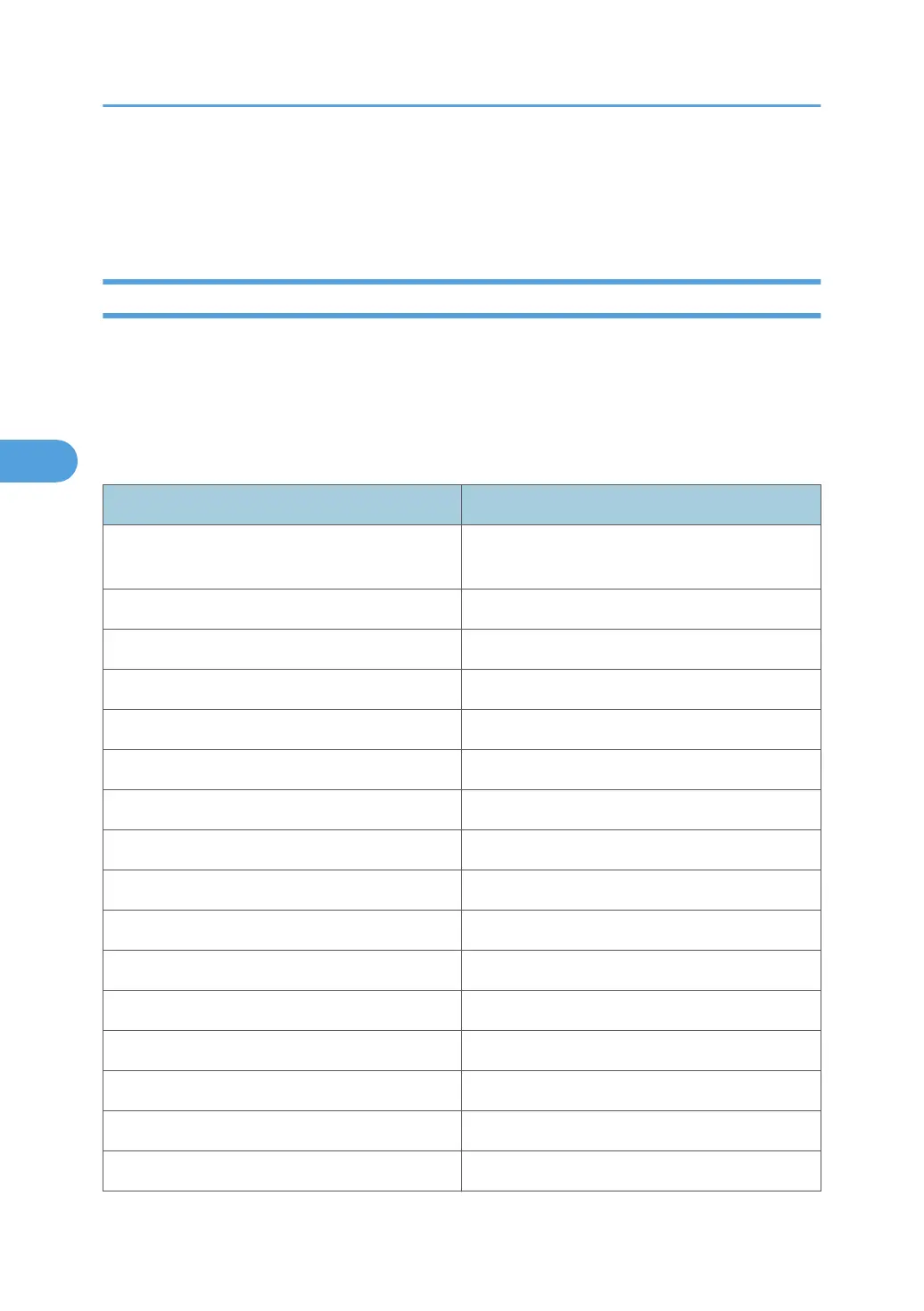
This section explains details of each item displayed in the machine status and information.
Current Machine Status
This section explains how you can check the machine's status and the items displayed. Depending on the
options installed on the machine, some items might not be displayed.
•
UNIX: Use the "stat" parameter and the "rsh", "rcp", "ftp", and "sftp" commands. "rsh" and "rcp"
cannot be used in a Windows environment.
• telnet: Use the "status" command.
Messages Description
Access Restricted The job was canceled because user have no
authority.
Call Service Center There is a malfunction in the machine.
Canceled The job is reset.
Canceling Job... The job is being reset.
Configuring... Setting is being changed.
Cover Open: Bridge Unit Left The cover of the bridge unit left is open.
Cover Open: Bridge Unit Right The cover of the bridge unit right is open.
Cover Open: Finisher Front The front cover of Finisher is open.
Cover Open: Finisher Upper The upper cover of Finisher is open.
Cover Open: Finisher Safety The safety cover of Finisher is open.
Cover Open: Front Cover The front cover is open.
Cover Open: Lower Right Cover The lower right cover is open.
Cover Open: Right Cover The right cover is open.
Empty: Black Toner The black toner cartridge is almost empty.
Energy Saver Mode The machine is in Energy Saver Mode.
Error: Ethernet Board An Ethernet board error has occurred.
4. Monitoring and Configuring the Machine
196



 To Next Page