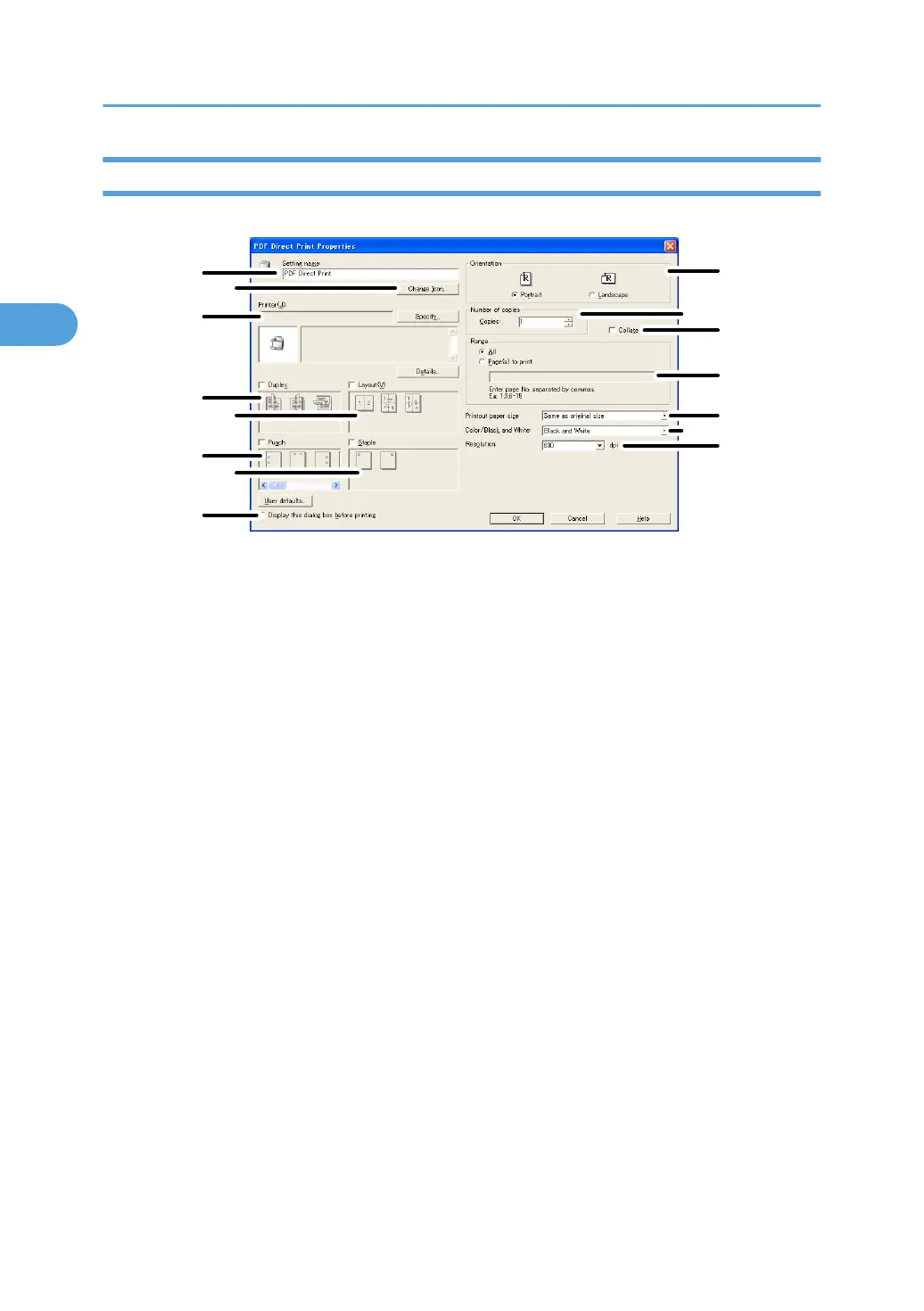
PDF Direct Print Properties
1
2
3
4
5
6
7
8
9
10
15
11
12
13
14
CHN004
1. Setting name:
Displays the plug-in configuration name (up to 63 single byte characters)
2.
Change Icon...
Changes the icon displayed on the tool bar.
3. Printer:
Displays printer's IP address or hostname.
4. Duplex
Prints on both sides of sheets.
5. Layout
Prints multiple pages on a single sheet.
6. Punch
Punches holes in printed sheets.
7. Staple
Staples together printed sheets.
8. Display this dialog box before printing
Appears in PDF direct printing mode if this check box is selected.
9. Orientation:
Specify the original's orientation.
10. Number of copies
Specify the number of copies to print.
11. Collate
Sorts printed sheets.
2. Printing Documents
100



 To Next Page