6. Fax via Computer
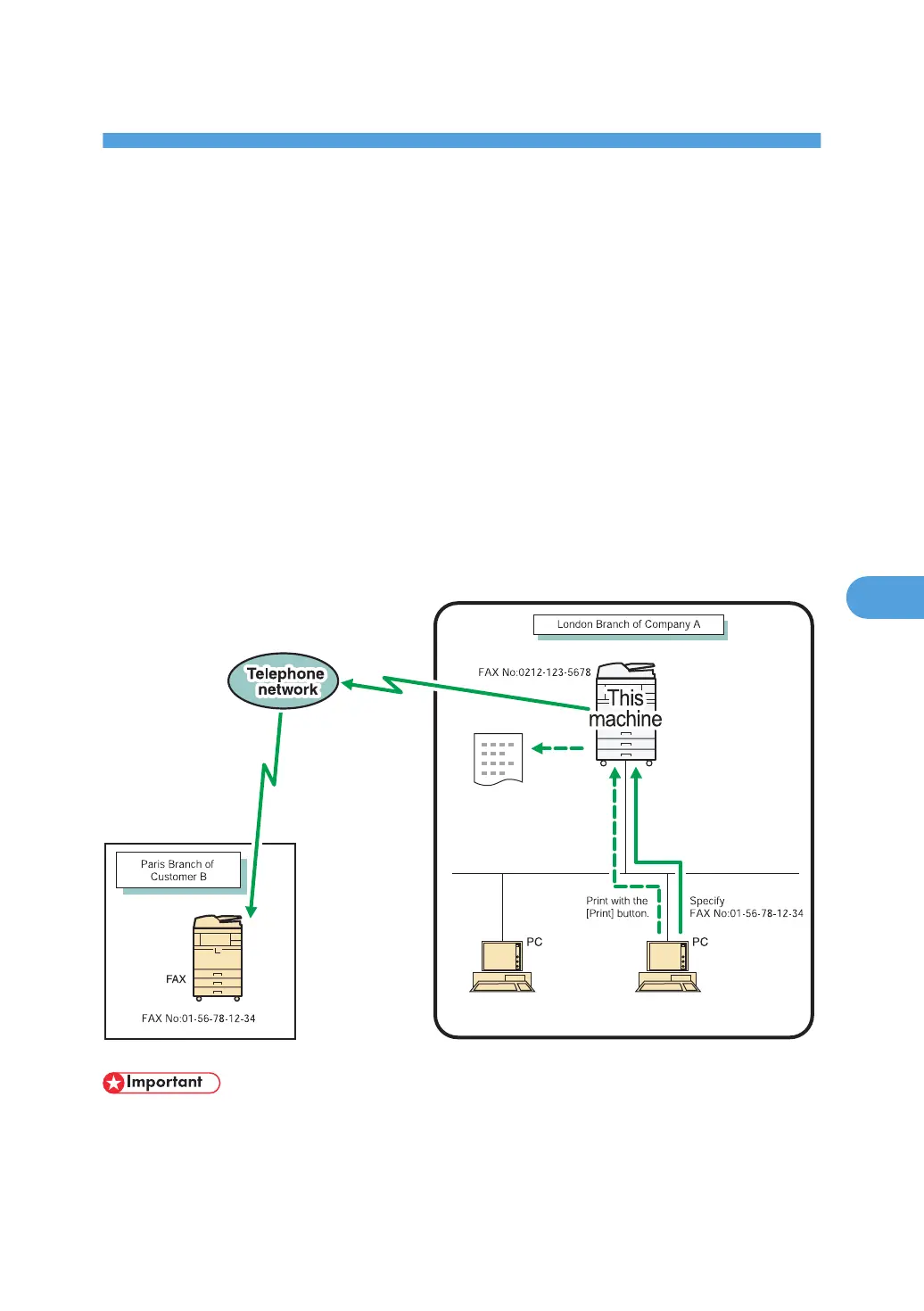
This section explains how to use this machine's facsimile function from a computer via a network.
Sending Fax Documents from Computers
You can send a document created with a Windows application from a computer connected to the
machine to another fax machine.
Connect computers to the machine via parallel port, LAN, wireless LAN, or USB 2.0.
• To send a fax, simply select [Print...] from the Windows application, then select LAN-Fax as the
printer, and then specify a destination. LAN-Fax enables paperless faxing from your computer to
the other destinations.
• In addition to sending faxes, the LAN-Fax Driver allows this machine to be used for printing out
documents prepared on a computer for proof checking.
• To use the LAN-Fax Driver, connect this machine to computers and make the necessary network
settings, and then install the LAN-Fax Driver and the related utilities on your computer.
• To use this function, the optional HDD unit and printer/scanner functions are required.
• Errors occurring when the machine is used as a LAN-Fax will not be displayed on the computer.
Check for errors by using Web Image Monitor. See Web Image Monitor help.
317



 To Next Page