• p.98 "Searching for a Destination Client Computer"
•
p.18 "Scanned Files Status"
• p.91 "Registering the machine to a client computer"
• p.104 "Creating a New Scan Profile"
Switching to the WSD Scanner Screen
This section explains how to switch from the screen that is currently displayed to the WSD scanner
screen.
When the E-mail screen, Scan to Folder screen, or network delivery screen is displayed, you can use the
following procedure to switch to the WSD scanner screen.
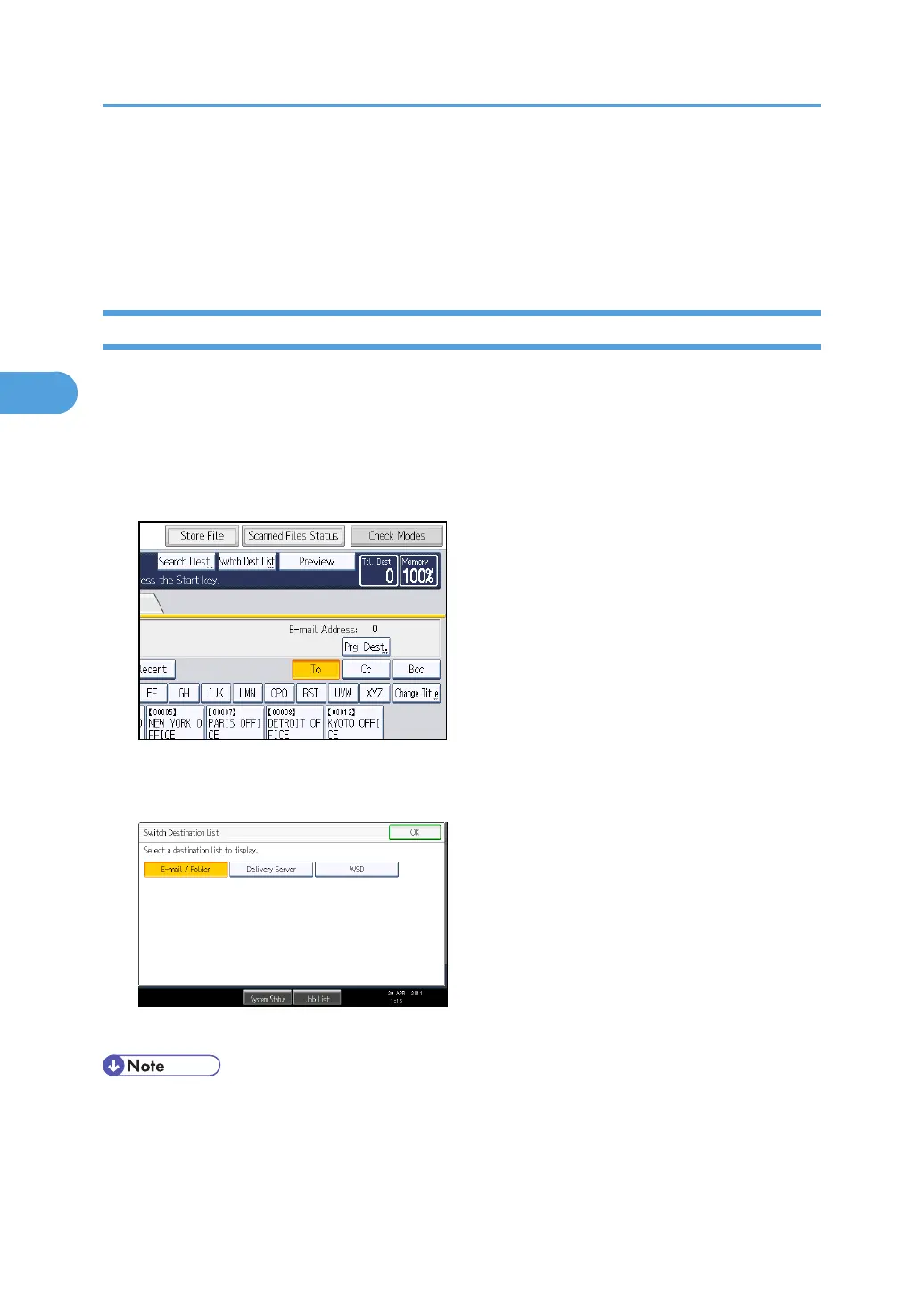
1. Press [Swtch Dest.List].
The [Switch Destination List] screen appears.
2. Press [WSD], and then press [OK].
The WSD scanner screen appears.
• You cannot switch the screen while e-mail or other destinations are being specified. To clear a
specified destination, display the destination in the destination field of each screen, and then press
the [Clear/Stop] key.
3. Sending Scan Files Using WSD
96



 To Next Page