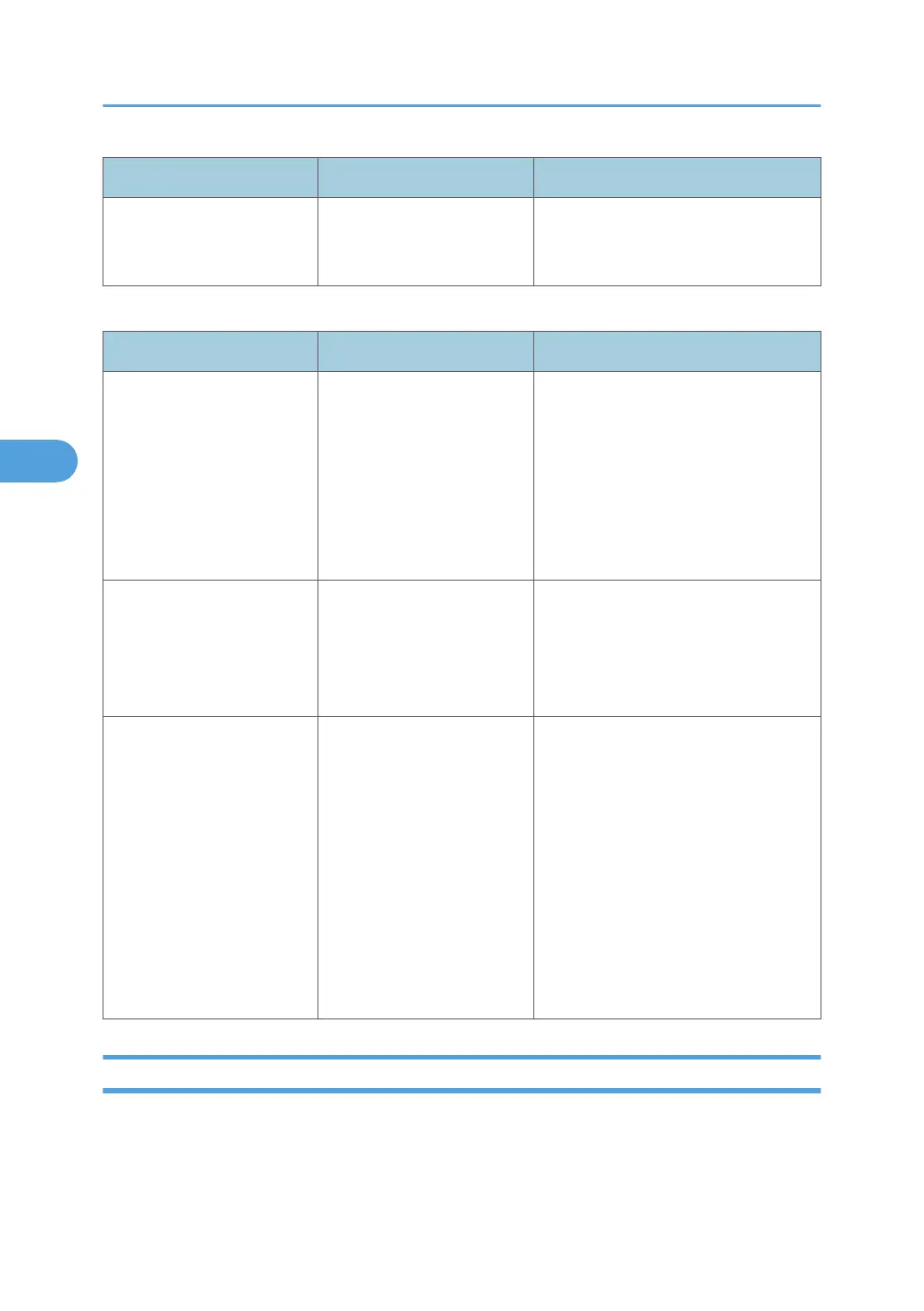
Message Causes Solutions
"You do not have the
privileges to use this
function."
The logged in user name
does not have permission for
the selected function.
Contact your administrator about the
permission for the required function.
Messages during Direct print from a removable memory device
Message Causes Solutions
"Cannot display files from
the selected memory
device."
The memory device used
cannot be recognized.
For details about the recommended
memory devices for the Direct printing
function from removable memory
devices, contact your sales or service
representative. The USB flash memory
that features password protection or
other security features may not work
normally.
"More than one file cannot
be selected with this file
type."
A non-JPEG file has been
selected.
Multiple non-JPEG files cannot be
selected at one time in the Direct
printing function from removable
memory devices. Select files
separately.
"The size of the selected
file(s) is too large."
• The size of the selected
TIFF or PDF file exceeds
1 GB.
•
The total size of the
selected JPEG files
exceeds 1 GB.
Files or groups of files larger than 1 GB
cannot be printed.
• When the total size of the multiple
files that are selected exceeds 1
GB, select files separately.
• When the size of selected file
exceeds 1 GB, reduce the size of
the file to less than 1 GB.
• Print by using a function other
than the Direct printing function
from removable memory devices.
Other Messages
This section describes likely causes of and possible solutions for the error messages that are printed on
the error logs or reports.
4. Troubleshooting When Using the Printer Function
76



 To Next Page