User Code Authentication
This is an authentication method for limiting access to functions according to a user code. The same user
code can be used by more than one user. For details about specifying user codes, see "Authentication
Information", Network and System Settings Reference.
For details about specifying the user code for the printer driver, see Printer Reference or the printer driver
Help.
For details about specifying the TWAIN driver user code, see the TWAIN driver Help.
• To control the use of DeskTopBinder for the delivery of files stored in the machine, select Basic
Authentication, Windows Authentication, LDAP Authentication, or Integration Server
Authentication.
Specifying User Code Authentication
This can be specified by the machine administrator.
For details about logging in and logging out with administrator authentication, see "Logging in Using
Administrator Authentication" and "Logging out Using Administrator Authentication".
1. Press the [User Tools/Counter] key.
2. Press [System Settings].
3. Press [Administrator Tools].
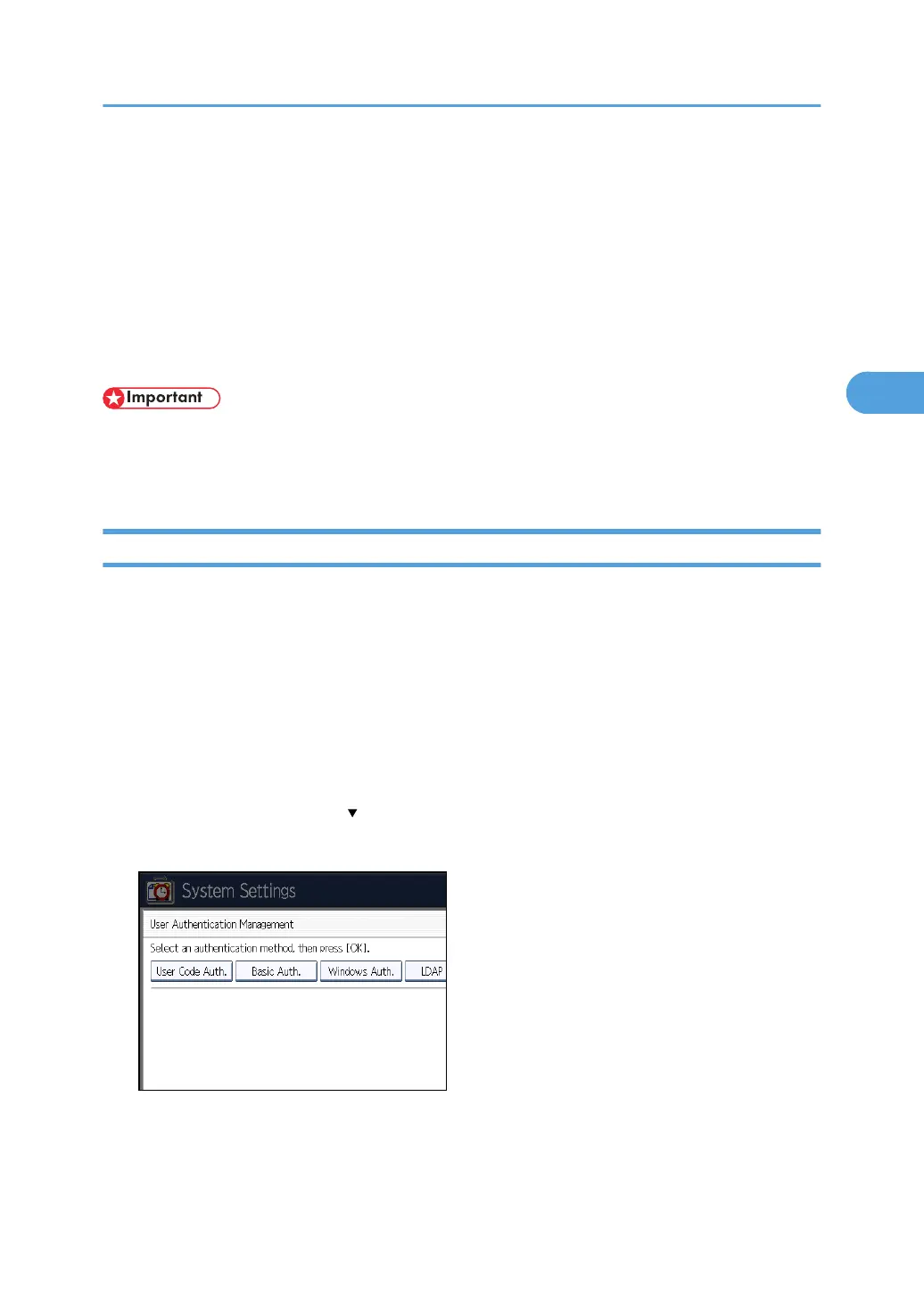
4. Press [User Authentication Management].
If this item is not visible, press [ Next] to display more settings.
5. Select [User Code Auth.].
If you do not want to use user authentication management, select [Off].
User Code Authentication
43



 To Next Page