Canceling a Print Job
This section gives instruction to stop printing from the computer or the control panel after confirming to
start printing.
1. Check the machine to see if relevant data is printing. If the Data In indicator lights up or
blinks, the machine is receiving data from a computer.
2. Cancel printing.
Since canceling procedures vary depending on the print job status, check the job status and cancel
printing according to the following procedure.
Canceling a Print Job Using the Control Panel
1. Press the [Printer] key.
The printer screen appears.
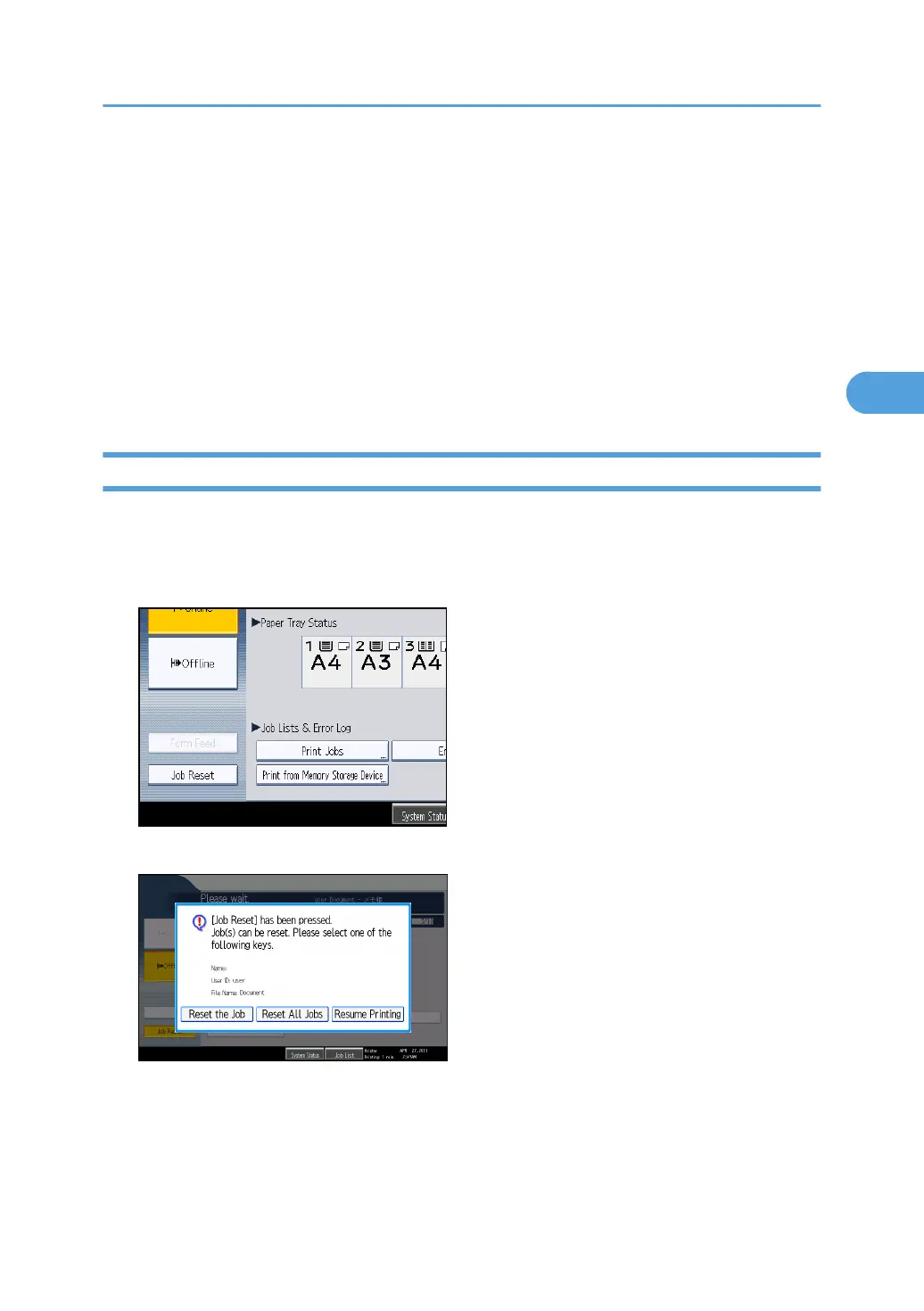
2. Press [Job Reset].
3. Press [Reset the Job].
• [Reset the Job]: cancels the print job currently being processed.
•
[Reset All Jobs]: cancels all jobs in the print queue.
• [Resume Printing]: resumes printing print jobs.
A confirmation message appears.
Canceling a Print Job
133



 To Next Page