• For acceptable types of originals, see “Acceptable Original Sizes”, “Paper Size and Scanned
Area” and “Types of Original whose Sizes are Difficult to Detect”.
• p.44 "T.37 Full Mode"
•
p.59 "Acceptable Original Sizes"
• p.60 "Paper Size and Scanned Area"
• p.61 "Types of Original whose Sizes are Difficult to Detect"
• p.63 "Transmission with Image Rotation"
• p.73 "Scan Size"
• p.386 "Registering Fax Information"
Setting the Original Orientation
To preview scanned originals or documents using Document Server, configure the “Original
Orientation” setting to display the top/bottom orientation of the original correctly in the preview.
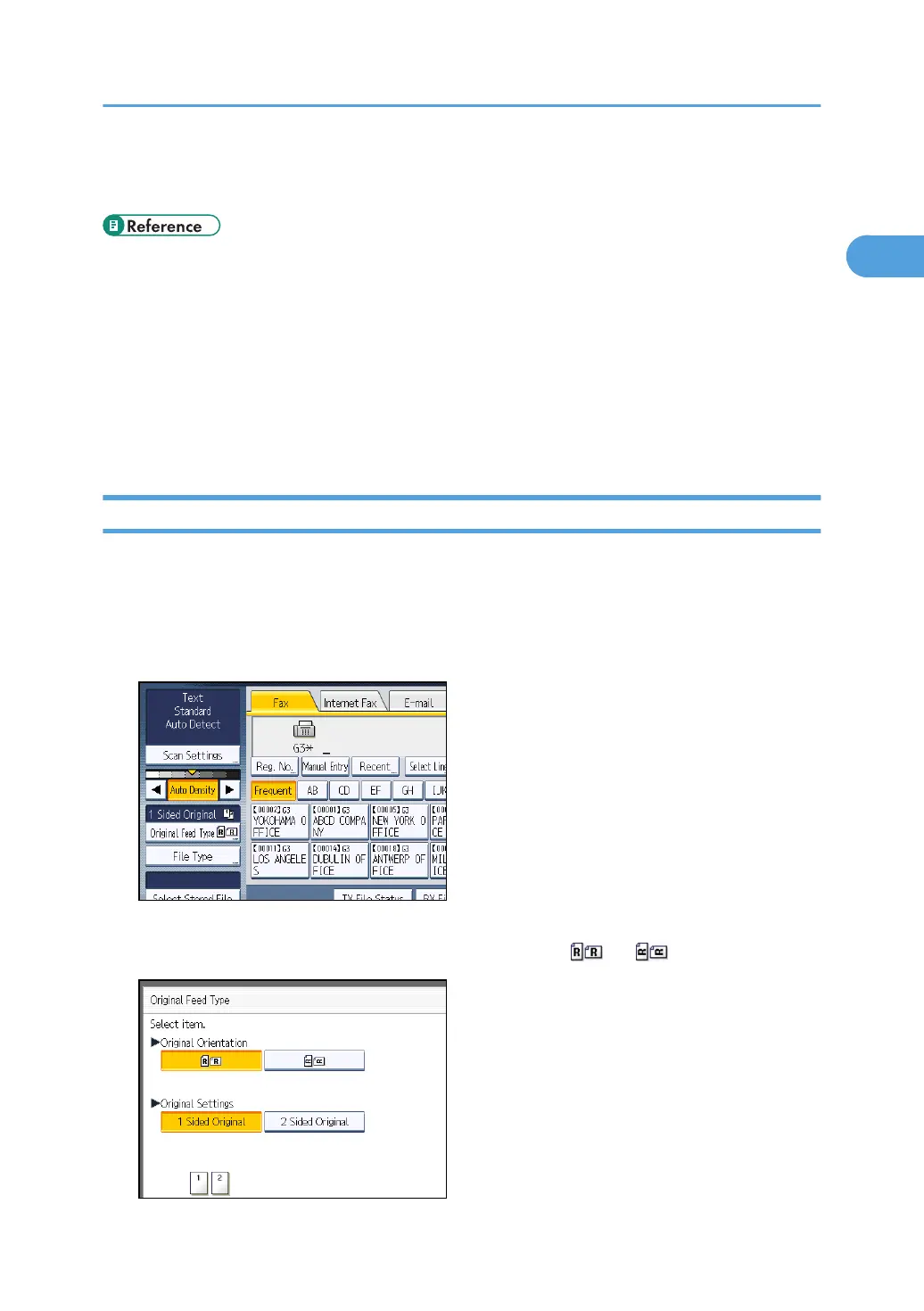
1. Place the original, and then select the scan settings you require.
2. Press [Original Feed Type].
3. Specify the original orientation.
Check the orientation of the placed document, and then press [ ] or [ ].
Placing Originals
55



 To Next Page