*3
Default is 11 × 17. If you want to switch the detectable size from 11 × 17 to 11 × 15, contact your
representative.
*4
Default is 8
1
/
2
× 14. If you want to switch the detectable size from 8
1
/
2
× 14 to 8
1
/
2
× 13, contact
your service representative.
*5
Default is 8
1
/
2
× 11 . If you want to switch the detectable size from 8
1
/
2
× 11 to 7
1
/
4
× 10
1
/
2
,
contact your representative.
*6
Default is 8
1
/
2
× 11 . If you want to switch the detectable size from 8
1
/
2
× 11 to 8 × 10 ,
contact your service representative.
• Originals whose size is non-auto detectable will be scanned at the wrong paper size if fed in from
the ADF.
Transmission with Image Rotation
As a general rule, place A4, 8
1
/
2
× 11 originals in the landscape orientation ( ). If you place an A4,
8
1
/
2
× 11 original in the portrait orientation ( ), the image is sent rotated by 90 degrees.
Providing the receiver has A4, 8
1
/
2
× 11 landscape paper ( ), the document is printed at the same
size as the original.
• This function is unavailable with Immediate Transmission.
•
This function is unavailable when using Mixed Original Sizes.
Stamp
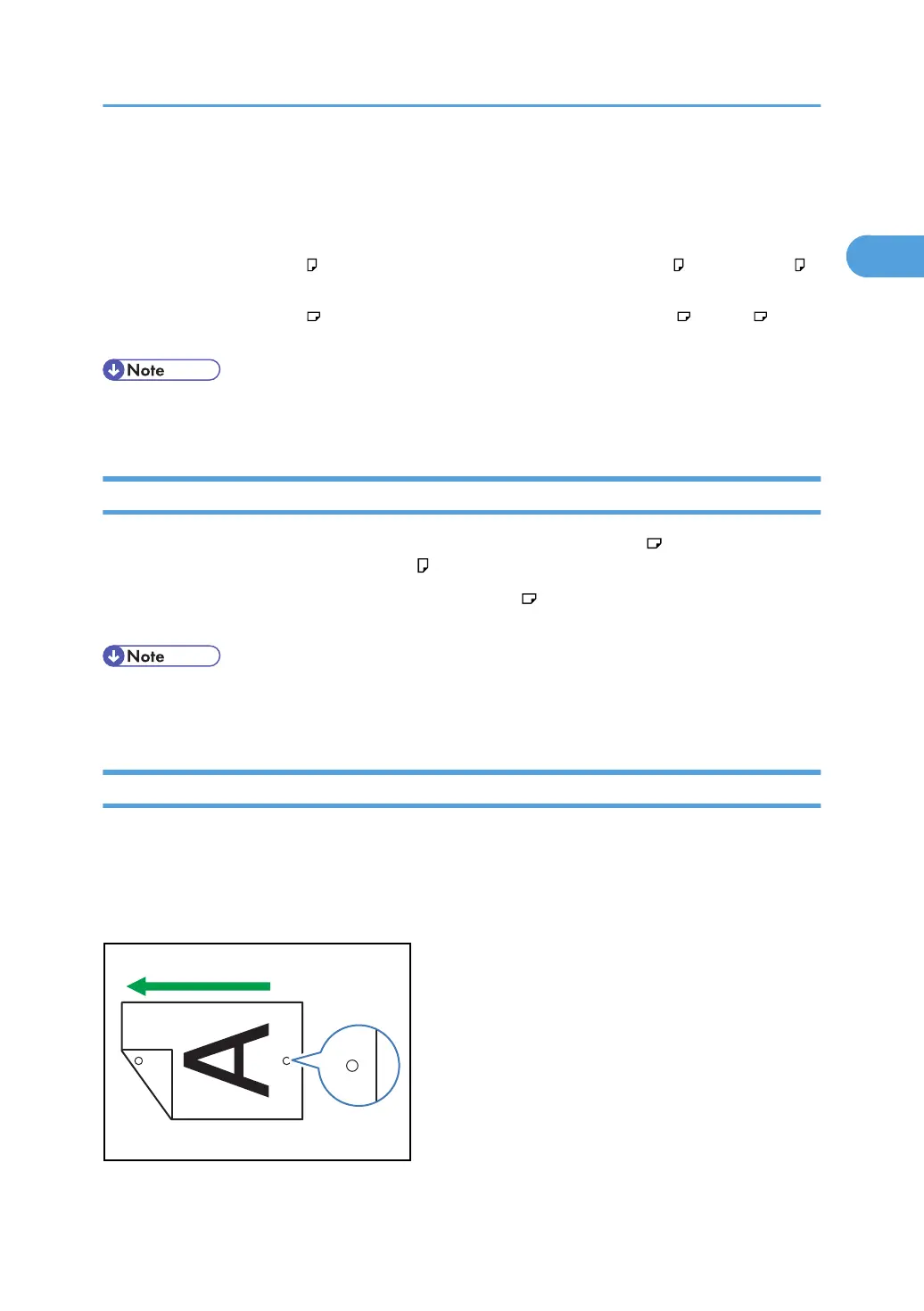
When sending a fax document using the ADF, the machine can stamp a circle mark at the bottom of the
original.
When sending a two-sided document, the document is marked at the bottom of the front page and top
of the rear page.
Placing Originals
63



 To Next Page