10. Click [Browse my computer for driver software].
11. Click [Browse] to select the printer driver location.
If the CD-ROM drive is D, the source files of the printer driver are stored in the following location:
D:\X86 or X64\DRIVERS\PS\XP_VISTA or X64\MUI\DISK1
12. Click [Next].
If "Windows can't verify the publisher of this software" display appears in the installation, click
[Install this driver software anyway].
13. Click [Close].
If installation is successful, the icon of this machine connected to the "USB001" port is added to the
[Devices and Printers] window.
• The number after "USB" varies depending on the number of machines connected.
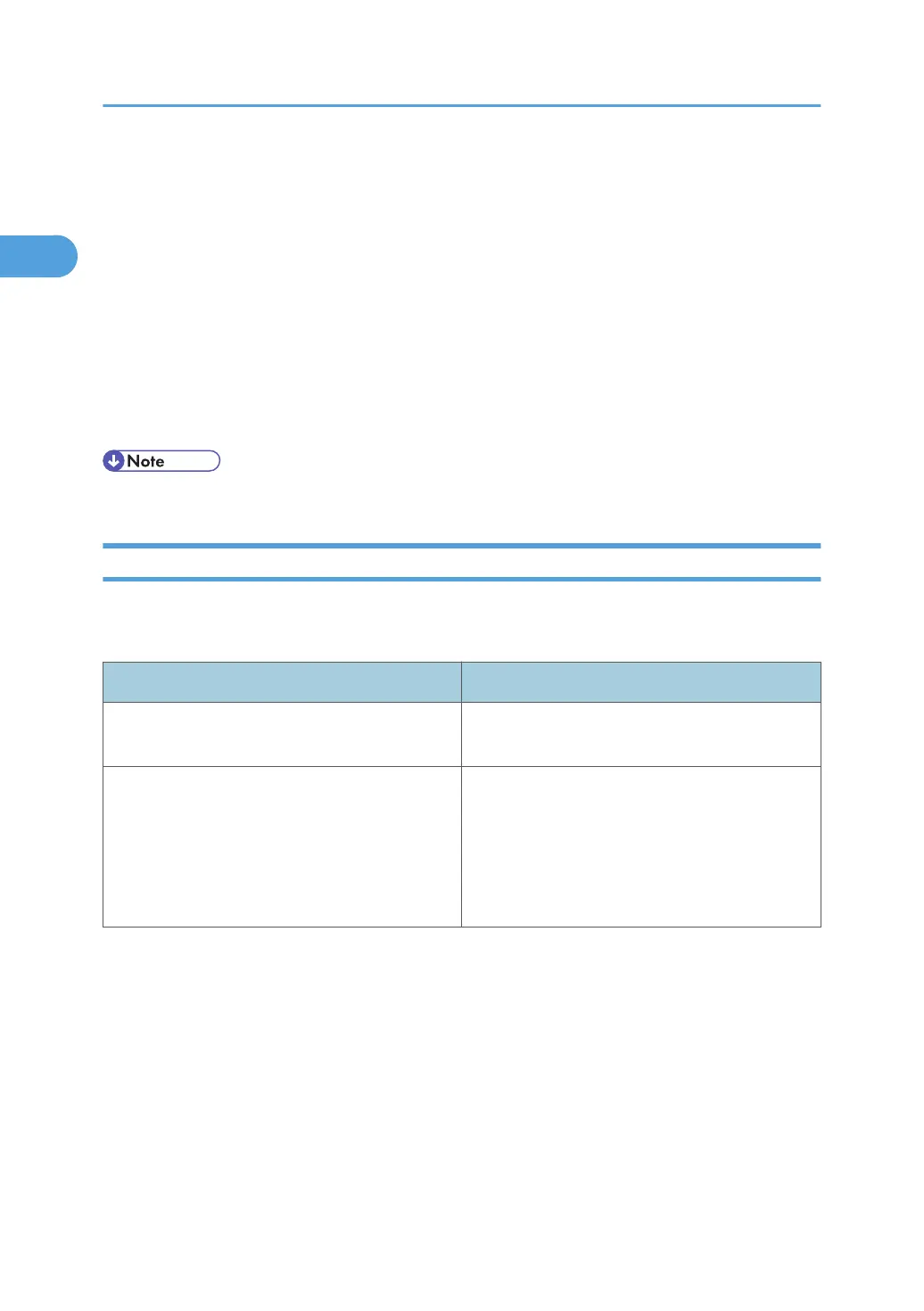
Troubleshooting for Using USB
The following table explains general problems you might encounter and their solutions when installing
the printer drivers for use over a USB interface.
Problems Solutions
The machine is not automatically recognized.
Turn off the power of the machine, reconnect the
USB cable, and then turn it on again.
Windows has already configured the USB
settings.
Open Windows' Device Manager, and then
remove any conflicting devices under [Universal
Serial Bus controllers] or [USB Controller].
Conflicting devices have a yellow [!] or [?] icon
by them. Take care not to accidentally remove
required devices. For details, see Windows Help.
1. Windows Configuration
36



 To Next Page