Tray Paper Settings
This section describes the user tools in the Tray Paper Settings menu under System Settings.
• If the specified paper size differs from the actual size of the paper loaded in the paper tray, a
misfeed might occur because the correct paper size was not detected.
Paper Tray Priority: Copier (copier/Document Server)
Specify the tray to supply paper for output.
Default: [Tray 1]
Paper Tray Priority: Facsimile (facsimile)
Specify the tray to supply paper for output.
Default: [Tray 1]
Paper Tray Priority: Printer (printer)
Specify the tray to supply paper for output.
Default: [Tray 1]
Tray Paper Size: Tray 1
Select the size of the paper loaded in the paper tray.
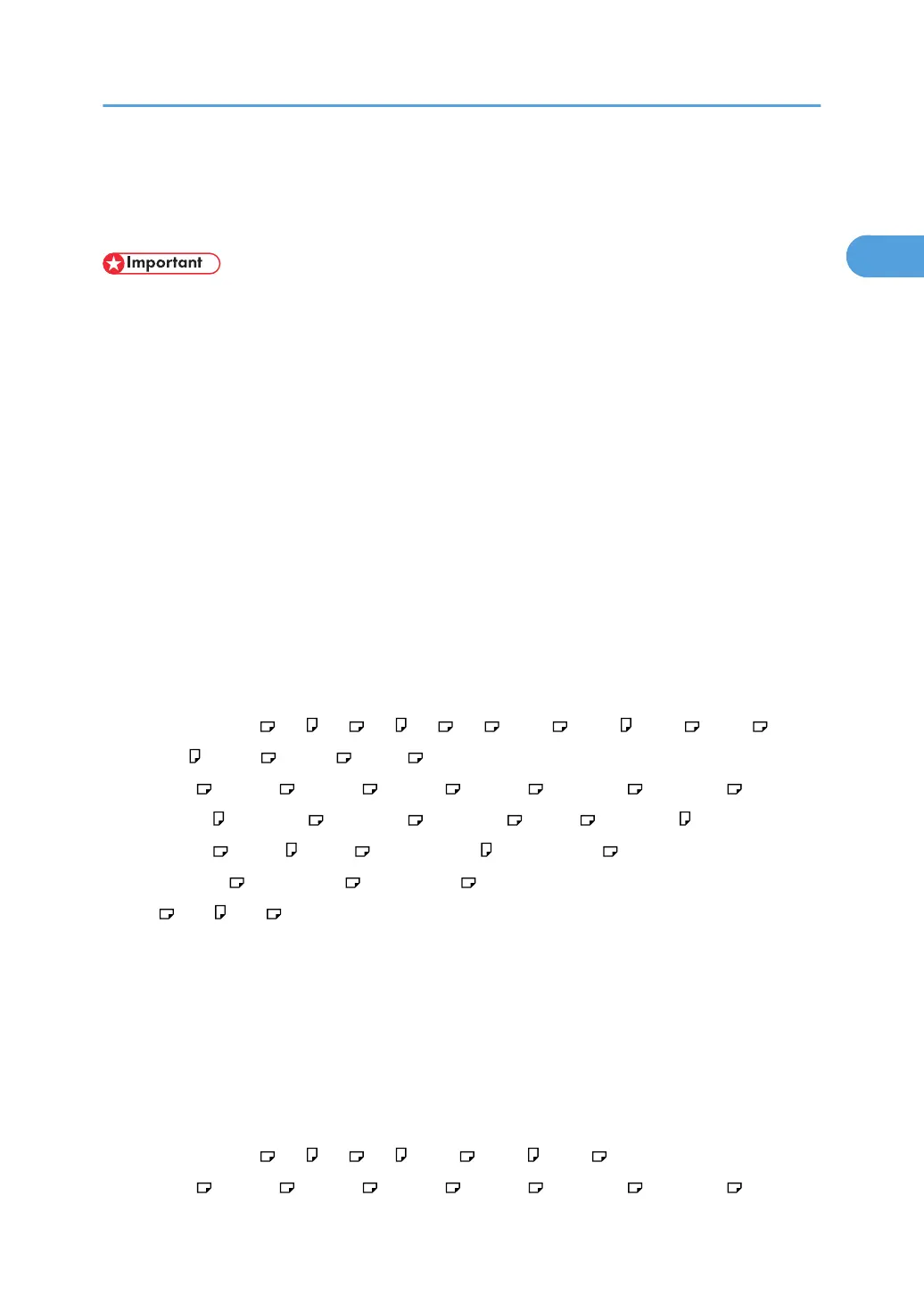
The paper sizes you can set for tray 1 are as follows:
[Auto Detect] ,A3 , A4 , A4 , A5 , A5 , A6 , B4 JIS , B5 JIS , B5 JIS , B6 JIS ,
C5 Env , C5 Env , C6 Env , DL Env ,
11 × 17 , 11 × 15 , 11 × 14 , 10 × 15 , 10 × 14 , 8
1
/
2
× 14 , 8
1
/
2
× 13 ,
8
1
/
2
× 11 , 8
1
/
2
× 11 , 8
1
/
4
× 14 , 8
1
/
4
× 13 , 8 × 13 , 8 × 10
1
/
2
,
8 × 10
1
/
2
, 8 × 10 , 8 × 10 , 7
1
/
4
× 10
1
/
2
, 7
1
/
4
× 10
1
/
2
,
5
1
/
2
× 8
1
/
2
, 4
1
/
8
× 9
1
/
2
, 3
7
/
8
× 7
1
/
2
,
8K , 16K , 16K , [Custom Size]
Default: [Auto Detect]
You can specify a custom size of between 100.0 - 297.0 mm (3.94 - 11.69 inch) vertically, and
between 148.0 - 432.0 mm (5.83 - 17.00 inch) horizontally.
For details about auto detect paper size, see About This Machine.
Tray Paper Size: Tray 2
Select the size of the paper loaded in the paper tray.
The paper sizes you can set for tray 2 are as follows:
[Auto Detect], A3 , A4 , A4 , A5 , B4 JIS , B5 JIS , B5 JIS ,
11 × 17 , 11 × 15 , 11 × 14 , 10 × 15 , 10 × 14 , 8
1
/
2
× 14 , 8
1
/
2
× 13 ,
Tray Paper Settings
25



 To Next Page