• p.153 "Menu Protect"
Settings You Can Configure Using Web Image Monitor
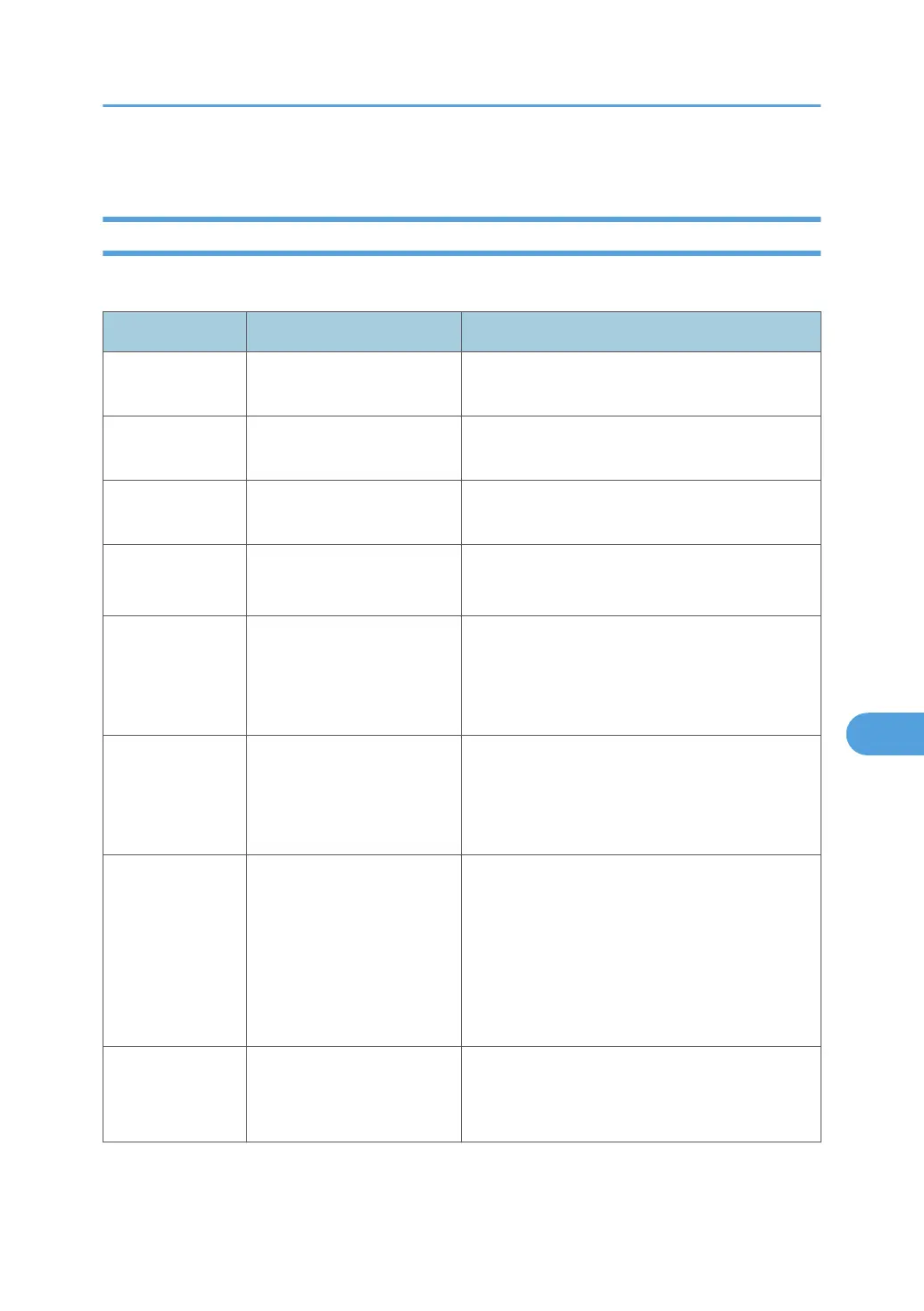
Use Web Image Monitor to configure the security settings shown in the following table.
Category Item Setting
Device Settings/
Logs
Collect Job Logs Active
Device Settings/
Logs
Collect Access Logs Active
Security/User
Lockout Policy
Lockout Active
Security/User
Lockout Policy
Number of Attempts before
Lockout
5 times or less.
See "User Lockout Function".
Security/User
Lockout Policy
Lockout Release Timer Set to Active or Inactive. When setting to [Active],
set the Lockout release timer to 60 minutes or
more.
See "User Lockout Function".
Security/User
Lockout Policy
Lock Out User for When setting "Lockout Release Timer" to [Active],
set the Lockout release timer to 60 minutes or
more.
See "User Lockout Function".
Network/
SNMPv3
SNMPv3 Function Inactive
To use SNMPv3 functions, set "SNMPv3
Function" to [Active], and set "Permit SNMPv3
Communication" to [Encryption Only]. Because
SNMPv3 enforces authentication for each
packet, Login log will be disabled as long as
SNMPv3 is active.
Security/Network
Security
FTP Inactive
Before specifying this setting, set "Network
Security Level" to [Level 2] on the control panel.
Additional Information for Enhanced Security
273



 To Next Page