Basic Authentication
Specify this authentication method when using the machine's Address Book to authenticate each user.
Using Basic authentication, you can not only manage the machine's available functions but also limit
access to stored files and to the personal data in the Address Book. Under Basic authentication, the
administrator must specify the functions available to each user registered in the Address Book. For details
about limitation of functions, see "Authentication Information Stored in the Address Book".
• p.50 "Authentication Information Stored in the Address Book"
Specifying Basic Authentication
Before beginning to configure the machine, make sure that administrator authentication is properly
configured under "Administrator Authentication Management".
This can be specified by the machine administrator.
For details about logging in and logging out with administrator authentication, see "Logging in Using
Administrator Authentication" and "Logging out Using Administrator Authentication".
1. Press the [User Tools/Counter] key.
2. Press [System Settings].
3. Press [Administrator Tools].
4. Press [User Authentication Management].
If this item is not visible, press [ Next] to display more settings.
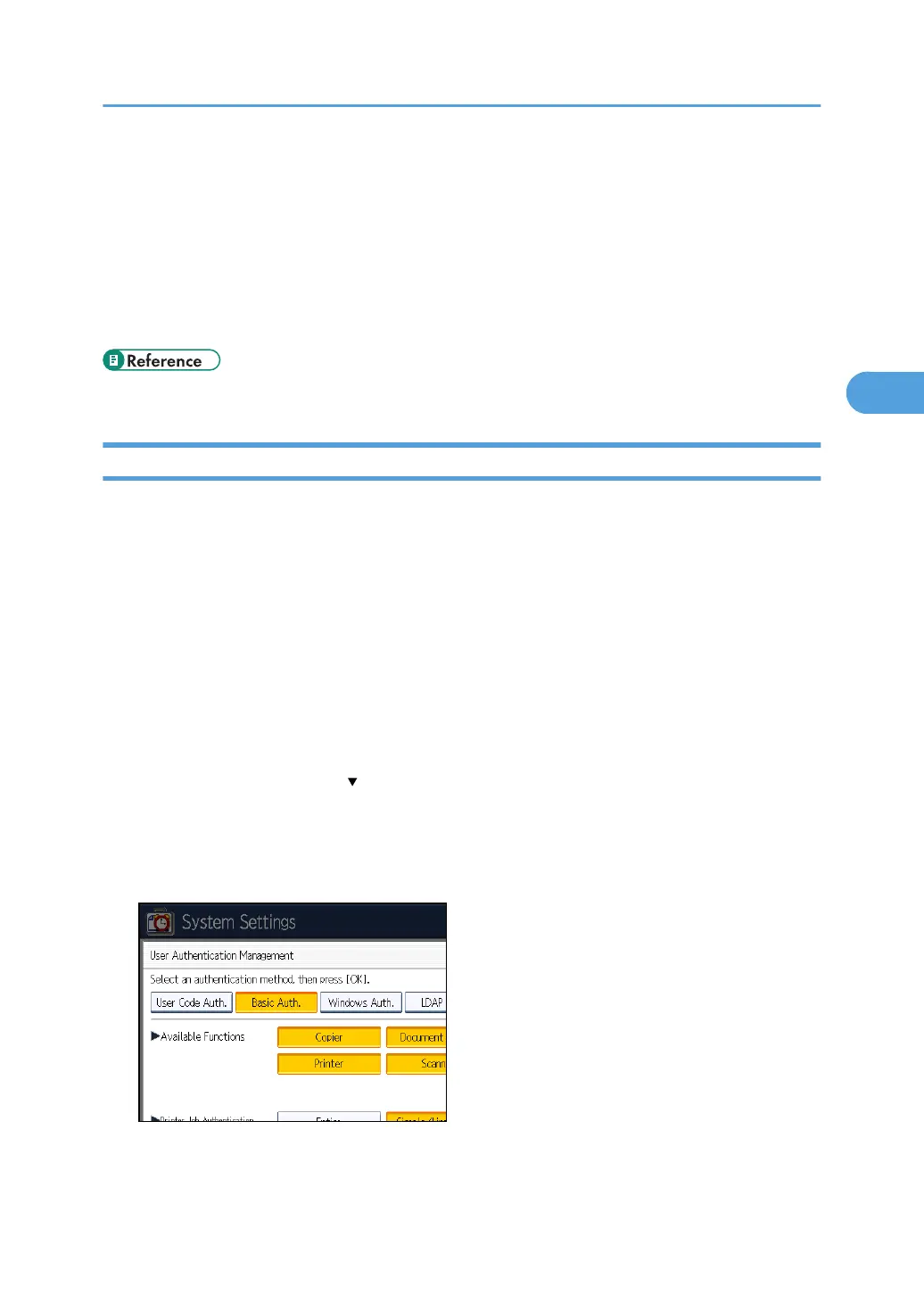
5. Select [Basic Auth.].
If you do not want to use user authentication management, select [Off].
6. Select which of the machine's functions you want to permit.
The functions you select here become the default Basic Authentication settings that will be assigned
to all new users of the Address Book.
Basic Authentication
47



 To Next Page