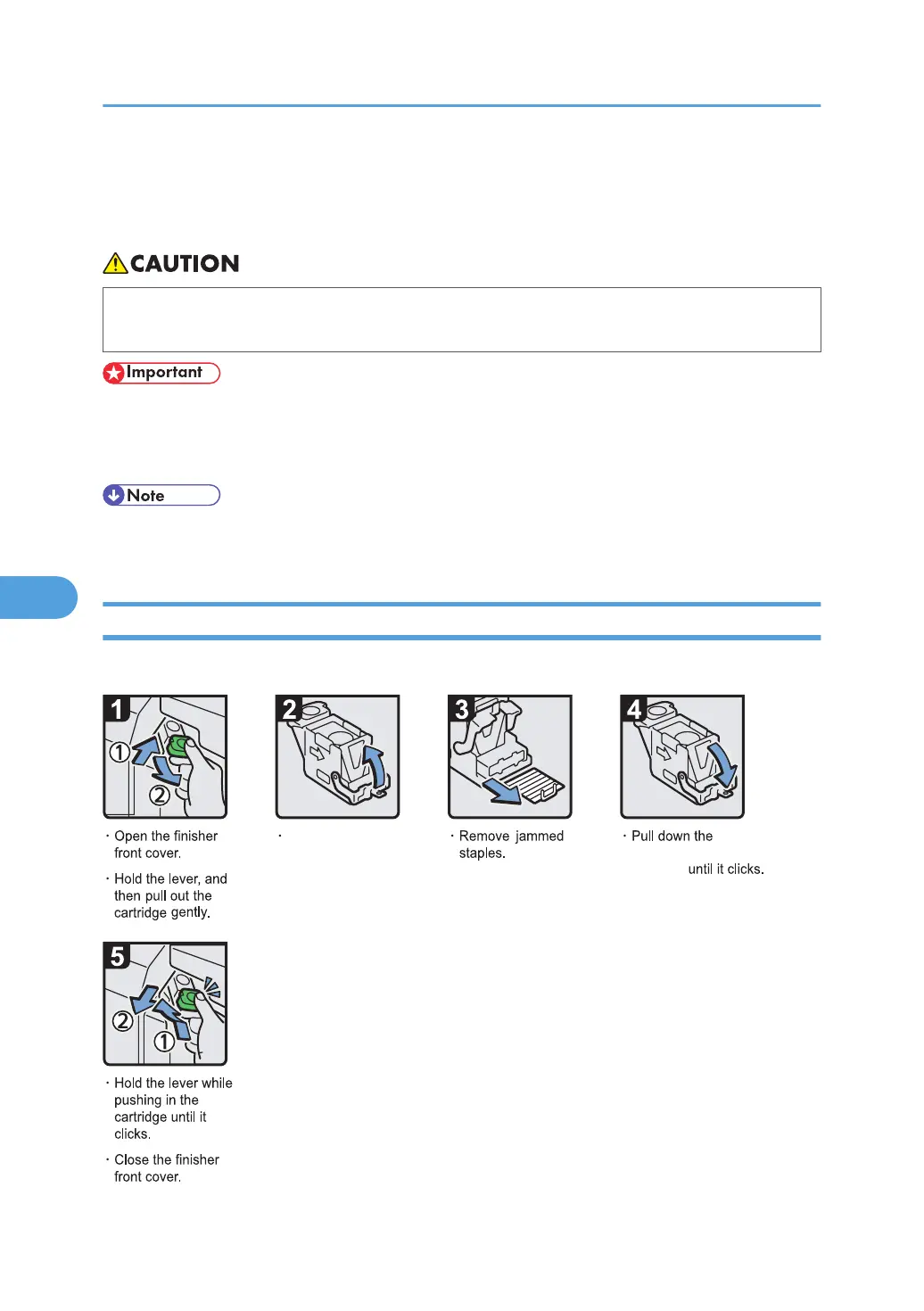
Removing Jammed Staples
This section describes how to remove jammed staples.
• Keep your hands clear of the booklet finisher tray when removing misfed paper, pulling out or
pushing in the finisher's staple unit. You can trap and injure your fingers if you do not.
• Curled paper may cause staples to jam. To avoid this, turn paper over in the tray.
•
When the finisher is installed, after removing jammed staples, staples will not be ejected the first
few times you try to use the stapler.
• Remove the jammed staples according to the finisher type. Check the type if you are unsure. For
details about type of finisher, see "Appendix", About This Machine.
500-Sheet Finisher
This section describes how to remove jammed staples from 500-Sheet Finisher.
BZC027
Open the face plate
of the cartridge.
face plate of the
cartridge
6. Clearing Misfeeds
130



 To Next Page