Connecting the Machine to a Telephone Line
and Telephone
This section describes how to connect the machine to the telephone lines and select the line type.
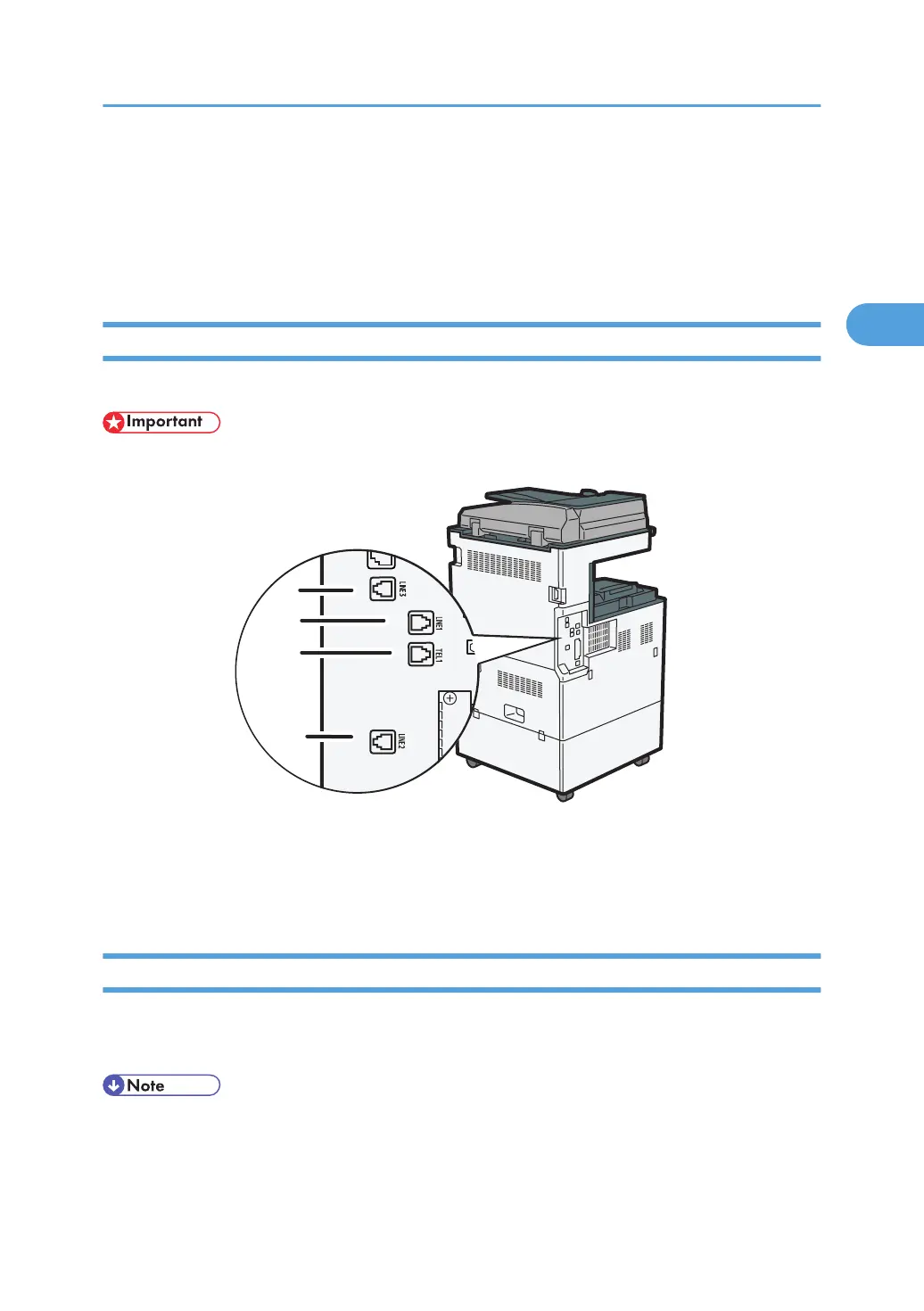
Connecting the Telephone Line
To connect the machine to a telephone line, use a snap-in modular type connector.
• Make sure the connector is the correct type before you start.
1. Extra G3 interface unit connector
2.
G3 interface unit connector
3. External telephone connector
Selecting the Line Type
Select the line type to which the machine is connected. There are two types: tone and pulse dial.
Select the line type using Administrator Tools.
• This function is not available in some regions.
Connecting the Machine to a Telephone Line and Telephone
121



 To Next Page