• If a paper tray is pushed vigorously when putting it back into place, the position of the tray's side
fences may slip out of place.
•
Various sizes of paper can be loaded in the paper trays by adjusting the positions of side fences
and end fence. For details, see “Changing the Paper Size”.
• Tray 1 can hold up to 500 sheets, and trays 2
4 can each hold up to 550 sheets.
• p.62 "Changing the Paper Size"
Loading Paper into the Large Capacity Tray (LCT)
This section describes how to load paper into the LCT.
• When paper loaded in the right side of the LCT runs out, paper on the left is automatically shifted to
the right. While the paper is moving, do not pull out the tray.
•
For the right stack, align the right edge of the paper with the right edge of the tray. For the left
stack, align the left edge of the paper to the left edge of the tray.
•
(mainly Europe and Asia)
The LCT can hold A4 paper only. If you want to print on 8
1
/
2
× 11 from the LCT, contact your
service representative.
• (mainly North America)
The LCT can hold 8
1
/
2
× 11 paper only. If you want to print on A4 from the LCT, contact your
service representative.
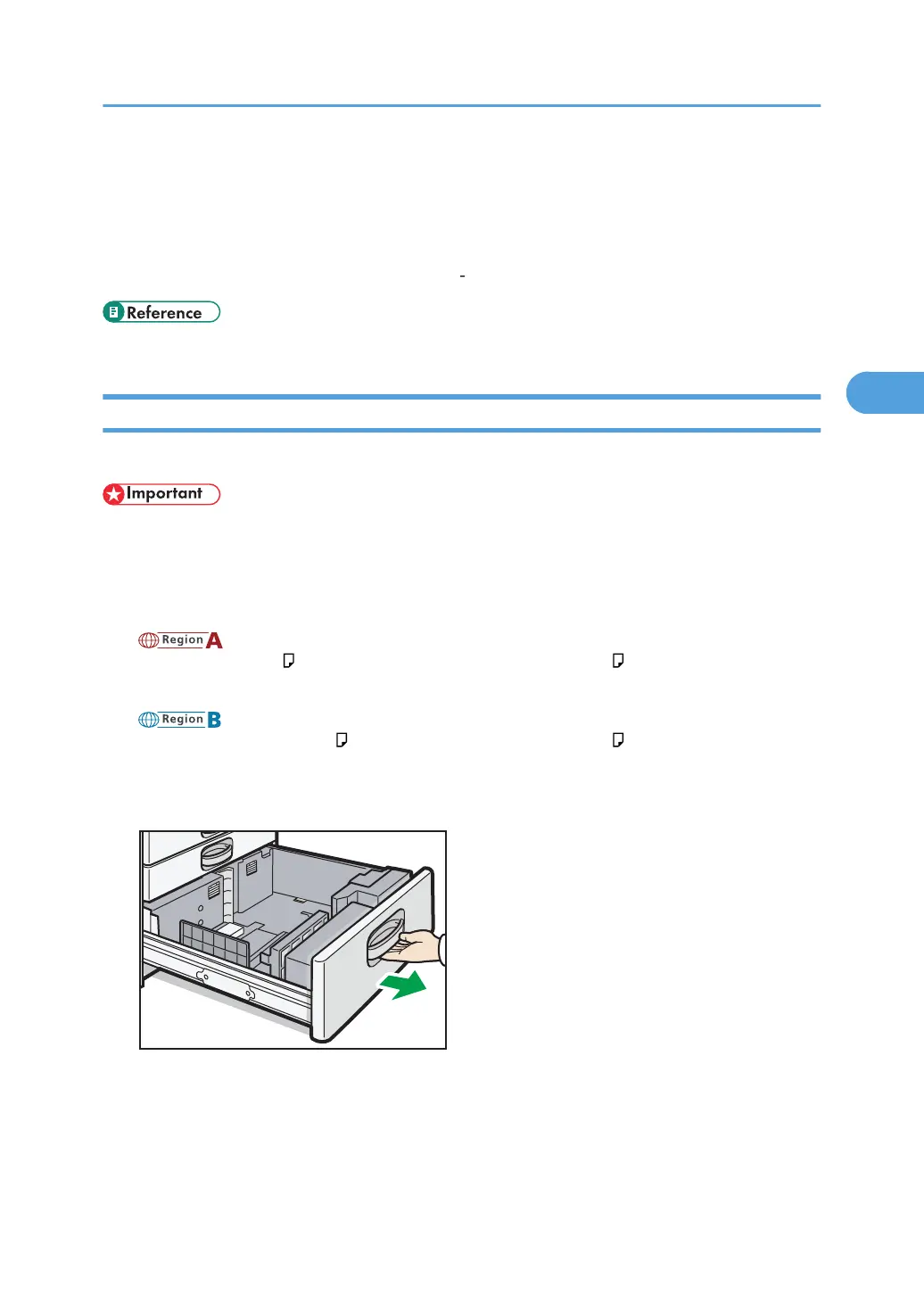
1. Carefully pull out the LCT until it stops.
2. Square the paper and load it print side up.
Do not stack paper over the limit mark.
•
Whole tray pulled out
Loading Paper
59



 To Next Page