This function increases a document's security and identifiability by embedding a specified text
(watermark) on every page.
Collate
When printing multiple documents such as handouts for meetings, you can separate sets into order. This
function is known as "Collate". Collate stores data transmitted from a computer to the machine's memory
or hard disk drive.
• You can sort up to 1000 pages, and up to 999 copies.
•
If [Auto Continue] occurs on the first set, Collate will be canceled. For details about [Auto
Continue], see "System".
• If you make the machine continue printing manually on the first set, Collate will be canceled. For
details about making the machine continue printing manually, see "If Error Occurs with the
Specified Paper Size and Type".
• If the [Ignore Application Collate] check box is cleared, the collate settings in the application's
[Print] dialog box are applied.
The followings are the three types of Collate.
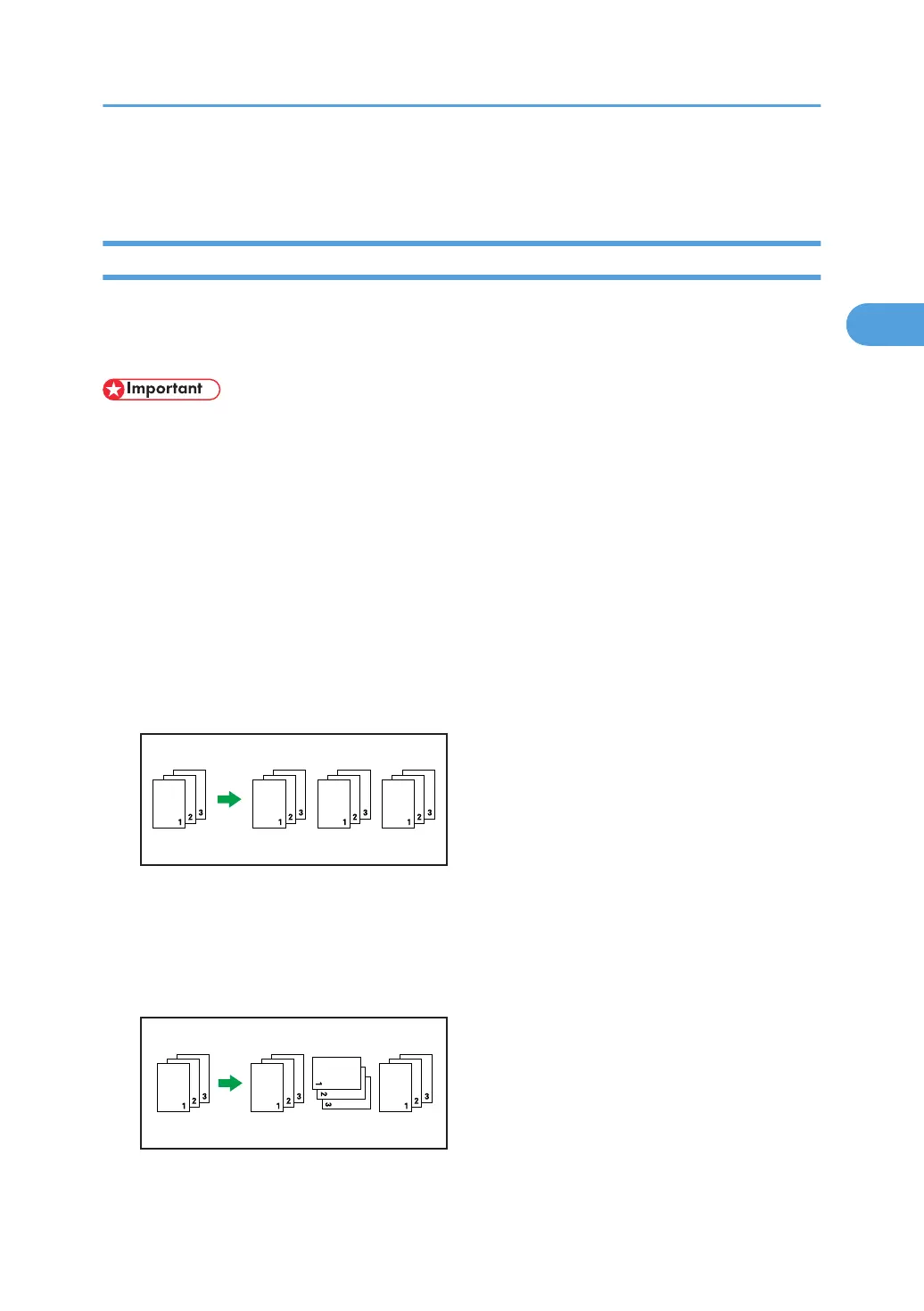
Collate
Printed output is assembled as sets in sequential order.
Rotating Collate
Every other print set is rotated by 90 degrees.
When the two paper trays contain the same size paper and same paper type in different
orientations, the output result will be always Rotating Collate.
Conditions where Rotate Collate will be canceled
Advanced Printing
77



 To Next Page