Restricting Media Slot Access
This can be specified by the machine administrator.
Specify on the control panel whether or not to allow users to use the media slots. With this setting, you
can restrict storing scanned files on a removable memory device, and also restrict printing of files stored
on a removable memory device.
For details about logging in and logging out with administrator authentication, see “Logging in Using
Administrator Authentication” and “Logging out Using Administrator Authentication”.
1. Press the [User Tools/Counter] key.
2. Press [System Settings].
3. Press [Administrator Tools].
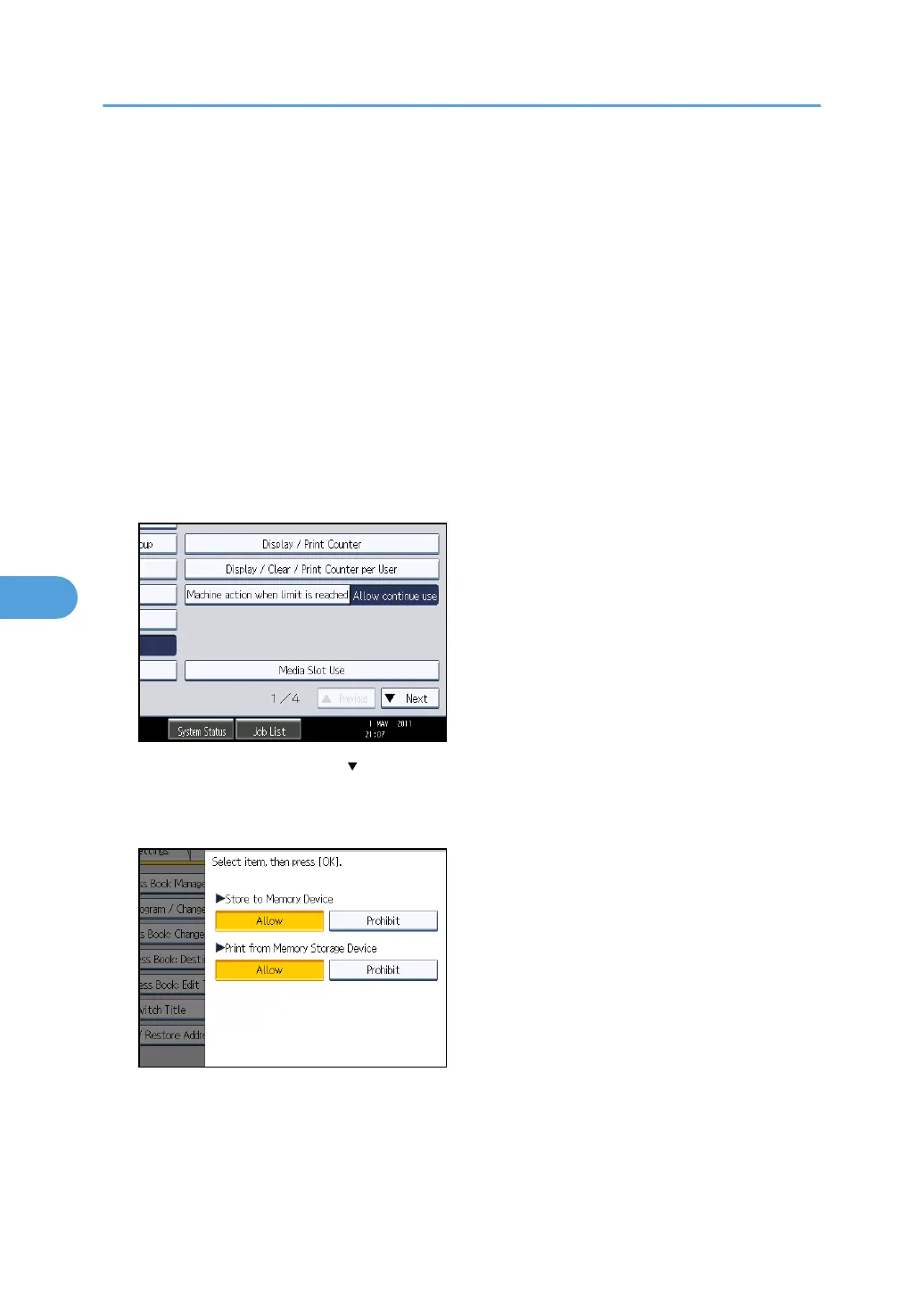
4. Press [Media Slot Use].
If this item is not visible, press [ Next] to display more settings.
5. To restrict storing files on a removable memory device, press [Prohibit] under "Store to
Memory Device".
6. To restrict printing of files stored on a removable memory device, press [Prohibit] under
"Print from Memory Storage Device".
7. Press [OK].
8. Press [Exit].
6. Managing Access to the Machine
160



 To Next Page