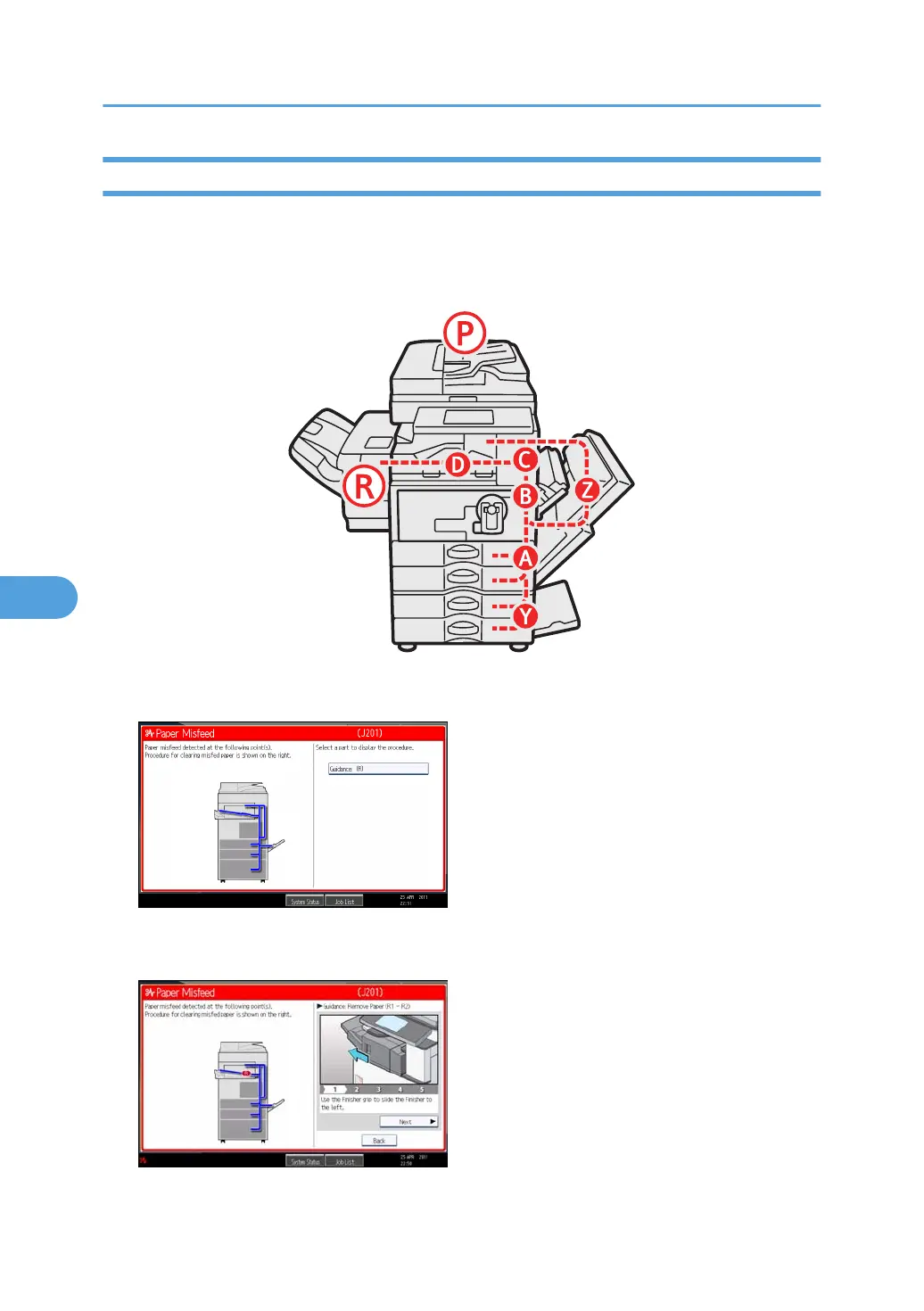
Locating Jammed Paper
If a misfeed happens, remove the misfed paper or original following the procedures stated on the sticker
inside the finisher.
A misfeed has occurred in the place corresponding to the letter displayed on the control panel.
1. Press the key of the section from where you want to remove the jammed paper.
2. After each step is complete, press [Next]. To go back to the previous step, press
[Previous].
3. When all jammed paper is removed, restore the machine to the original state.
6. Clearing Misfeeds
122



 To Next Page