Switching to the Scan to Folder Screen
This section explains how to switch to the Scan to Folder screen.
If the E-mail screen is being displayed, press the [Folder] tab to switch to the Scan to Folder screen.
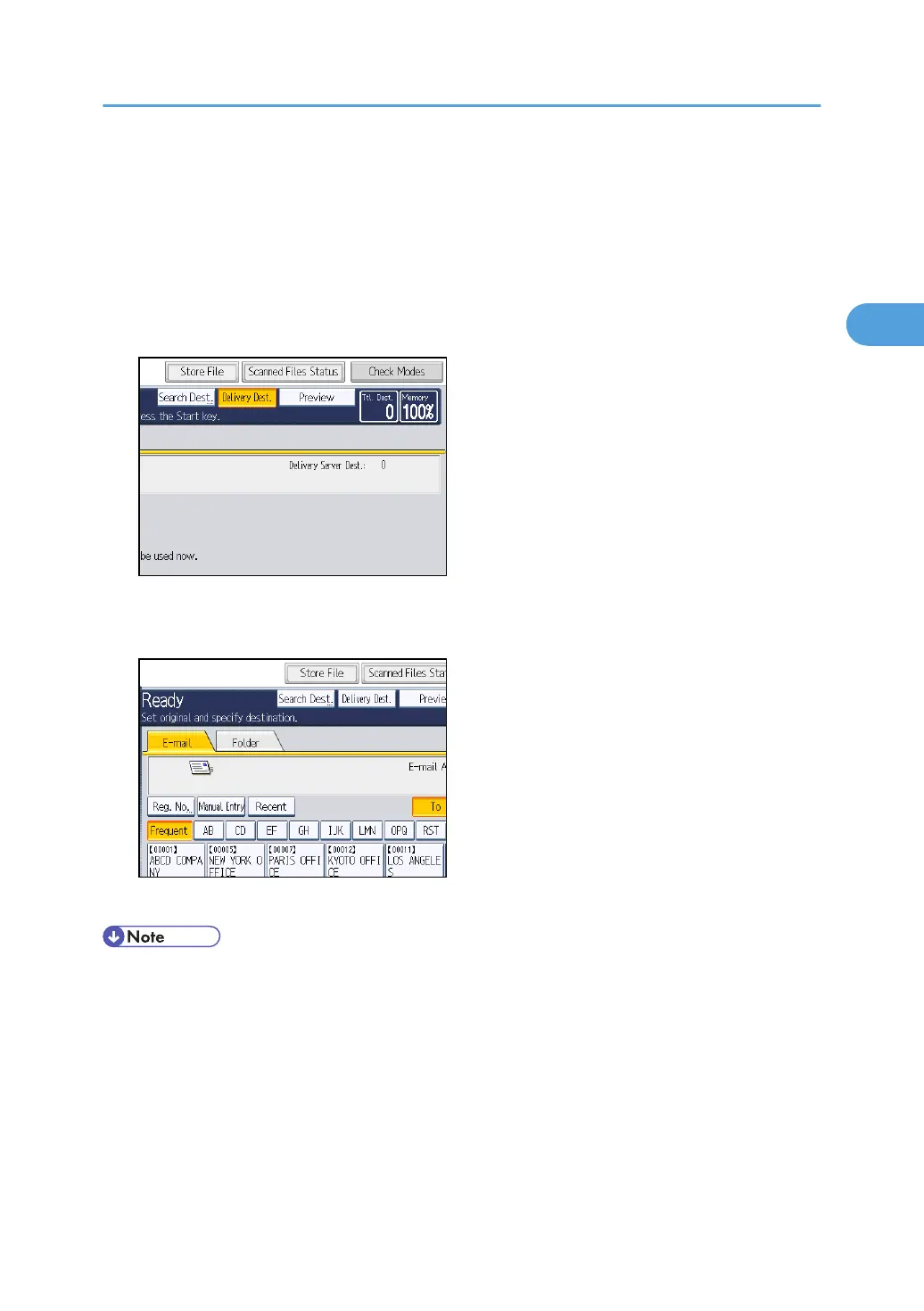
If the network delivery scanner screen is being displayed, switch to the Scan to Folder screen as follows:
1. Press [Delivery Dest.].
The E-mail screen or Scan to Folder screen appears.
2. If the E-mail screen appears, press the [Folder] tab.
The Scan to Folder screen appears.
• You cannot switch from the network delivery scanner screen or other screens while destinations are
being specified. To clear the specified destination, display the destination in the destination field,
and then press the [Clear/Stop] key.
•
If you are scanning files using WSD, [Swtch Dest.List] or [WSD Dest.] appears instead of [Delivery
Dest.]. To switch to the Scan to Folder screen, press [Swtch Dest.List], and then, on the screen that
appears, press [E-mail / Folder], or press [WSD Dest.].
Switching to the Scan to Folder Screen
69



 To Next Page