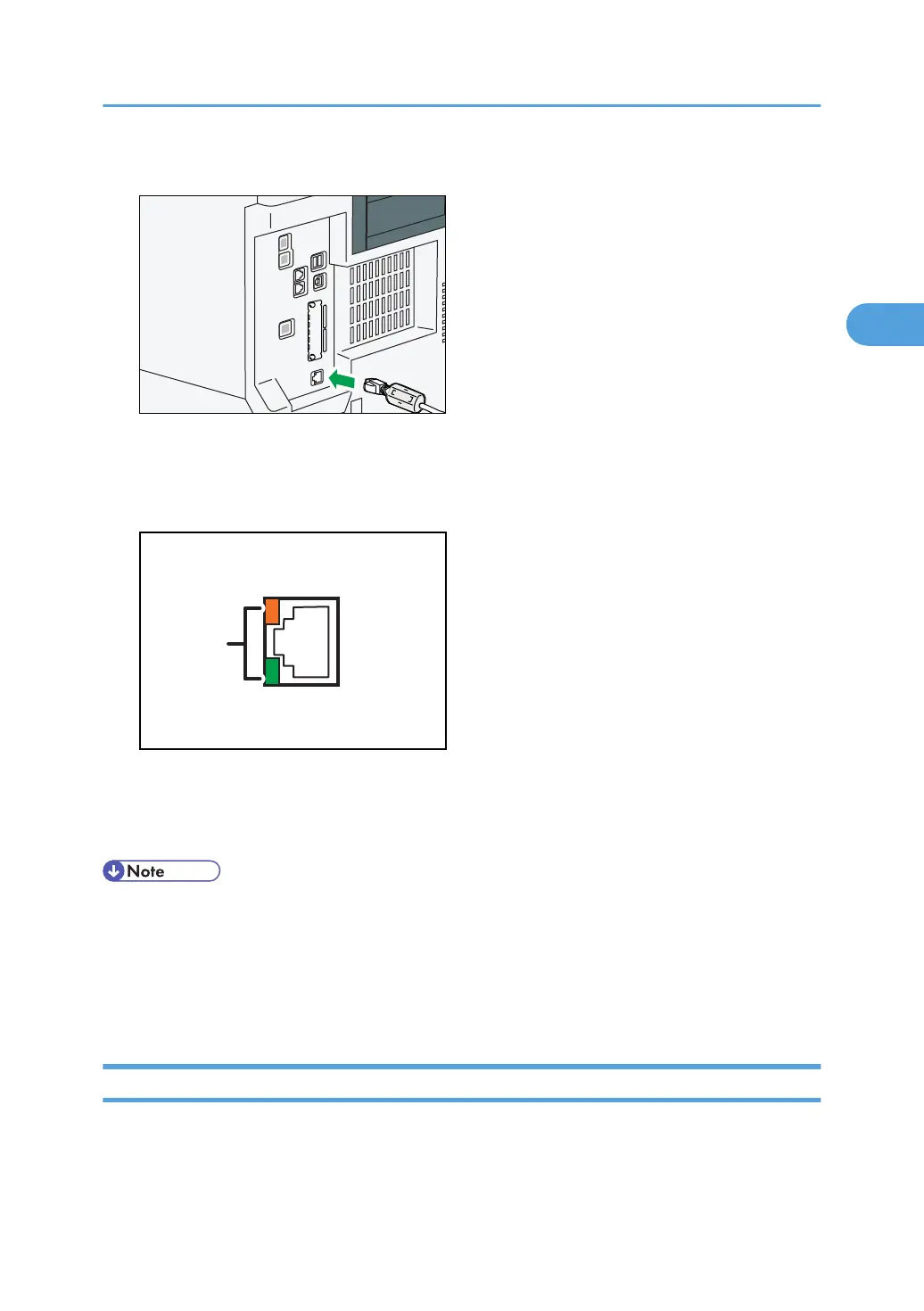
3. Connect the Ethernet interface cable to the 10BASE-T/100BASE-TX port.
4. Connect the other end of the Ethernet interface cable to a network connection device such
as a hub.
5. Turn on the main power switch of the machine.
1. Indicators
When 100BASE-TX or 10BASE-T is operating, the green LED is lit and the orange LED flashes. If the
machine is not connected to the network, both LEDs are turned off.
• Use an Ethernet interface cable that supports "Ethernet Speed". If you select [Auto Select] for
"Ethernet Speed", use an Ethernet interface cable that supports 100BASE-TX.
•
For details about how to turn on the main power switch, see "Turning On the Power", About This
Machine.
• For details about installing the printer driver, see "Preparing the Machine", Printer Reference.
Connecting to the Gigabit Ethernet Interface
This section describes how to connect the Ethernet interface cable to the Gigabit Ethernet port.
Connecting to the Interface
73



 To Next Page