• If the main power switch is on, turn it off.
•
Use the following Ethernet cables.
• When using 100BASE-TX/10BASE-T:
Unshielded Twisted Pair Cable (UTP) or Shielded Twisted Pair Cable (STP) and Category type
5 or more
• When using 1000BASE-T:
Unshielded Twisted Pair Cable (UTP) or Shielded Twisted Pair Cable (STP) and Category type
5e or more
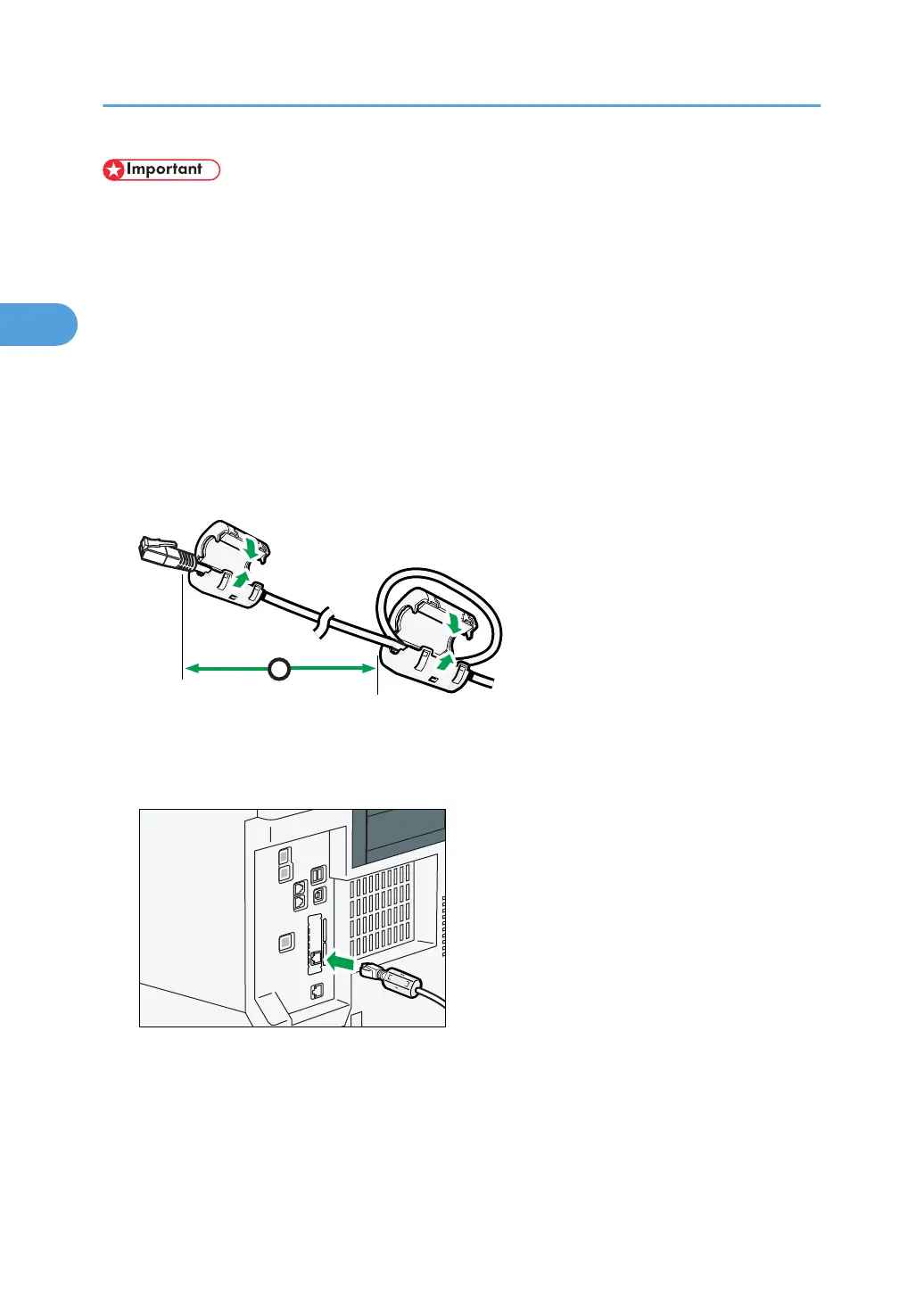
1. Attach the ferrite core supplied with the machine to the machine end of the Ethernet
interface cable. Make a loop about 10 cm (4 inch) (1) from the end and attach the ferrite
core supplied with the optional Gigabit Ethernet board.
2. Make sure the main power is switched off.
3. Connect the Ethernet interface cable to the Gigabit Ethernet port.
4. Connect the other end of the Ethernet interface cable to a network connection device such
as a hub.
2. Connecting the Machine
74



 To Next Page